Keystone Scheduler, live in 2.5 months
Keystone Perfusion, a Strata Critical company, needed custom scheduling software so hospitals could book perfusion and blood-management support in one place. We built it in 2.5 months. The traditional estimate was 6.
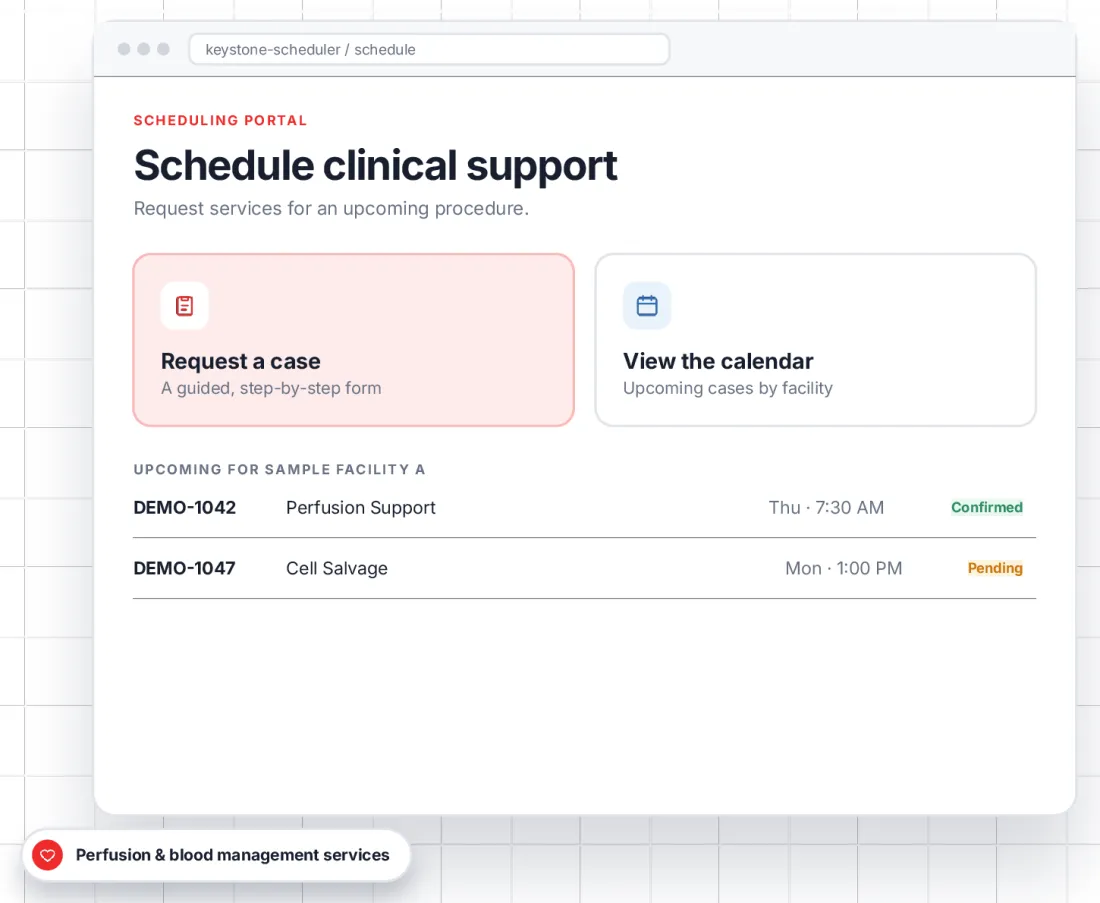
Estimated at 6 months. Live in 2.5.
Facility coordinators used to request cases through a WordPress site with Gravity Forms. Keystone needed a purpose-built system: One shared record for every request, a schedule for each facility, and clear roles for coordinators and administrators.
We built it with zenrad, our rapid application development service: AI-assisted scoping, then weekly sprints Keystone could test as we went.
ClientKeystone Perfusion, a Strata Critical companyUsersFacility coordinators and Keystone administratorsBuiltWeb app, admin dashboard, email and Google Calendar connectionsTimeline2.5 months, against a 6-month estimate
Time to launch2.5 monthsZen Agency build, live6 monthsTraditional estimateLive in under half the estimated time.
From request to confirmed case, in four moves
Two roles share one record. Coordinators start the request; administrators move it through its status.
1. Request
A facility coordinator fills in a guided form: Facility, case, service and preferred time.
2. Review
The request lands in the admin dashboard as Pending.
3. Confirm
An administrator confirms it, edits the details or cancels the case.
4. Coordinate
The case appears on the facility calendar, and email updates keep everyone informed.
Case statusPendingConfirmedCompletedorCancelled
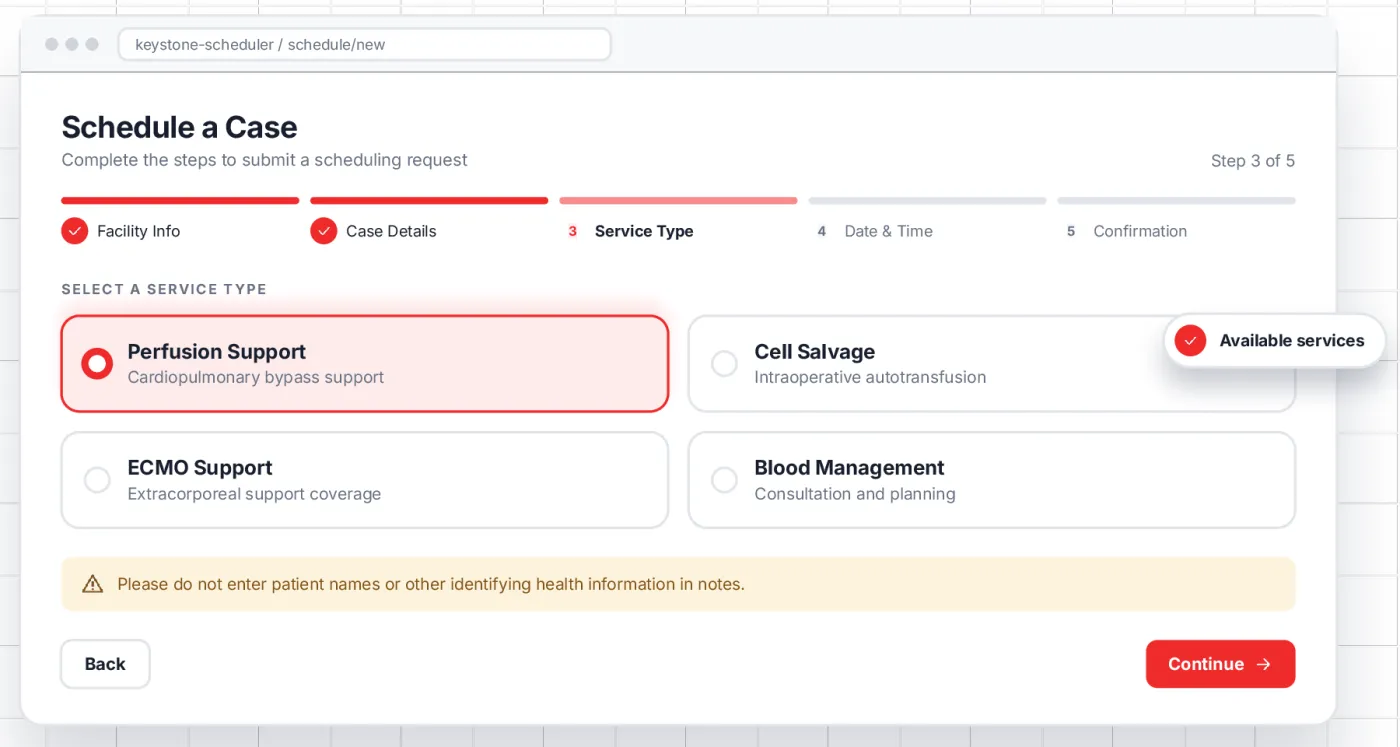
One step at a time, nothing missed
Coordinators move through a short, structured request instead of a long open form. The form only offers the services their facility can book, and reminds them to keep patient details out of notes.
Facility and contact: Who is asking, and whereCase and service: Procedure details and the support neededDate, time and a review before submitting
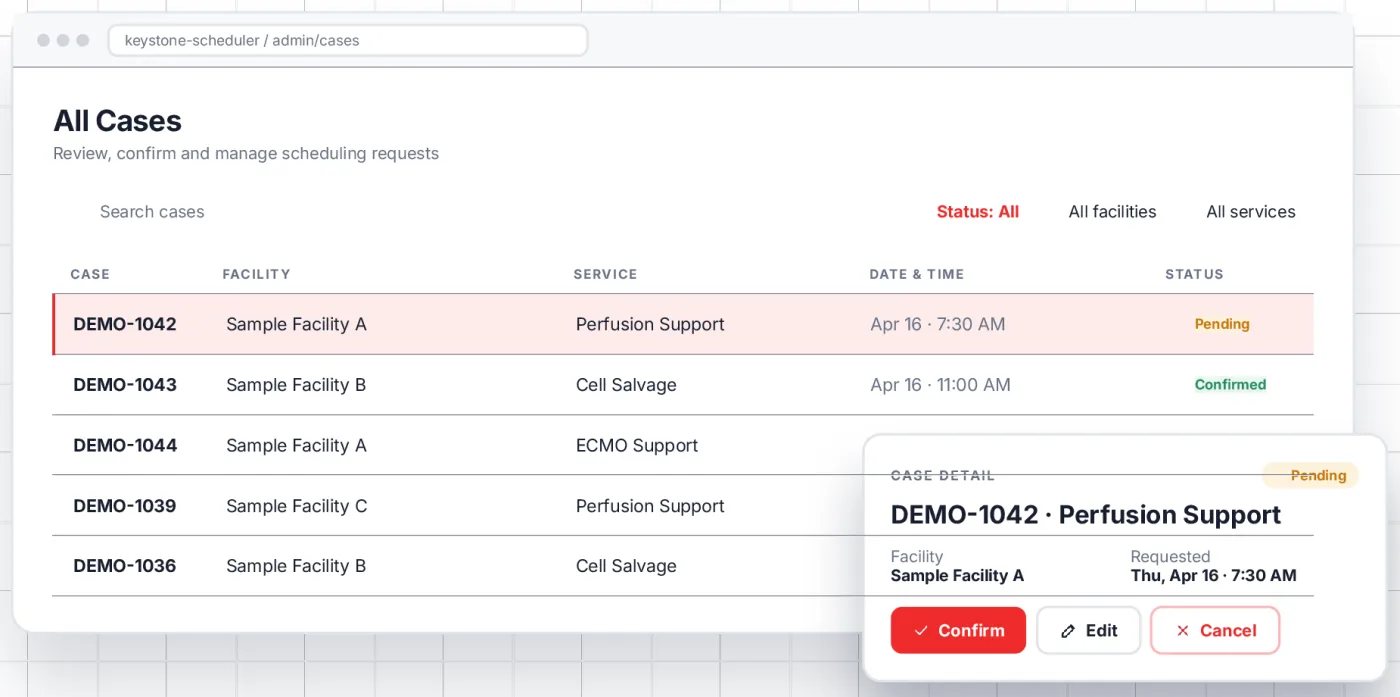
Every request, filtered and in view
Administrators filter by status, facility or service, search for any case, open it and update it in place.
Filter by status, facility and serviceConfirm, edit or cancel from the case panelEvery change keeps one shared record
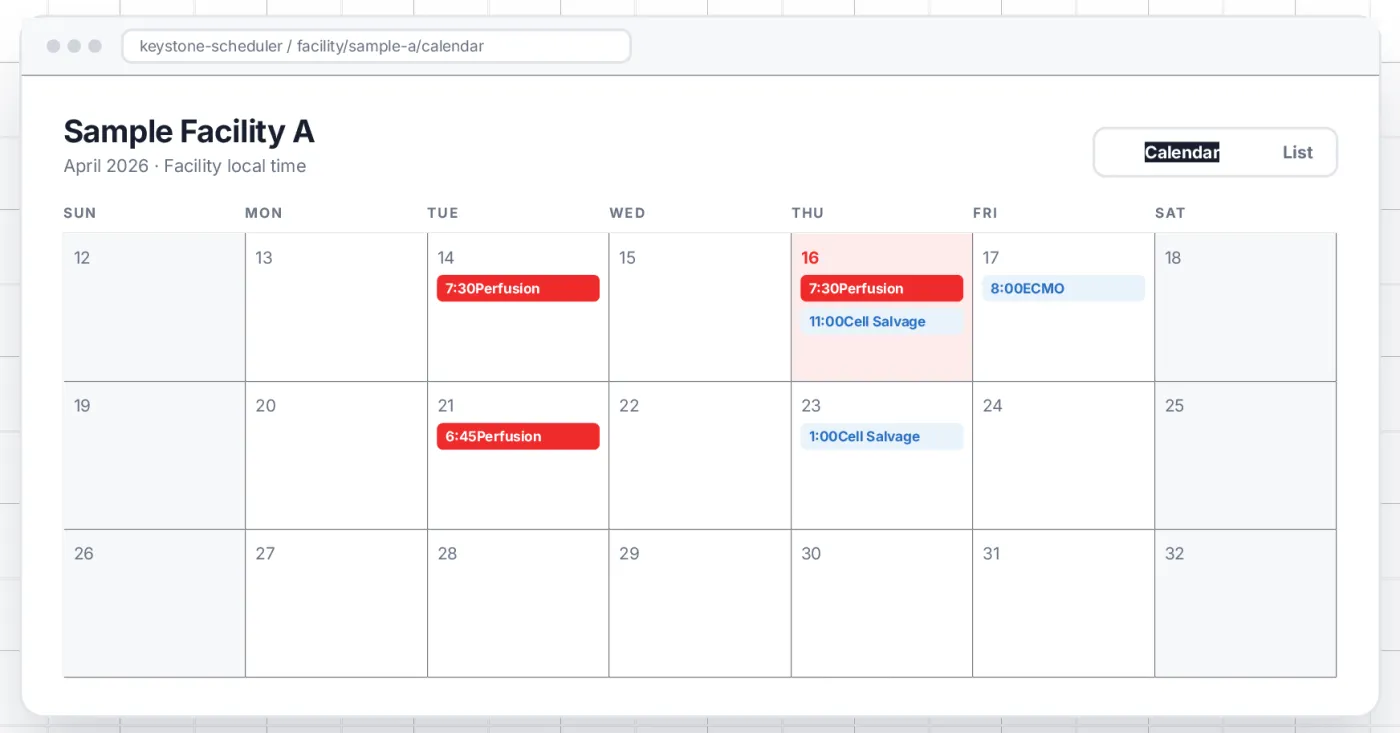
See the week the way the OR does
Each facility gets its own schedule. Coordinators switch between a calendar and a list without losing their place, and only ever see their own facility.
Calendar view: Cases on the day they happenList view: A quick chronological run-downFacility scoped: Each coordinator sees their own
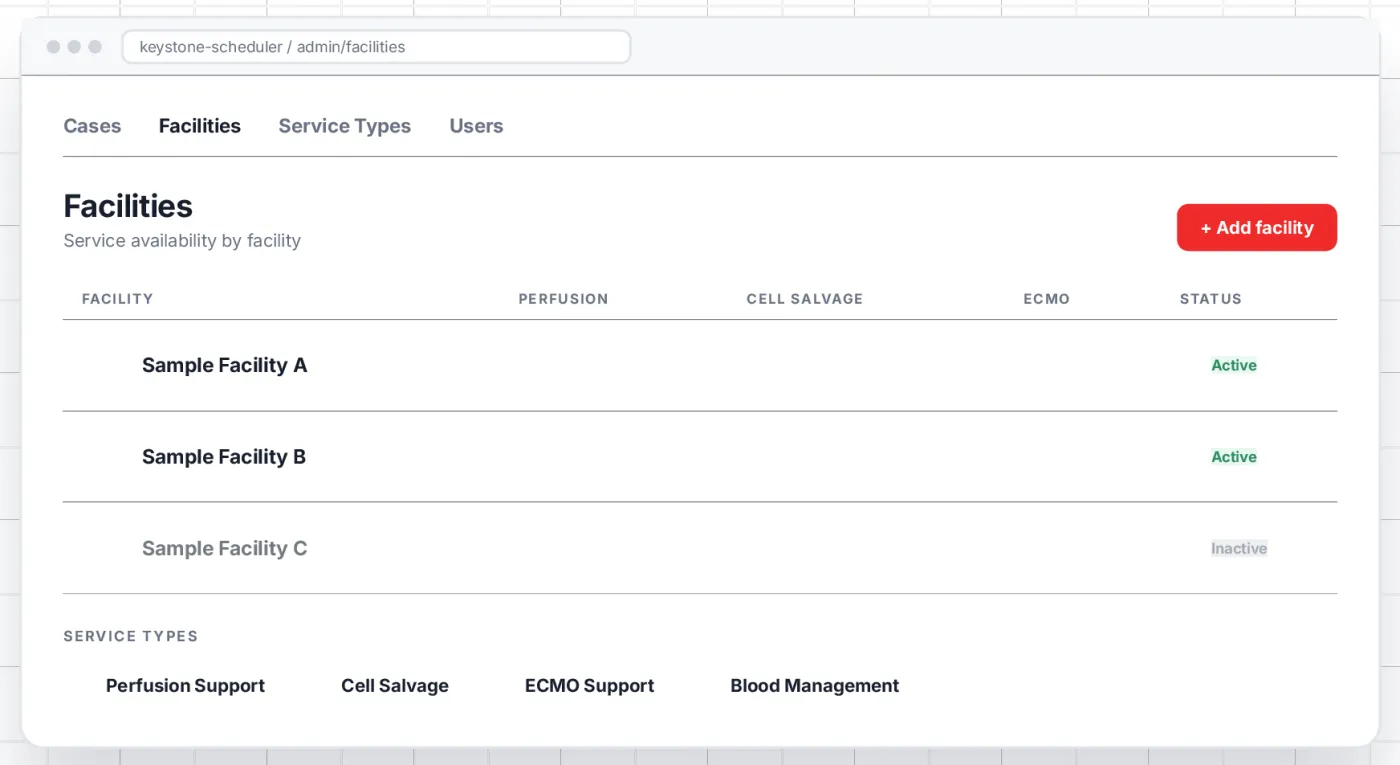
Configure the roster behind every request
Administrators add facilities, define service types and choose which services each facility can request. Inactive entries step out of the way without being deleted, so history stays intact.
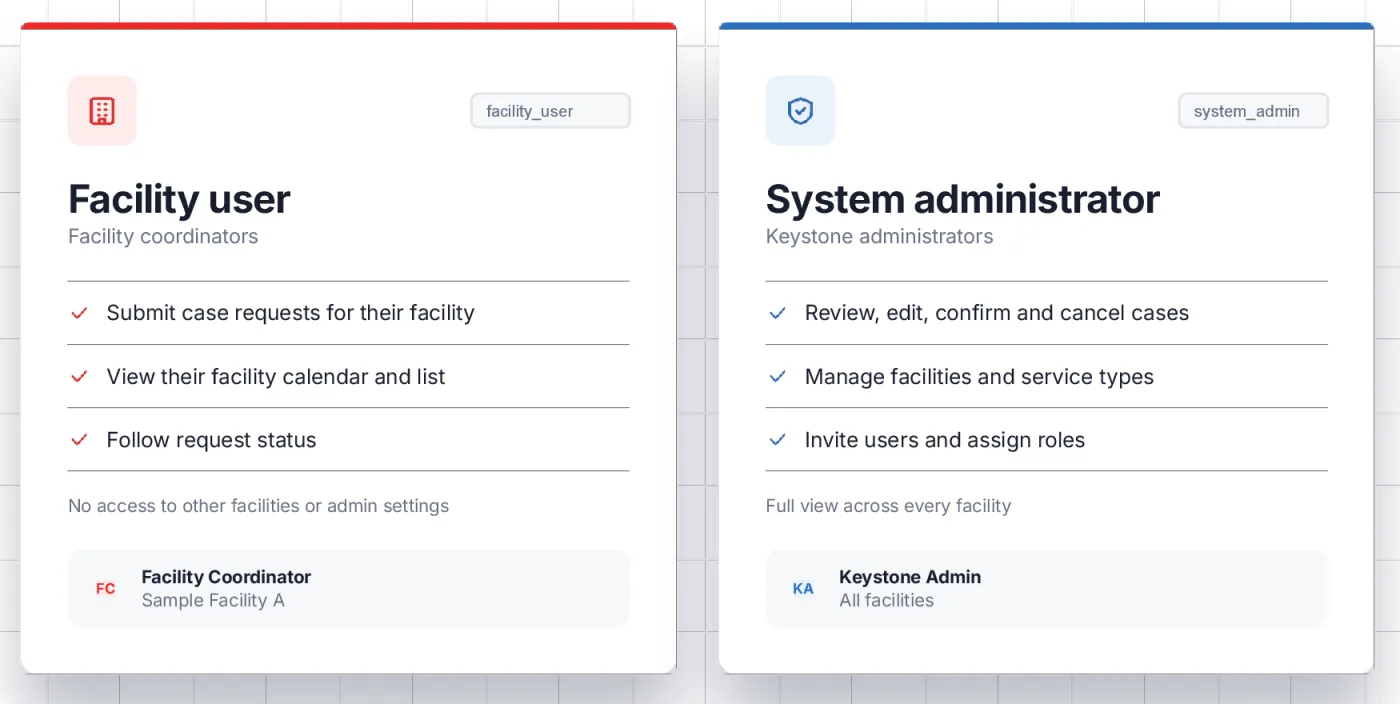
Two roles, clear boundaries
Role-based access keeps each person on the work that is theirs and keeps each facility’s data where it belongs.
Facility users submit requests and follow their own facility’s scheduleSystem administrators review cases, manage facilities and invite usersNo facility can see another facility’s cases
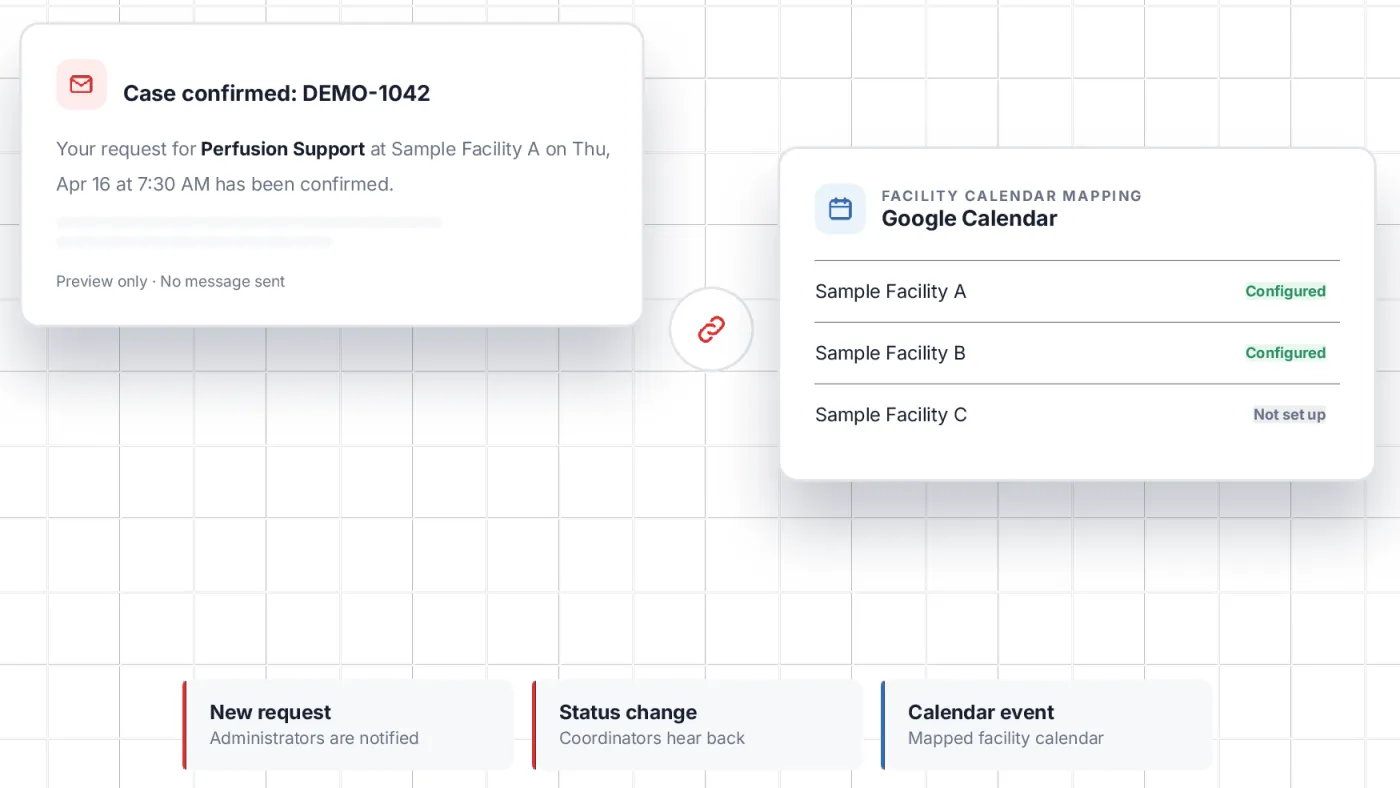
Updates that reach people, not just screens
Email notifications go out on the case events that matter, and each facility can be mapped to its own Google Calendar, so confirmed cases show up where teams already look.
New request: Administrators are notifiedStatus change: Coordinators hear backConfirmed case: Added to the facility’s calendar
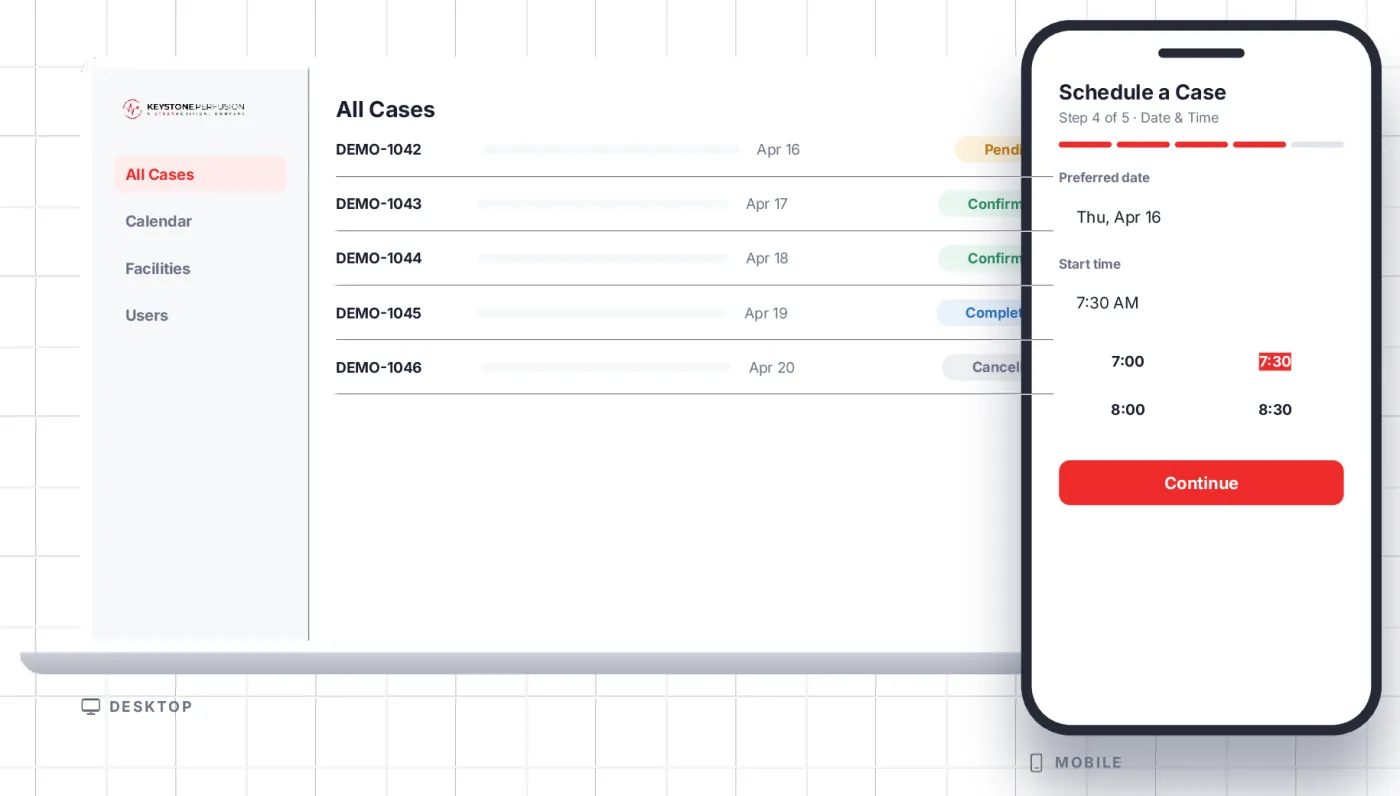
At the desk or between cases
The same app works on a wide admin screen and on a phone. Administrators get tables, filters and the full calendar; coordinators get stacked steps and touch-sized controls.
What Keystone got
Guided requests
Step-by-step scheduling for facility coordinators.
Case review
Filter, edit, confirm or cancel in one workspace.
Facility calendars
Calendar and list views for every facility.
Administration
Facilities, service types and case status in one place.
Role-based access
Facility users and system administrators, each with their own view.
Stay informed
Email notifications and a Google Calendar per facility.
Built with
App
React 18 TypeScript Express PostgreSQL
Connections
Mailgun email Google Calendar
Method
zenrad weekly sprints AI-assisted scoping and testing
Tell us the constraint. We’ll tell you whether it can be built, and what it costs.
Scope, price and schedule inside five business days.