WooCommerce dropshipping for stores that sell what other people stock
When suppliers hold the inventory, your store is only as accurate as their feeds. We build WooCommerce dropshipping setups that pull supplier stock and cost in, route each order to the right warehouse, and can run several branded stores from one catalog on a WordPress Multisite network.
Certified
Selling stock you can’t see
Dropshipping looks simple until the catalog grows. One supplier sends a CSV each night, another has an API, a third emails a spreadsheet. Prices change, items go out of stock between feeds, and someone on your team forwards orders by hand to whoever holds the product.
Add a second or third storefront and every problem multiplies. Each store keeps its own copy of the catalog, prices drift, and an item discontinued on one site keeps selling on another.
Orders sold on stock a supplier no longer hasSupplier cost changes that never reach your pricesOrders forwarded to suppliers by email or handSeveral stores, several catalogs, none quite in sync
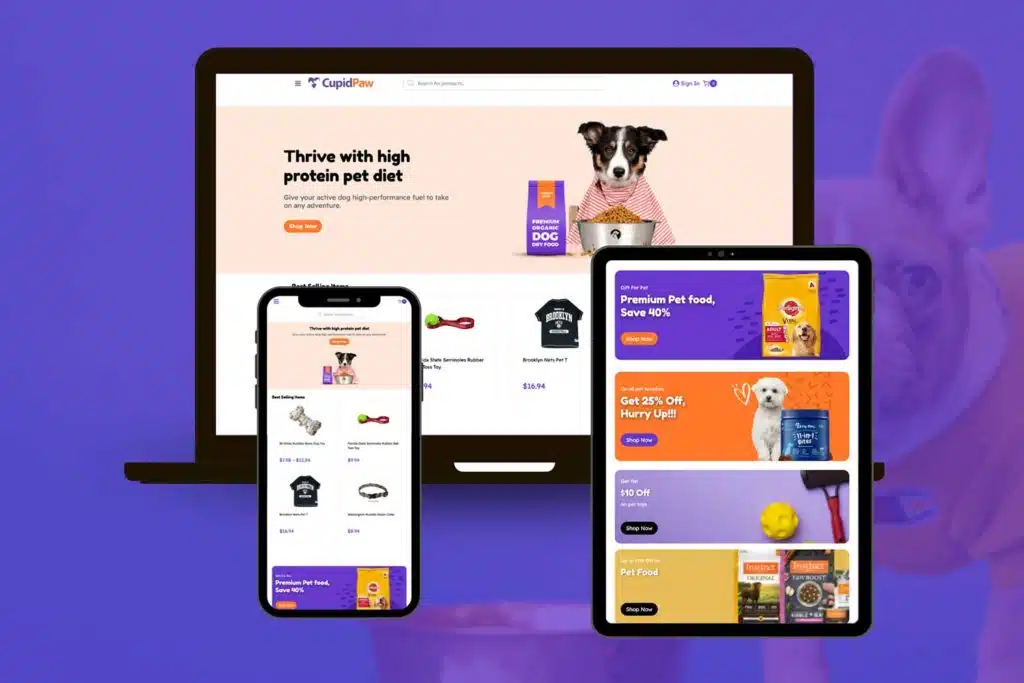
Parts of a WooCommerce multisite dropship platform
We build only the parts your model needs; a single store with two suppliers needs far less than a network.
Supplier feed imports
Scheduled imports of stock, cost and product data from each supplier’s API, CSV or FTP feed, with errors logged rather than silently skipped.
Order routing
Rules that send each line item to the supplier or warehouse that stocks it, and pull tracking numbers back into WooCommerce.
Shared catalog
One master catalog feeding every store on the network, so a product is added, edited or retired once.
Per-site pricing
Markup rules by site, category or supplier, so each storefront keeps its own pricing on the same products.
WooCommerce Multisite setup
A WordPress Multisite network where each store has its own domain, design and orders on one codebase you update once.
Multivendor options
Where outside sellers list their own products, a WooCommerce multivendor setup with vendor accounts and order splits.
The pieces we’ve already built
For a firearms shop and a pet supply shop we integrated FlxPoint, the dropship and order routing platform, with WooCommerce. FlxPoint brings supplier inventory into the store and routes each order to the source that holds the stock.
For a balloon designer we set up WooCommerce on a WordPress Multisite network. A full multi-store dropship platform combines those two pieces with a shared catalog and per-site pricing, and that’s how we’d build yours. Ask us about the tradeoffs early: Multisite suits stores that share a team and codebase, not ones that need fully separate hosting. More on how we scope builds is on our WooCommerce agency page.
Firearms shop: FlxPoint dropship and order routing integrationPet supply shop: FlxPoint dropship and order routing integrationBalloon designer: WooCommerce on a WordPress Multisite network
How we plan a dropship platform
Map suppliers and stores
Every supplier feed, format and update schedule, and every storefront you run or plan to.
Choose the architecture
One store or a Multisite network, FlxPoint or custom routing, with the tradeoffs written down.
Build and test feeds
Imports and routing run on staging against real supplier data until the numbers reconcile.
Launch store by store
The first store goes live, then each additional site joins the network on the same catalog.
WooCommerce dropshipping questions
Related WooCommerce services
WooCommerce Third-Party Integrations
Connect WooCommerce to shipping, payment, CRM and marketing tools.
WooCommerce ERP Integration
Sync orders, stock and customers between WooCommerce and your ERP.
Full-Stack WooCommerce Development
Design, build, hosting and support for the whole store.
List your suppliers and storefronts. We’ll show you how we’d connect them, and what it costs.
A plan, price and timeline inside five business days.