WooCommerce customization for the way you actually sell
Out of the box, WooCommerce assumes one product, one price, one checkout. Your business probably has bundles, add-ons, approved accounts or a buying process with more steps than that. WooCommerce customization changes how the store behaves at the product, cart and checkout, without breaking the next update.
Certified

When your sales process doesn’t fit the default cart
The workarounds are familiar. Customers email to add a gift message. Wholesale buyers order at retail prices and get refunded by hand. A product with optional extras gets listed six times, once per combination, and the catalog doubles every season.
Each workaround is staff time and a sale that almost didn’t happen. Stacking three plugins to fake the feature usually makes it worse: They hook into the same checkout fields, and one update later the cart total is wrong. Custom WooCommerce development avoids that, and it is a core part of our WooCommerce agency work, alongside product builders for complex products.
Add-ons and personalization handled over emailDuplicate SKUs standing in for product optionsWholesale buyers checking out like retail shoppersPlugins overriding each other on the checkout page
WooCommerce customization services we build
Product add-ons
Paid extras, engraving, gift notes and file uploads attached to the product, priced correctly in the cart and on the order.
Build-your-own tools
Shoppers assemble a basket, bundle or set step by step, and the store turns it into a single clean order.
Custom checkout flows
Extra steps, conditional fields or a different order of questions where your buyers need them, and fewer where they don’t.
Cart behavior
Slide-out carts, quantity rules, minimums and upsells that keep shoppers on the page instead of sending them to a cart screen.
Account rules and gating
Account request forms, approval before checkout, distributor portals and customer-specific catalogs.
Update-safe code
Changes written through WooCommerce hooks and filters, not edits to core or plugin files, so updates don’t erase them.
Customizations that moved real numbers
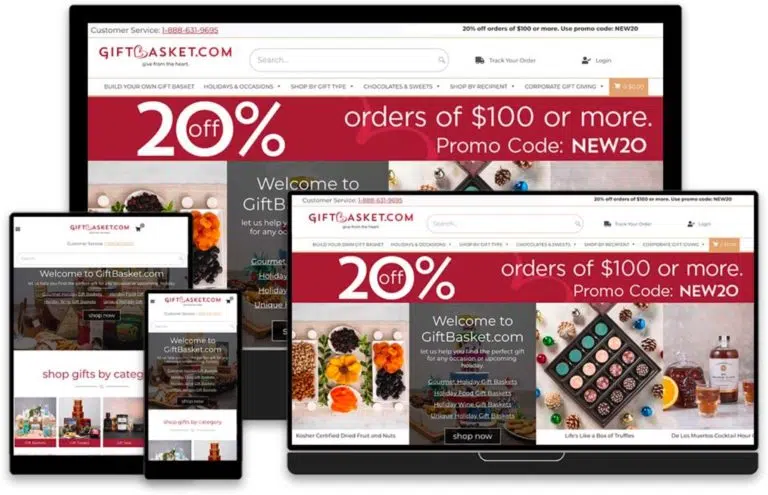
GiftBasket.com needed more than a product grid. We built a Build-Your-Own-Basket tool, Gravity Forms product add-ons and a custom checkout flow. The product add-ons alone lifted average order value by over 20%.
Other stores needed smaller, sharper changes. ARCH Cutting Tools added an account request form that gates checkout, and new account requests rose 33%; a distributor portal followed. Earth’s Treasury got a custom ring builder, and a chocolatier’s store got a custom slide-out add-to-cart.
GiftBasket.com: Product add-ons lifted AOV by over 20%ARCH: Account request form raised new account requests 33%Earth’s Treasury: Custom ring builderChocolatier: Slide-out add-to-cart
How a customization project runs
Map the process
We walk through how a real order should flow, including the exceptions your staff handle by hand.
Pick the approach
Configure an existing extension, extend it or write custom code. We say which and why.
Build on staging
The change is built and tested on a copy of your store with real products and test orders.
Release and watch
We deploy, watch orders through the new flow and fix anything that shows up.
Questions about custom store changes
Related WooCommerce services
WooCommerce Product Builder & Configurator Development
Step-by-step product builders and configurators for products with many options.
WooCommerce Variation-Level Custom Fields
Extra data per variation, such as specs, sizes or files, stored and shown properly.
WooCommerce Plugin Development & Customization
Custom plugins for features too large or too shared to live in the theme.
Tell us the step your staff keeps doing by hand. We’ll show you how the store could do it, and what it costs.
A plan, price and timeline inside five business days.