A WooCommerce product customizer your buyers can finish without calling you
Some products aren’t bought, they’re assembled: A basket filled item by item, a stone matched to a setting, a bundle of tools picked for one shop. We build the WooCommerce product customizer that walks buyers through those choices, prices them live and sends your team an order that’s ready to make.
Certified

When the product has more choices than the page can handle
A standard WooCommerce product page gives you a dropdown of variations and an add-to-cart button. That’s fine for size and color. Ask a buyer to pick a base, then compatible parts, then options that change the price, and the page turns into a wall of dropdowns where half the combinations don’t exist.
Buyers who can’t see what they’re building either give up or phone in, and your staff end up taking the order by hand. Worse is the order that does come through: An invalid combination nobody can make, discovered after it’s paid.
Hundreds of variations to keep in sync by handCombinations that can be ordered but can’t be madeNo running price while the buyer buildsPhone and email orders for products that should sell online
What goes into a WooCommerce product customizer
Each WooCommerce product configurator is built around your catalog’s rules, not a generic plugin’s.
Step-by-step builder flow
Choices in the order a buyer thinks about them, with each step filtering the next so only compatible options appear.
Compatibility rules
The rules your team knows by heart, written into the builder: Which parts fit, which settings take which stones.
Live pricing
A price that updates with every choice, including add-ons, so the total at checkout is never a surprise.
Add-ons and upsells
Gift wrap, engraving, accessories and upgrades offered at the step where they make sense.
Clean order data
Each build lands in WooCommerce as readable line items your fulfillment team can pick from without decoding.
Designer and preview options
Where the product calls for it, a WooCommerce product designer with uploads, text or visual previews of the finished item.
Builders we’ve shipped, and what they did
GiftBasket.com wanted customers to make their own baskets, not only pick from finished ones. We built a Build-Your-Own-Basket tool into the WooCommerce store, with product add-ons along the way. The add-ons lifted average order value by over 20%.
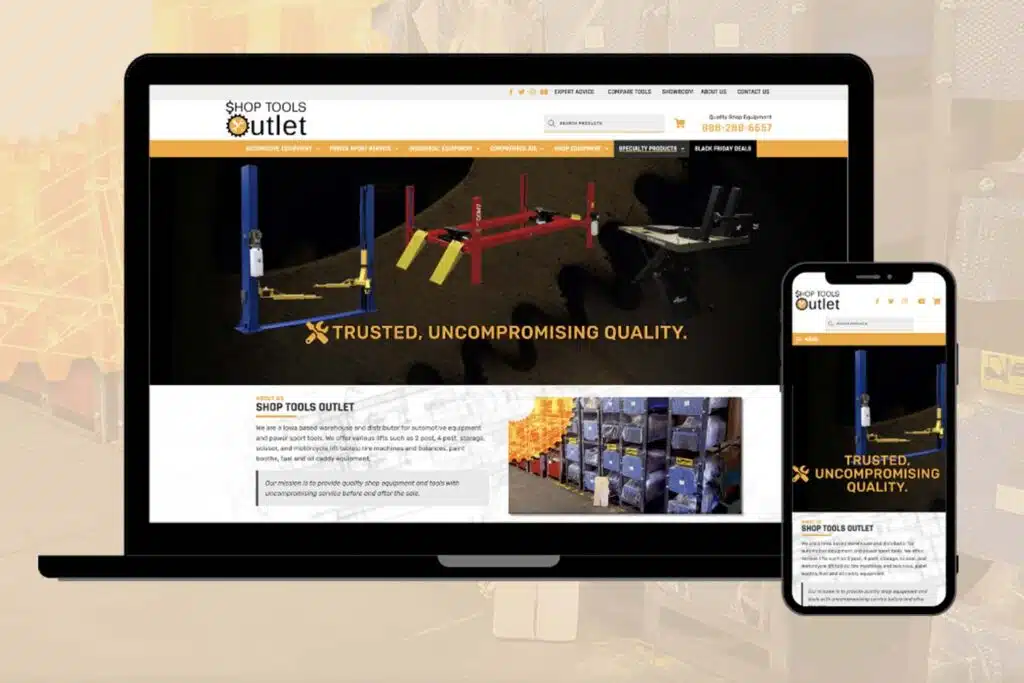
For Earth’s Treasury, the custom ring builder matches stones to settings so buyers only see pairs that work, and their AI concierge, Jewelia, reads the ring-builder context when it answers. For a shop tools company we built a product bundle builder. Each one started as a set of rules from the client’s own team; our WooCommerce development team turned them into code.
GiftBasket.com: Build-Your-Own-Basket tool, add-ons lifted AOV over 20%Earth’s Treasury: Custom ring builder matching stones to settingsShop tools company: Product bundle builder
From rule sheet to working builder
Map the choices
We sit with whoever takes custom orders today and write down every option, rule and price change.
Prototype the flow
A clickable flow you can try on a phone before we write the pricing and stock logic.
Build on staging
The WooCommerce product builder goes onto a staging copy, tested against real orders you’ve taken.
Launch and refine
We go live, then watch where buyers stop in the builder and fix those steps first.
Product customizer questions
Related WooCommerce services
Advanced WooCommerce Customizations
Custom checkout, cart and account changes beyond what plugins offer.
WooCommerce Variation-Level Custom Fields
Extra data on each variation that filters, displays and exports properly.
WooCommerce Conversion Rate Optimization
Find where buyers drop out of your store and fix those pages.
Show us how you take custom orders today. We’ll show you how a builder would take them online, and what it costs.
A plan, price and timeline inside five business days.