WooCommerce migration that keeps your orders, customers and rankings
Changing carts is mostly a data problem and a URL problem. Our WooCommerce migration service moves your products, customer accounts and order history, maps every old URL to its new home, and runs the whole move on a staging site before a single customer sees it.
Certified

Why most cart moves go wrong after launch
The new store looks fine on launch day. Then the problems surface: Customers who can’t log in because their passwords didn’t carry over, order history that stops at the cutover date, variations that arrived as separate products, and old product URLs returning 404s while Google still sends traffic to them.
Each of those has a cost. Lost logins mean support tickets and abandoned reorders. Missing history breaks returns and repeat-customer reports. Broken URLs bleed the organic traffic you spent years earning. A WooCommerce agency that has done this before plans for all of it up front, not after the complaints arrive.
Product, variation and SKU data that doesn’t map one to oneCustomer accounts and passwords that need a reset planOrder history your team still needs for returns and reportingOld URLs, categories and image paths that need 301 redirects
What a migration with us covers
We treat the move as a rebuild of your store’s data and rules, not a file copy.
Data audit and field mapping
We inventory every product type, attribute, custom field and customer record on the old platform and decide where each one lives in WooCommerce before anything moves.
Products, variations and media
Simple, variable and bundled products come across with SKUs, prices, stock, images and attributes intact, so filters and swatches work on day one.
Customers and order history
Accounts, addresses and past orders move with their dates and statuses. You decide how far back to go and how customers set new passwords.
URL mapping and 301 redirects
Every old product, category and content URL gets a redirect to its closest new match. This is the part that protects your search rankings.
Checkout, tax and shipping rebuild
Payment gateways, tax classes and shipping zones are set up fresh in WooCommerce and tested with real orders on staging.
Cutover and delta sync
We pause the old store briefly, pull in orders placed since the last sync, switch DNS and watch the first days of live orders closely.
Stores we’ve moved off carts that had run their course
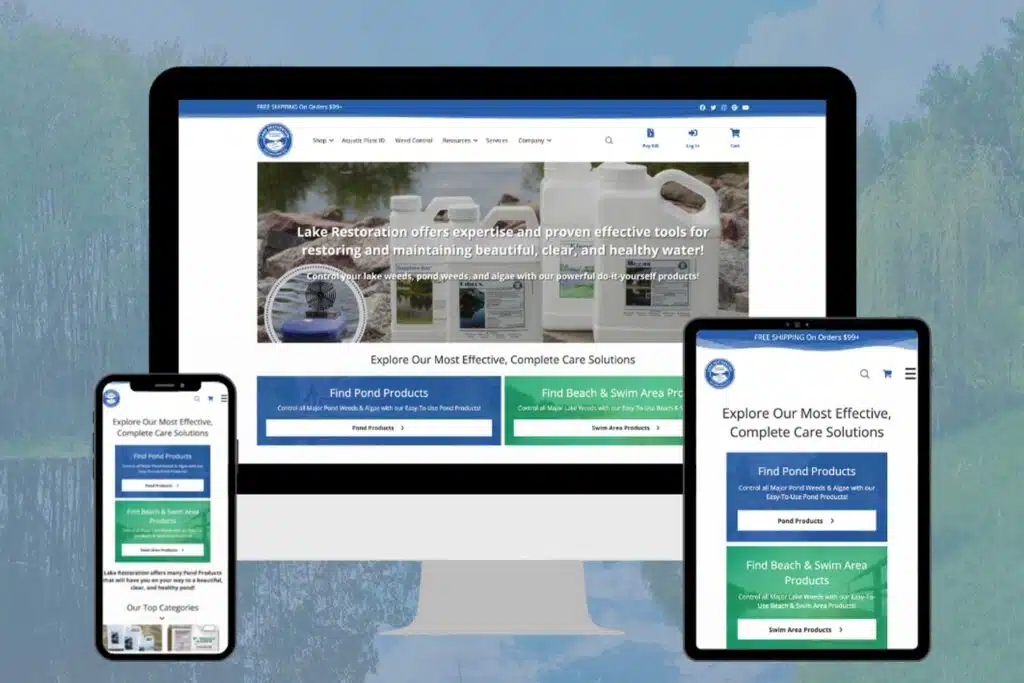
A pond and lake weed control company came to us on AspDotNetStorefront, an ASP.NET cart few developers still work on. We designed a new WooCommerce store, migrated it and now host and maintain it on our own WordPress stack. A career development company made a Magento to WooCommerce migration with us.
For Lugz, the footwear brand, the migration was one piece of a larger enterprise WooCommerce build: Past customer and order data was carried into the new store, so repeat buyers and the support team didn’t start from zero. Our process also covers Shopify, OpenCart and AbleCommerce stores, and because we’re a BigCommerce Certified Partner as well as a Woo PRO Partner, we know both sides of a BigCommerce to WooCommerce move.
AspDotNetStorefront to WooCommerce, with hosting and maintenance after launchMagento to WooCommerce for a career development companyLugz: Past customer and order data migrated into the new storeShopify, BigCommerce, OpenCart and AbleCommerce moves on the same process
How we run a WooCommerce migration
Review and quote
We look at the old store, its data and its extensions, then send a fixed price and a cutover plan.
Build on staging
The new store is built and loaded with a full copy of your data on a private staging site.
Test and rehearse
Your team places test orders, checks accounts and reviews redirects. We rerun the import until it’s clean.
Cut over and watch
Final delta sync, DNS switch, then close monitoring of orders, 404s and Search Console.
WooCommerce migration questions
Related WooCommerce services
Full-Stack WooCommerce Development
New stores built from the ground up, for when a migration turns into a rebuild.
WooCommerce Maintenance & Troubleshooting
Updates, backups and fixes once the new store is live.
Tell us which cart you’re leaving. We’ll show you what moves, what gets rebuilt and what it costs.
A plan, price and timeline inside five business days.