WooCommerce speed optimization that starts at the server, not with another plugin
Most slow stores have already tried a caching plugin or two. Our WooCommerce speed optimization works from the bottom up: Hosting, object caching, queries and cart fragments first, then images and scripts. The goal is a store that stays quick for a shopper with a full cart, not only a fast home page in a test tool.
Certified

The slow pages are the ones that take the money
Speed tests usually measure the home page, served from cache. The slow parts of WooCommerce are the pages that can’t be cached: Cart, checkout, my account, search results, and every page once an item is in the cart. That’s where a shopper waits on a cart fragment refresh, a filter running a heavy query, or a checkout carrying scripts from plugins nobody remembers installing.
Stores collect plugins over years. Overlapping search tools, a second page builder, marketing scripts from a campaign that ended. To speed up WooCommerce for real, the fix is often removing code as much as adding caching. Our WordPress speed optimization covers the general site; store work adds carts, sessions and checkout, which is why it sits with our WooCommerce agency team.
Cart and checkout pages that hang before respondingAdmin screens that crawl as orders pile upSearch and filters that stall on large catalogsWeak Core Web Vitals on product and category pagesA plugin list nobody on staff can explain
What a speed engagement covers
Each item is measured before and after, so you can see which change moved which number.
Hosting review or move
We check PHP version, server resources and database setup, and move the store to our own WooCommerce hosting stack when the host is the bottleneck.
Redis object caching
Persistent object caching cuts repeated database queries, which helps cart, checkout and admin pages that page caching can’t touch.
Page caching with store rules
Full-page caching for catalog pages, with cart, checkout and account pages excluded correctly so no shopper sees someone else’s cart.
Plugin audit
Every plugin is profiled for what it loads and where. We remove it, replace it or limit it to the pages that need it.
Query and cart fragment fixes
We find slow database queries and stop cart fragment requests from firing on pages where they do nothing.
Images and Core Web Vitals
WebP images sized to their slots, lazy loading below the fold, and fixes for layout shift and a slow largest contentful paint.
United Chemical: From a GTmetrix F to a store that sells more
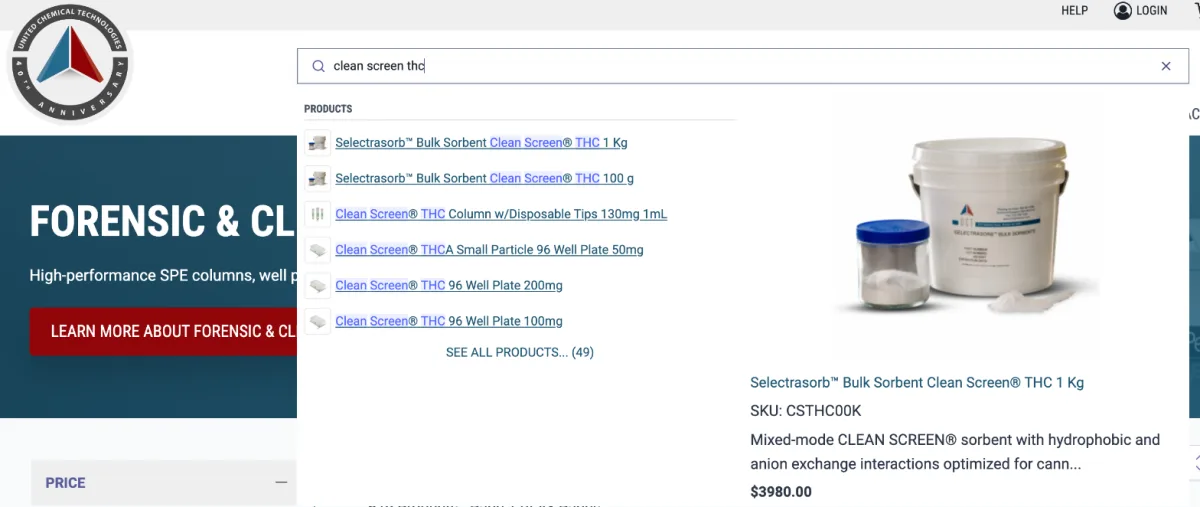
United Chemical’s WooCommerce store was graded F on GTmetrix. It carried 75 plugins and three separate search tools, each loading its own code. We moved it to our WooCommerce hosting stack, fixed the errors piling up underneath, and put one fast autocomplete search in place of the three.
Conversion rate rose 61% and revenue 52% after the work. Speed was part of that, not all of it: Better search and the UX fixes did their share. That’s the honest pattern with WooCommerce performance optimization. It pays most when it ships alongside the things shoppers actually touch.
Graded F on GTmetrix before the workMoved to our WooCommerce hosting stack, errors fixedOne fast autocomplete search in place of three tools+61% conversion rate, +52% revenue
Measure, fix, measure again
Baseline
We record Core Web Vitals, server response times and real timings for home, category, product, cart and checkout pages.
Profile
Plugins, queries and hosting are profiled on a staging copy to find where the time actually goes.
Fix by impact
Server and caching first, then plugins and queries, then front-end weight. Each change is tested on staging before it goes live.
Verify
We rerun the same tests, show you before and after, and confirm checkout and payments still work end to end.
WooCommerce speed optimization questions
Related WooCommerce services
WooCommerce Maintenance & Troubleshooting
Staged updates, security hardening and troubleshooting from the team that knows your store.
Custom WooCommerce Theme Design
A custom WooCommerce theme designed mobile-first and built to load fast.
WooCommerce Conversion Rate Optimization
Structural fixes to search, product pages and checkout, then testing.
Send us your slowest page. We’ll tell you why it drags, and what fixing it costs.
A plan, price and timeline inside five business days.