WooCommerce integration that stops your team retyping orders
If someone on your staff copies orders from WooCommerce into another system every morning, that’s an integration waiting to be built. We connect your store to dropship suppliers, inventory tools, search, email and learning platforms through their APIs, with logging that tells you when a sync fails.
Certified


The gaps between your tools are where money leaks
Most stores add tools one at a time: A dropship supplier, an inventory app, an email platform, a booking system. Each works on its own. The trouble is the space between them, where stock counts drift, tracking numbers never reach the customer and someone exports a CSV at 7 a.m. to keep orders moving.
Off-the-shelf connectors cover the simple cases. They tend to break on the details that matter to you: A custom product type, a second warehouse, a field the plugin author never pictured. That’s where a WooCommerce development team earns its fee, by writing and supporting the connection instead of hoping the next plugin update doesn’t change it.
Overselling because supplier stock updates lag behind salesOrders keyed by hand into a fulfillment or accounting toolTracking numbers that never make it back to the customerConnector plugins that fail silently after an updateCustomer data split across the store, email and booking software
Integrations we build and support
Each one is built against the other system’s API, tested on staging and logged, so failures show up in a report instead of a complaint.
Dropship and supplier feeds
Supplier catalogs, stock levels and order routing through platforms like FlxPoint, so products update and orders reach the right vendor without a spreadsheet.
Inventory and order management
Sync with order and inventory systems such as Ordoro, including scheduled jobs that refresh costs and product data overnight.
Search and discovery
Algolia search and filtering fed from your product data, with index records that update when prices or stock change.
Email and marketing platforms
Klaviyo and other email tools fed with real order and product events, so flows trigger on what customers actually bought.
Learning and membership systems
Store purchases that grant access in LearnDash or a member area, and remove it again when a subscription lapses.
Custom WooCommerce API integration
When no connector exists, we build one against the WooCommerce REST API and the other platform’s API, with retries, logs and alerts.
Integrations already running on stores we built
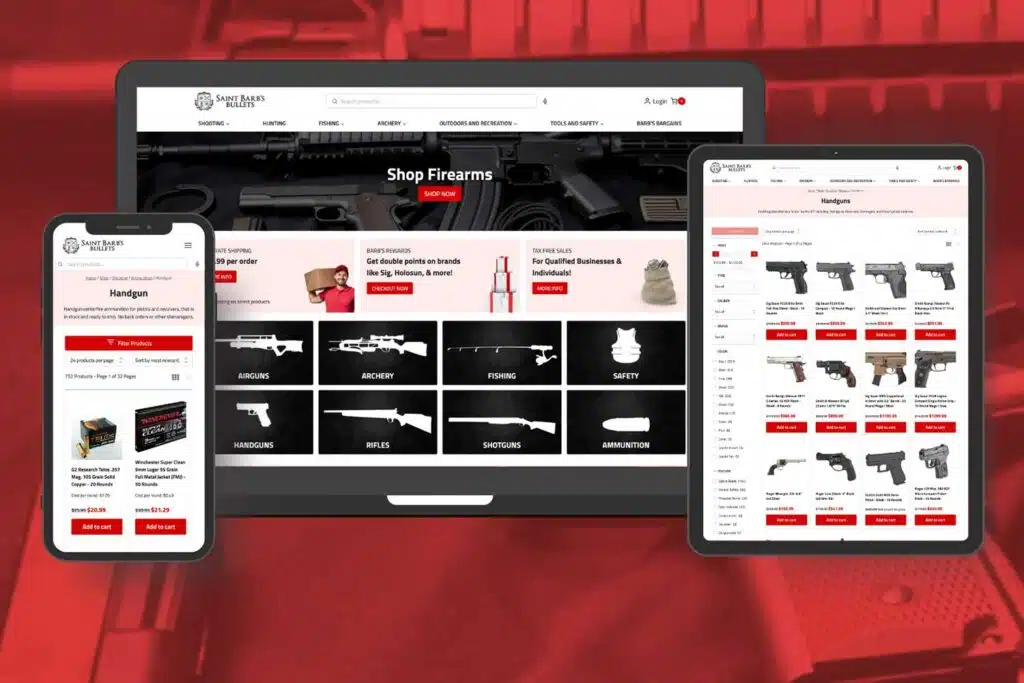
For a brand-name firearms shop we built the WooCommerce store with Algolia search and filtering and integrated FlxPoint for dropship and order handling, so supplier products and orders flow without manual entry. A pet supply shop runs on a FlxPoint integration too. A gun dealer’s store pulls from Ordoro, with a daily cron job that updates products and cost of goods automatically.
Not every integration is about stock. For a healthcare company we connected WooCommerce to LearnDash so a course purchase opens the matching training, and a dance studio’s site talks to Jackrabbit, its class software. We’re a Klaviyo partner and a Google Partner, and Jewelia, the AI concierge we built for Earth’s Treasury, runs on OpenAI, Algolia, WooCommerce and LiveChat. Search builds get their own page: Algolia consulting.
Firearms shop: Algolia search plus FlxPoint dropship and order integrationGun dealer: Ordoro sync with daily product and cost updatesHealthcare company: LearnDash and WooCommerce working as oneDance studio: Jackrabbit class software connected to the site
From data map to live sync
Map the data
We list which system owns each field (stock, price, order status, customer) and which way it flows.
Fixed quote
Once we’ve checked both APIs and their rate limits, you get a fixed price.
Build on staging
We connect test accounts first and push realistic orders through until the edge cases are handled.
Launch with logging
The live sync goes out with error logs and alerts, and we watch it through the first busy weeks.
WooCommerce integration questions
Related WooCommerce services
WooCommerce ERP Integration
Connect the store to the system that runs your finance, stock and purchasing.
WooCommerce REST API Integration & JSON Support
Custom endpoints and JSON feeds for apps and partners that need your store data.
WooCommerce Multisite Dropship Platform Development
Multisite dropship networks with shared suppliers and catalogs.
Tell us which systems your store has to talk to. We’ll map the data, the risks and the price.
A plan, price and timeline inside five business days.