Choosing Your Digital Storefront: A WordPress E-commerce Deep Dive
Why WordPress E-commerce Solutions Dominate the Digital Marketplace
WordPress e-commerce solutions power millions of online stores, offering businesses best flexibility, control, and scalability. Here’s what you need to know:
Top WordPress E-commerce Options:
- WooCommerce – Best all-around solution for physical products, digital downloads, and subscriptions.
- Easy Digital Downloads – Specialized platform for selling digital products exclusively.
- MemberPress – Ideal for membership sites and subscription-based content.
- Payment Blocks – Simple native WordPress solution for one-time and recurring payments.
- BigCommerce/Shopify Integration – Fully-hosted platforms that integrate with WordPress.
Key Decision Factors:
- Business Model: Physical goods, digital products, memberships, or services.
- Technical Expertise: Self-hosted (full control) vs. managed solutions (simplicity).
- Budget: Free plugins vs. premium features and hosting costs.
- Scalability: Growth potential from startup to enterprise.
The numbers are staggering: WordPress powers 43.5% of all websites, and WooCommerce alone runs over 4 million global online stores. This dominance is due to its core strengths.
Unlike locked-down SaaS platforms, WordPress provides complete ownership of your store, code, and data. You avoid monthly platform fees that eat into margins and aren’t limited by a third-party feature roadmap. The open-source ecosystem offers unlimited customization. With over 50,000 plugins and thousands of themes, you can build any feature or design and integrate with complex systems like CRMs or ERPs.
This power requires responsibility for hosting, updates, and security. For many, the tradeoff is worth the control and cost savings.
With over 22 years in digital marketing, I’ve seen WordPress e-commerce evolve into a sophisticated platform. At Zen Agency, we help companies leverage these solutions to build scalable, profitable online stores they fully own and control.
Let’s break down your options so you can make an informed decision about which solution fits your business model, technical capabilities, and growth ambitions.
A Comparative Look at WordPress E-commerce Solutions
Navigating WordPress e-commerce solutions can be overwhelming. This section will help you find the perfect fit for your business model, from simple payment buttons to a full-scale online superstore.
Key Criteria for Evaluating WordPress E-commerce Plugins
When choosing a plugin, evaluate it against these critical factors:
- Features and Functionality: Does it have essential features like product management, secure checkout, and order management? Can it handle your specific product types (physical, digital, subscriptions)?
- Ease of Use: An intuitive interface, clear documentation, and a smooth setup process save time and reduce frustration, especially for non-technical users.
- Customization Options: Your store should reflect your brand. The best plugins allow extensive customization of the look, feel, and functionality, often via themes and page builders.
- Long-Term Cost: Look beyond the initial price. Consider the total cost of ownership, including premium extensions, themes, hosting, and maintenance.
- Performance and Security: A slow site hurts conversions and SEO. Robust security is non-negotiable. Look for plugins optimized for speed and updated regularly. An SSL certificate is mandatory.
- Payment Gateway Support: The plugin must integrate with payment gateways relevant to your audience, like PayPal, Stripe, or Square.
- Shipping Options: For physical products, you need configurable shipping zones, rates, and integrations with major carriers for accurate cost calculation.
Self-Hosted Plugins vs. Fully-Hosted Platforms
You’ll face a fundamental choice: self-hosted plugins (like WooCommerce) or integrating with fully-hosted SaaS platforms (like Shopify). Each has distinct pros and cons based on your needs, technical comfort, and desired control.

Self-Hosted WordPress Plugins (e.g., WooCommerce):
- Pros:
- Full Control & Ownership: You own your data, code, and website, with no vendor lock-in.
- No Monthly Platform Fees: The core software is free; you only pay for hosting and optional premium add-ons, saving costs as you scale.
- Endless Customization: The open-source ecosystem offers unparalleled flexibility to build any feature you can imagine.
- Scalability: With quality hosting, self-hosted stores can scale from startup to enterprise.
- Cons:
- Requires Management: You are responsible for hosting, security, updates, and backups.
- Hosting Costs: You must pay for reliable web hosting.
- Steeper Learning Curve: Setup can be more complex for beginners compared to SaaS platforms.
Fully-Hosted SaaS Platforms (e.g., BigCommerce, Shopify) with WordPress Integration:
- Pros:
- Simplicity & Ease of Use: All-in-one solutions that handle hosting, security, and updates for you.
- Managed Maintenance: The platform handles all technical heavy lifting.
- Dedicated Support: Often includes dedicated customer support.
- Cons:
- Monthly Fees: You pay a recurring subscription fee that can increase with growth.
- Limited Customization: Customization is confined to the platform’s ecosystem and is more restricted than open-source.
- Data Ownership Policies: You don’t fully own the underlying code and have less control over your data.
- Transaction Fees: Many platforms charge extra transaction fees unless you use their proprietary payment gateway.
Solutions for Selling Physical & Digital Products
WooCommerce: The All-in-One Powerhouse
WooCommerce is the go-to, all-in-one choice. It’s a comprehensive platform that handles both physical and digital products with impressive versatility.
- Physical Goods: Excels at selling tangible products with variations (size, color), inventory management, shipping zones, and tax calculation.
- Digital Downloads: Easily sells digital products like eBooks or software, with features for setting download limits and managing access.
Easy Digital Downloads (EDD): The Digital Specialist
If you exclusively sell digital goods, Easy Digital Downloads (EDD) is often a superior, more streamlined choice.
- Specialized Features: Offers features built for digital sales, like software licensing and content restriction, without the clutter of physical shipping options.
- Simplicity: Its focused nature provides a lighter, less overwhelming interface than WooCommerce.
Solutions for Memberships and Subscription-Based Content
MemberPress: For Advanced Membership Features
For a full-fledged membership site, MemberPress is our top recommendation. It’s a powerful plugin to create, manage, and track subscriptions.
- Recurring Revenue Models: Set up various subscription levels (monthly, yearly) for online courses, premium content, or communities.
- Gated Content & Tiered Access: Restrict access to posts, pages, or files based on membership level.
- Automated Management: Automates the membership lifecycle, from sign-ups and payments to renewals.
Paid Content Block: For Simple, Native Subscriptions
For a simpler, native WordPress solution, the Paid Content block is an excellent option.
- Share Exclusive Content: Easily create monthly or yearly subscriptions to place text, images, or videos behind a paywall.
- Native Integration: Integrates seamlessly into the WordPress editor, making it user-friendly for monetizing specific content.
Comparing Different Types of WordPress E-commerce Solutions
This table provides a quick comparison of the main WordPress e-commerce solutions:
| Feature/Solution | Full Store (e.g., WooCommerce) | Digital Downloads (e.g., EDD) | Memberships (e.g., MemberPress) | Simple Payments (e.g., Payment Blocks) |
|---|---|---|---|---|
| Best For | Physical & Digital Products, Scalable Stores, Multi-Product Businesses | Purely Digital Products, Streamlined Digital Sales | Gated Content, Online Courses, Community Building, Recurring Revenue | One-Time Payments, Donations, Simple Services, Limited Products |
| Payment Model | One-time, Subscriptions, Recurring | One-time, Subscriptions | Recurring (Monthly, Yearly), One-time | One-time, Recurring (some blocks) |
| Inventory | Full Inventory Management (Physical & Digital) | Download Management (Files, Licenses) | User/Membership Management | None (for products), Donation Tracking |
| Scalability | High (Enterprise-grade with extensions) | Moderate to High (with add-ons) | High (supports multiple tiers) | Low (for full e-commerce functionality) |
| Ease of Use | Moderate (Steeper learning curve initially) | High (Streamlined for digital) | Moderate (Feature-rich, requires setup) | Very High (Simple to add) |
| Customization | Very High (Open-source, vast extensions) | High (Focused, but extendable) | High (Integrates with themes) | Limited (Block-specific styling) |
| Cost | Free core, paid extensions/hosting | Free core, paid extensions/hosting | Paid plugin, some free add-ons | Free (native blocks) |
| Complexity | High | Low to Moderate | Moderate to High | Low |
Deep Dive: Unpacking the Power of WooCommerce
As the most popular e-commerce solution on WordPress, WooCommerce provides a robust foundation for nearly any type of online store, powering over 4 million online stores globally. Its widespread adoption is a testament to its flexibility, power, and comprehensive features.
Core Functionality and Key Features
WooCommerce transforms your WordPress site into a full online store, ready to handle transactions, manage inventory, and engage customers.
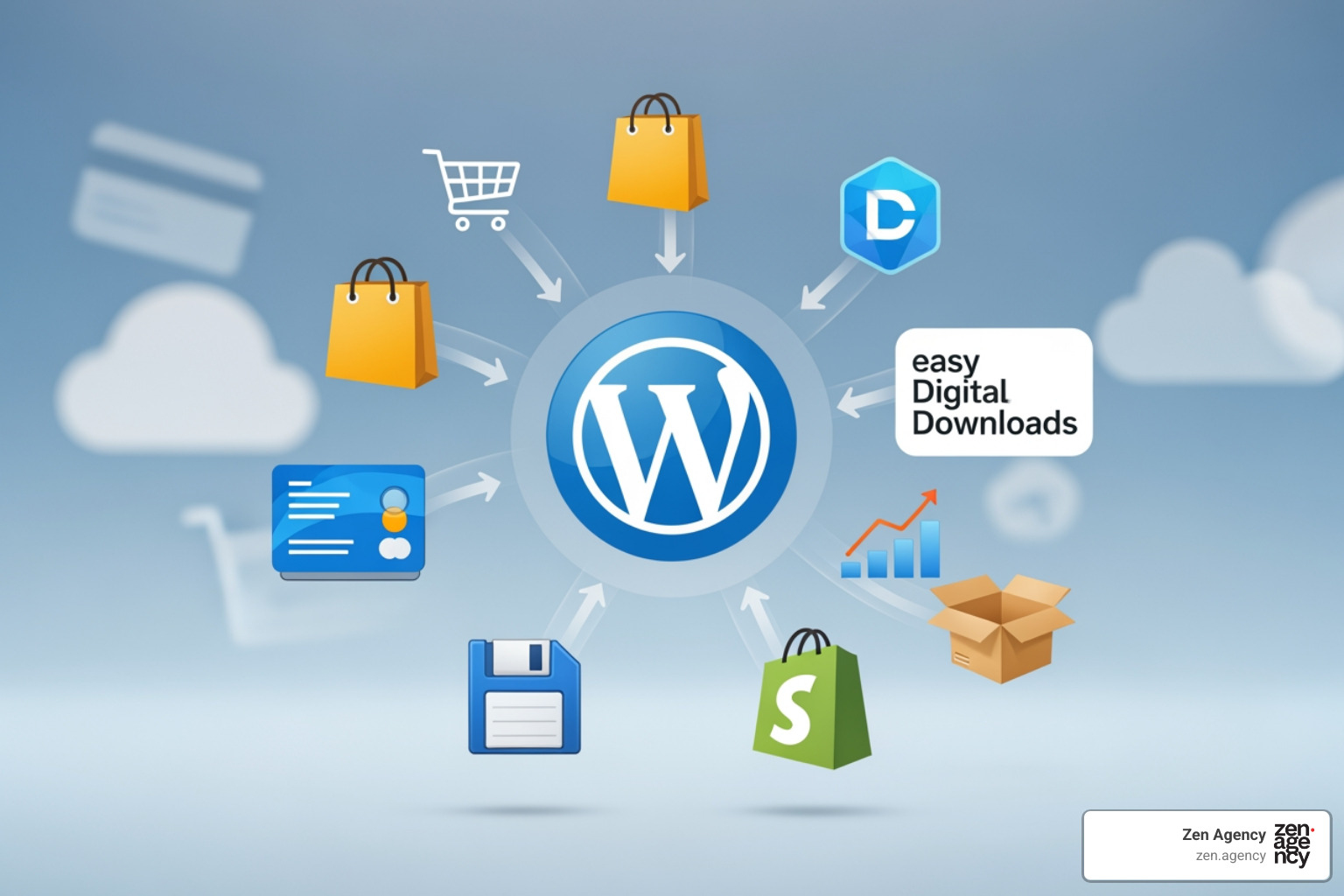
Here’s a closer look at its core functionalities:
- Product Management: Easily add and manage unlimited physical products (with variations), digital downloads, or services.
- Customizable Cart and Checkout: Design a seamless, branded, and mobile-responsive checkout experience to maximize conversions.
- Integrated Payment Processing: Securely accept payments via its native WooPayments solution (credit cards, Apple Pay) or integrate with gateways like Stripe and PayPal.
- Advanced Shipping Logic: Configure shipping zones, flat rates, free shipping, and real-time carrier calculations for accurate costs.
- Inventory Tracking: Track stock levels, set low-stock alerts, and manage backorders to prevent overselling.
- Built-in Analytics and Reporting: Get built-in reports on sales, orders, and stock to understand performance and guide growth.
The Pros and Cons of Building with WooCommerce
WooCommerce is powerful, but it’s important to weigh its pros and cons.
Pros of WooCommerce:
- Best Flexibility and Customization: Open-source nature provides limitless customization for design and functionality.
- Massive Extension Library: A huge ecosystem of extensions allows you to add nearly any feature, making it highly scalable.
- Large Developer Community: A vast community means abundant resources, tutorials, and expert help.
- No Monthly Platform Fees: The core plugin is free, reducing operational costs compared to SaaS platforms.
- Full Control and Ownership: You own your website, code, and customer data, eliminating vendor lock-in.
Cons of WooCommerce:
- Steeper Learning Curve for Beginners: Initial setup can be more complex than all-in-one SaaS platforms.
- Requires Active Management: You are responsible for hosting, updates, backups, and security.
- Performance Depends on Hosting and Optimization: Store speed relies on quality hosting, theme/plugin choices, and ongoing optimization.
- Cost of Premium Extensions Can Add Up: While the core is free, advanced features often require paid extensions.
Selling Everything: From Physical Goods to Bookings
WooCommerce’s versatility allows it to adapt to almost any business model, letting your store evolve with your offerings.
- Physical Products with Variations: Sell tangible goods with attributes like size and color, with inventory management for each variation.
- Digital Products with Download Links: Offer digital goods (PDFs, software) with secure, automated download links after purchase.
- Subscription Boxes with Recurring Payments: Create predictable revenue by offering subscription products with automated recurring payments.
- Memberships with Exclusive Content: Power membership sites by restricting access to premium content and building a community.
- Service Bookings and Appointments: Sell services by allowing customers to schedule appointments or book time slots directly on your site.
This comprehensive capability means your WordPress e-commerce solution can evolve with your business, allowing you to diversify your offerings from a single, unified platform.
Scaling and Optimizing Your WordPress E-commerce Store
Launching your online store is just the beginning. True success comes from continuous optimization, strategic integration, and leveraging automation to fuel growth.
Enhancing Functionality with Supplementary Plugins
The beauty of WordPress is its extensibility. While core plugins are a solid foundation, supplementary plugins can dramatically improve functionality. However, choose quality over quantity to avoid slowing down your site.
Here are essential plugin categories we often recommend:
- SEO Plugins: Rank Math or Yoast SEO help optimize your store and products for search engines.
- Performance Plugins: WP Rocket provides caching to speed up your site, while Smush optimizes images.
- Analytics Plugins: MonsterInsights integrates Google Analytics into your dashboard for e-commerce tracking.
- Marketing Automation & Funnel Plugins: FunnelKit or CartFlows help create sales funnels and optimize checkout.
- Page Builders: Elementor allows for drag-and-drop design of custom product and landing pages.
- Security Plugins: Wordfence provides a firewall and malware scanning to protect your site.
- Backup & Migration Plugins: All-in-One WP Migration simplifies site backups and migrations.
Automation and Integration for Business Growth
As your business scales, automation and integration are crucial for efficiency. They reduce manual tasks and fuel growth.
- Connecting to CRM and ERP Systems: Integrate your store with CRM/ERP software to automatically sync customer and order data, eliminating manual entry.
- Automating Marketing Email Sequences: Set up automated emails for welcoming new customers, recommending products, or re-engaging inactive ones.
- Abandoned Cart Recovery Campaigns: Recover lost sales by sending automated reminders to customers who left items in their cart. This can significantly boost conversions.
- Streamlining Order Fulfillment: Integrate with shipping carriers to automate label generation, tracking updates, and customer notifications.
- Reducing Manual Data Entry: The overarching benefit is freeing up your team to focus on strategic tasks instead of repetitive administrative work.
Best Practices for Performance, UX, and Conversions
A store must not only look good but also perform brilliantly. We focus on these best practices to improve user experience (UX) and conversions:
- Mobile-First Design: With most e-commerce traffic coming from mobile, your store must be designed for smartphones first, with responsive layouts and touch-friendly navigation.
- Optimizing for Core Web Vitals: These Google metrics measure user experience (loading, interactivity). Optimizing them improves SEO and provides a smoother experience.
- Fast Loading Speeds: Every second counts. A slow site kills conversions. We use caching, image optimization, and quality hosting to ensure speed.
- Clear Site Navigation and Product Categories: Help customers find products quickly with intuitive navigation, organized categories, and a robust search function.
- A/B Testing Calls-to-Action (CTAs): Test different button colors, text, and placement for your “Add to Cart” CTA to find what converts best.
- Streamlining the Checkout Process to Reduce Friction: Combat cart abandonment by minimizing steps, offering guest checkout, showing all costs upfront, and providing multiple payment options.
Frequently Asked Questions about WordPress E-commerce
Here are answers to common questions from businesses looking into WordPress e-commerce solutions.
What is the main difference between a WordPress plugin and a fully-hosted platform?
A WordPress plugin like WooCommerce gives you complete ownership and control. You host it yourself, allowing for limitless customization with no platform fees, but you are responsible for maintenance. A fully-hosted platform (e.g., Shopify) is a managed service that handles hosting and security for you, offering simplicity but with monthly fees and less control.
Can I start selling on WordPress for free?
Yes, the core WordPress software and plugins like WooCommerce are free. However, you will have essential costs for web hosting, a domain name, and potentially premium themes or extensions for advanced features.
How secure are WordPress e-commerce websites?
Security is a shared responsibility. While the WordPress core is secure, your store’s safety also depends on using a quality hosting provider, reliable and updated plugins/themes, and an SSL certificate to encrypt data. Following best practices like using strong passwords, keeping everything updated, and using a security plugin (like Wordfence) is crucial for protecting your store and customer data.
Conclusion: Building Your Future-Proof Digital Storefront
Choosing the right WordPress e-commerce solution is a critical step for your online business. The platform’s flexibility, scalability, and open-source nature provide a powerful foundation that grows with you. It offers unparalleled control and customization, allowing your brand to shine without the constraints of proprietary platforms.
Whether you sell physical goods, digital products, or memberships, WordPress and WooCommerce offer a robust ecosystem to meet your needs. By following best practices for performance, leveraging plugins, and embracing automation, you can build a storefront that attracts customers and converts them into loyal advocates.
For businesses aiming to build a truly scalable, enterprise-grade store, partnering with an expert development team can ensure a high-performance foundation for sustainable growth. At Zen Agency, we specialize in crafting custom WordPress e-commerce solutions that drive visibility and profitability, helping businesses in Scranton, PA, Billings, MT, and across our service areas achieve their digital ambitions.