
Don’t Get Sued: The ADA Website Standards You Need to Know
Why Your Website’s Accessibility Could Be Your Biggest Legal Risk
ADA standards for websites require that digital content be accessible to people with disabilities, following the Web Content Accessibility Guidelines (WCAG) as the benchmark. Here’s what you need to know:
- Who must comply: State and local government websites (Title II) and businesses open to the public (Title III)
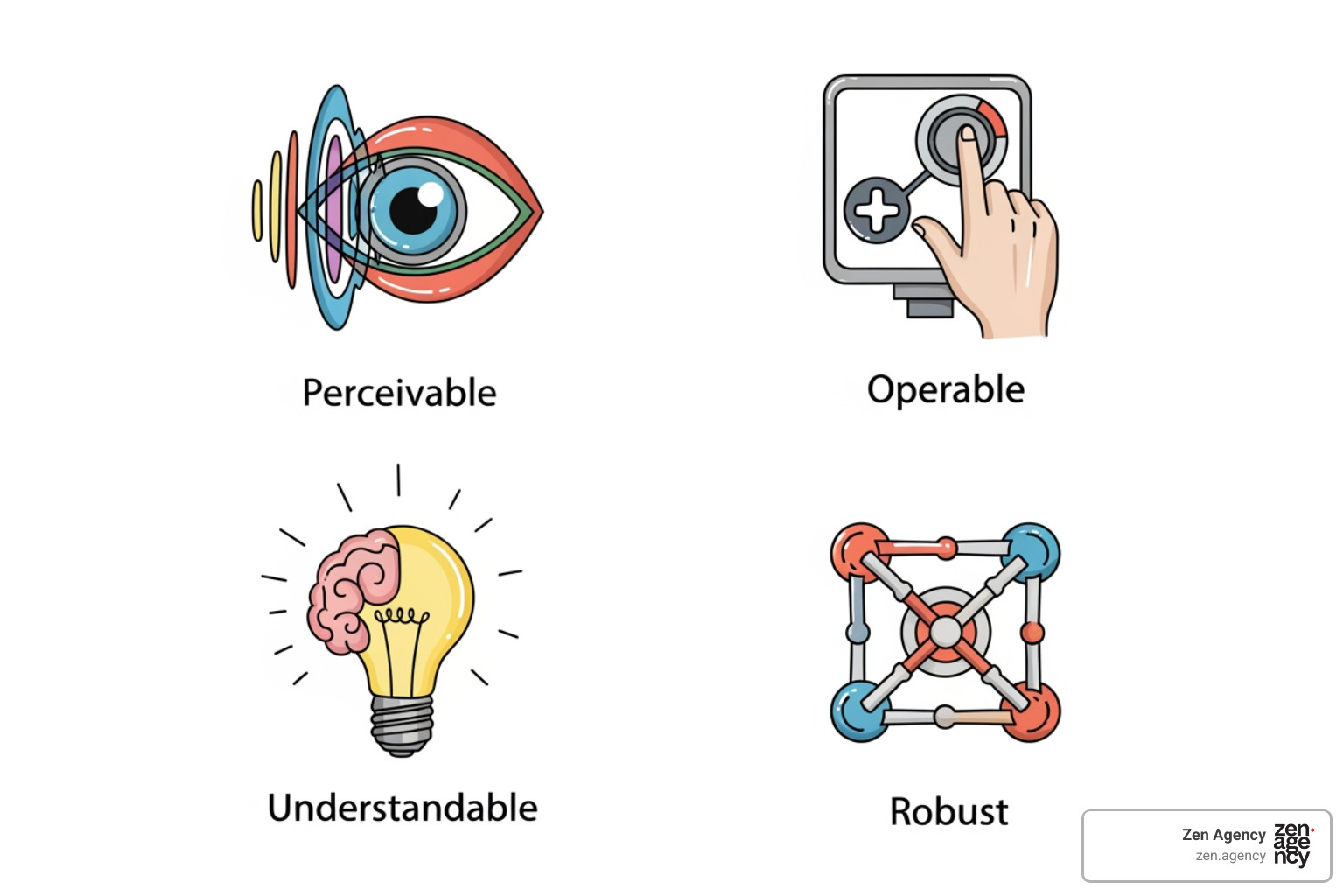
- Core requirements: Websites must be perceivable, operable, understandable, and robust (WCAG’s POUR principles)
- Recommended level: WCAG 2.1 Level AA conformance
- Key features: Keyboard navigation, alt text for images, color contrast, captions for videos, and accessible forms
- Legal risk: Over 11,000 web accessibility lawsuits were filed in 2019, with average costs reaching $100,000
A poorly designed website isn’t just frustrating—it could be blocking millions of potential customers from accessing your business. For decades, the Department of Justice has affirmed that the Americans with Disabilities Act applies to websites. Courts agree, leading to thousands of lawsuits each year against businesses with inaccessible sites.
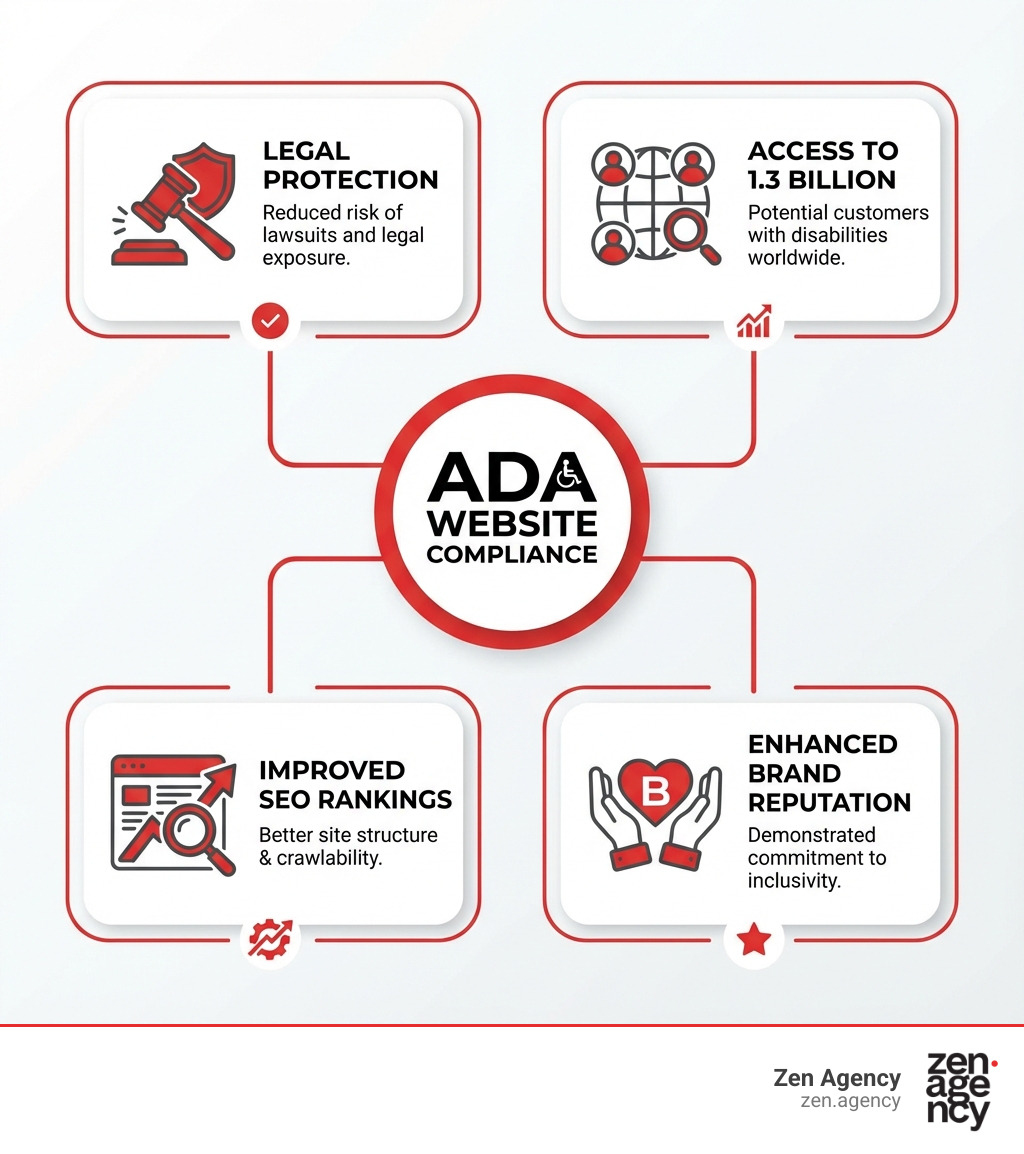
The stakes are high. Beyond legal exposure, you’re missing out on a market of 1.3 billion people worldwide living with disabilities—including working-aged adults in the U.S. who control $490 billion in disposable income annually. Yet around 88% of websites still fail to meet basic accessibility standards.
The good news? An accessible website expands your audience, improves SEO, and shows your commitment to inclusivity. Search engines and users alike favor sites that are well-structured and work for everyone.
I’m Joseph Riviello, CEO and Founder of Zen Agency, and over my 22+ years in digital marketing, I’ve helped countless companies implement ADA standards for websites while boosting their overall performance. The intersection of accessibility and business growth is where smart companies gain a competitive edge.
What are the ADA Requirements for Website Accessibility?
The Americans with Disabilities Act (ADA), a 1990 civil rights law, prohibits discrimination against individuals with disabilities. The Department of Justice (DOJ) has consistently interpreted the ADA to apply to websites, meaning an inaccessible site is a form of discrimination, similar to a physical barrier at a brick-and-mortar business.
Two parts of the ADA are most relevant for ADA standards for websites:
-
Title II of the ADA applies to state and local governments. All online services, programs, and activities from entities like the state of Pennsylvania or the city of Billings, Montana, must be accessible. This includes everything from online forms to virtual town meetings.
-
Title III of the ADA applies to businesses open to the public, known as “public accommodations.” This covers a vast range of private businesses, from small shops in Wilkes Barre and Scranton to large corporations. If your business serves the public, your website must be accessible. This includes retail, banking, healthcare, education, and more.
While the ADA itself doesn’t list technical rules for websites, the DOJ consistently points to the Web Content Accessibility Guidelines (WCAG) as the benchmark for compliance. This provides a clear, actionable framework for organizations. For more details, refer to the official Guidance on Web Accessibility and the ADA.
Beyond legal mandates, an accessible website improves the user experience for everyone, which positively impacts How User Experience (UX) Affects Your Brand Perception.
The Role of WCAG and Section 508
When discussing ADA standards for websites, the conversation inevitably turns to the Web Content Accessibility Guidelines (WCAG). Developed by the World Wide Web Consortium (W3C), WCAG is the globally recognized technical standard for web accessibility. The DOJ recommends it as the primary resource for achieving ADA compliance. You can explore the guidelines at the Web Content Accessibility Guidelines (WCAG) website.
Section 508 of the Rehabilitation Act is another key standard, requiring federal agencies to make their technology accessible. Its technical requirements align closely with WCAG, providing a consistent framework that many state and local governments also adopt. Both WCAG and Section 508 serve as practical roadmaps for implementing the ADA’s accessibility principles.
Who Needs to Comply?
The reach of ADA website requirements is broad. Understanding which category your organization falls into is the first step toward compliance.
| Category | ADA Title | Description | Examples |
|---|---|---|---|
| State and Local Governments | Title II | All government services, programs, and activities, including those offered online. | State websites (e.g., Pennsylvania.gov, Montana.gov), city/county websites (e.g., LuzerneCounty.org, Billings Public Works), public universities (e.g., University of Scranton), public schools, public transportation. |
| Businesses Open to the Public | Title III | Private entities that are considered “public accommodations,” offering goods, services, privileges, or activities to the public. | Retail stores, restaurants, hotels, banks, healthcare providers, entertainment venues, private schools, e-commerce sites, professional services. |
The legal landscape is clear: websites are considered “places of public accommodation” under Title III. If your business in Wilkes Barre, Scranton, or Billings has a website, it is subject to the ADA.
Numerous legal cases underscore this. The DOJ has reached settlements with entities like universities (Miami University, Louisiana Tech) and major retailers (Rite Aid, H&R Block) over inaccessible websites and online forms. These cases confirm that website accessibility is a legal obligation for a wide range of organizations.
The Core Principles of WCAG: Your Roadmap to Compliance
At Zen Agency, we see WCAG as the blueprint for inclusive websites. It’s a philosophy centered on four core principles, known by the acronym POUR: Perceivable, Operable, Understandable, and Robust. These principles are foundational to ADA standards for websites.
WCAG also defines three conformance levels: Level A (basic), Level AA (stronger), and Level AAA (highest). Level AA is the industry standard and the legally recommended target for ADA compliance. Our goal is to help clients achieve WCAG 2.1 Level AA conformance, as it balances comprehensive accessibility with practical implementation. This aligns with Modern Website Design: Key Trends and Best Practices for 2025.
Perceivable: Making Content Available to the Senses
This principle ensures users can perceive the information presented, regardless of their sensory abilities.
- Text alternatives: Provide descriptive alt text for images so screen readers can convey their meaning. Offer text summaries for charts and graphs.
- Captions for multimedia: All videos and audio must have synchronized captions for users who are deaf or hard of hearing. Audio descriptions should describe visual information for those who cannot see the video.
- Adaptable content: Structure content with proper headings and lists so it can be presented in different ways without losing its meaning.
- Sufficient color contrast: Text and background colors must have enough contrast (at least 4.5:1 for normal text) to be readable for people with low vision or color blindness. About 79% of websites fail this standard.
Operable: Ensuring All Users Can Steer
Operable means users can operate the interface and steer the content, even without a mouse.
- Keyboard accessibility: All interactive elements—links, buttons, forms—must be fully usable with only a keyboard. There should be no “keyboard traps” where a user gets stuck.
- Sufficient time: Avoid short time limits on forms or other tasks, or allow users to adjust them. This helps users who need more time to read or interact.
- No harmful flashes: Content should not flash more than three times per second to prevent triggering seizures.
- Clear navigation: Use logical heading structures (H1, H2, H3) and descriptive link text to help users find content and understand where links lead.
Understandable: Creating Clear and Predictable Content
This principle focuses on making information and the user interface comprehensible.
- Readable text: Use clear, concise language and avoid jargon. Identify the page’s primary language to help screen readers and translation tools.
- Predictable behavior: Navigation and functionality should be consistent across your website so users can predict how elements will behave.
- Input assistance: For forms, provide clear labels and instructions. If an error occurs, identify it clearly and offer suggestions for correction.
Robust: Maximizing Compatibility
The Robust principle ensures content works reliably with a wide variety of user agents, including assistive technologies.
- Compatibility: Your website’s code must be valid and follow web standards to work correctly across different browsers, devices, and assistive technologies.
- Clean code: Using semantic HTML (e.g.,
,,) helps assistive technologies understand the structure and purpose of your content. This also has a beneficial overlap with The Importance of Technical SEO: What Every Business Should Address.
Common Website Barriers and How to Fix Them: A Practical Checklist
Even with good intentions, websites can create barriers for users with disabilities. Fixing these common issues is a crucial step toward meeting ADA standards for websites and improving the overall user experience, which is vital for Website Design and SEO: How to Build a High-Performing, Search-Optimized Website.

Key ADA standards for websites: Alt Text and Images
Images can be invisible barriers without proper context.
- Role of alternative text: Alt text is a textual description of an image read aloud by screen readers, allowing visually impaired users to understand the image’s content and purpose.
- How to write it: Alt text should be concise but descriptive, conveying the image’s function or information. For a decorative image, use empty alt text (
alt="") so screen readers skip it. - Common issue: A WebAIM study found that 18.5% of homepage images are missing alt text, a widespread problem.
Key ADA standards for websites: Keyboard Navigation
Many users steer the web without a mouse.
- Why it’s important: For users with motor disabilities, the keyboard is the primary way to interact with your site. All interactive elements must be reachable and usable via keyboard.
- How to test: Use only the Tab, Enter, and arrow keys to steer your site. Can you access everything? There should be no “keyboard traps” where you get stuck.
- Logical focus order: The focus indicator should move in a predictable order that matches the visual layout.
Color Contrast and Accessible Forms
Visual clarity and intuitive forms are critical.
- Minimum contrast: WCAG 2.1 Level AA requires a contrast ratio of at least 4.5:1 for standard text and 3:1 for large text. This helps users with low vision. A staggering 79% of websites fail this standard.
- Don’t rely on color: Never use color alone to convey information. If a required field is red, also add a text cue like “(required)”.
- Clear form labels: Every form field needs an associated
so screen readers can identify it. Provide clear instructions. - Helpful errors: When a form error occurs, clearly identify the field, explain the error, and suggest a correction.
Multimedia and Document Accessibility
Videos, audio, and documents must also be accessible.
- Captions and transcripts: All pre-recorded video and audio need accurate, synchronized captions for users who are deaf or hard of hearing. A transcript is also a helpful alternative.
- Audio descriptions: For videos with important visual information not conveyed in the dialogue, provide an audio description track that narrates the visual details.
- Accessible documents: Downloadable PDFs and other documents must be accessible. This means they should be tagged for screen readers, have proper headings, and include alt text for images.
How to Test and Maintain ADA Compliance
Achieving ADA standards for websites is an ongoing commitment, not a one-time project. As your site evolves, your accessibility efforts must keep pace. Publishing an accessibility statement on your website is a best practice, showing your commitment and providing a way for users to report issues.
Website Accessibility Testing Methods
A multi-faceted testing approach ensures comprehensive compliance.
- Automated scanning tools: These tools quickly find common errors like missing alt text or poor color contrast. They are great for initial checks but only catch about 30-50% of all issues.
- Manual audits by experts: Experienced professionals manually review your site using assistive technologies (like screen readers) to test against WCAG criteria that automated tools miss.
- User testing with people with disabilities: Engaging users with disabilities provides invaluable real-world feedback on usability barriers and how assistive technologies interact with your site.
- Combining methods: The most effective strategy integrates all three: automated scans for routine checks, regular manual audits, and user testing to validate the real-world experience.
Practical Steps for Remediation and Maintenance
Once you’ve identified barriers, you need a system to fix them and maintain compliance.
- Conduct an audit: Start with a thorough audit to identify and prioritize all accessibility issues.
- Prioritize fixes: Focus first on critical barriers that completely block access for some users.
- Implement changes: Work with your development team to fix the code, content, and design issues.
- Train your team: Educate your content creators, designers, and developers on accessibility best practices to prevent future problems.
- Schedule regular check-ups: Set a schedule for ongoing automated scans and periodic manual audits. This continuous improvement mindset also supports Responsive Website Design: Why It Matters, and How to Achieve It.
Frequently Asked Questions about ADA Standards for Websites
We often hear similar questions from businesses navigating the complexities of ADA standards for websites. Here are some of the most common.
What are the penalties for not having an ADA-compliant website?
While the ADA doesn’t specify government fines for non-compliant websites, the consequences of non-compliance come from civil lawsuits.
- Risk of lawsuits: Businesses across the U.S. face legal action from individuals and advocacy groups over inaccessible websites.
- High costs: The average cost of a web accessibility lawsuit is $100,000, covering legal fees and settlements.
- Settlement terms: Settlements often require monetary payment and a commitment to fix the website under a strict timeline, with ongoing monitoring.
- Brand damage: A lawsuit can severely harm a brand’s reputation and alienate customers.
Proactive compliance is far less costly than reacting to a lawsuit.
Which version of WCAG should I use for ADA compliance?
The Web Content Accessibility Guidelines (WCAG) evolve over time. The current versions are 2.0, 2.1, and 2.2 (published in October 2023).
For ADA standards for websites, the DOJ has not mandated a specific version, but the legal and industry consensus points to WCAG 2.1 Level AA as the recommended standard. However, WCAG versions are backward compatible. If your site conforms to WCAG 2.2 AA, it also conforms to 2.1 AA and 2.0 AA. Therefore, aiming for the latest version, WCAG 2.2 Level AA, is the most future-proof approach.
Can I use an accessibility widget or plugin to become compliant?
Accessibility widgets and plugins seem like a quick fix, but they are not a complete solution for ADA compliance. Here’s why:
- Limited scope: Automated tools and overlays can only address about 30-50% of WCAG issues. Many complex barriers require manual code remediation.
- No underlying fix: Most widgets apply an overlay that doesn’t fix the website’s actual code. This can be unreliable and sometimes creates new barriers for assistive technologies.
- Legal risk: Courts have generally ruled that true compliance requires fixing the source code, not just applying an overlay. Relying solely on a widget leaves you vulnerable to lawsuits.
While a widget can be one part of a larger strategy, it is no substitute for a thorough manual audit and expert remediation of your website’s code.
Achieve and Maintain Compliance with Confidence
Navigating ADA standards for websites is an essential journey for any modern organization. Achieving web accessibility isn’t just about avoiding lawsuits; it’s about embracing inclusivity, expanding your market, enhancing your brand, and improving SEO.
The benefits are clear:
- Legal protection: Minimize your risk of expensive lawsuits.
- Expanded audience: Reach the 1.3 billion people globally with disabilities.
- Improved user experience: An accessible website is a better website for everyone.
- Better SEO: Search engines favor well-structured, accessible content.
- Stronger brand: Show your commitment to diversity, equity, and inclusion.
At Zen Agency, we believe an accessible website is a high-performing website. Our expertise in custom web development and digital marketing allows us to integrate ADA compliance seamlessly into your strategy, ensuring your site is not only accessible but also drives visibility, profitability, and ROI.
Don’t let your website be a barrier. Let us help you transform it into an inclusive, powerful asset. We can guide you through audits, remediation, and maintenance, ensuring your digital presence in Wilkes Barre, Scranton, Billings, and beyond is accessible to all.
Ready to ensure your website meets ADA standards for websites and open ups its full potential? Get professional help with our ADA Compliance Services.