Scan Your Site: The Ultimate Accessibility Audit Toolkit
Why Your Website Needs an Accessible Website Audit
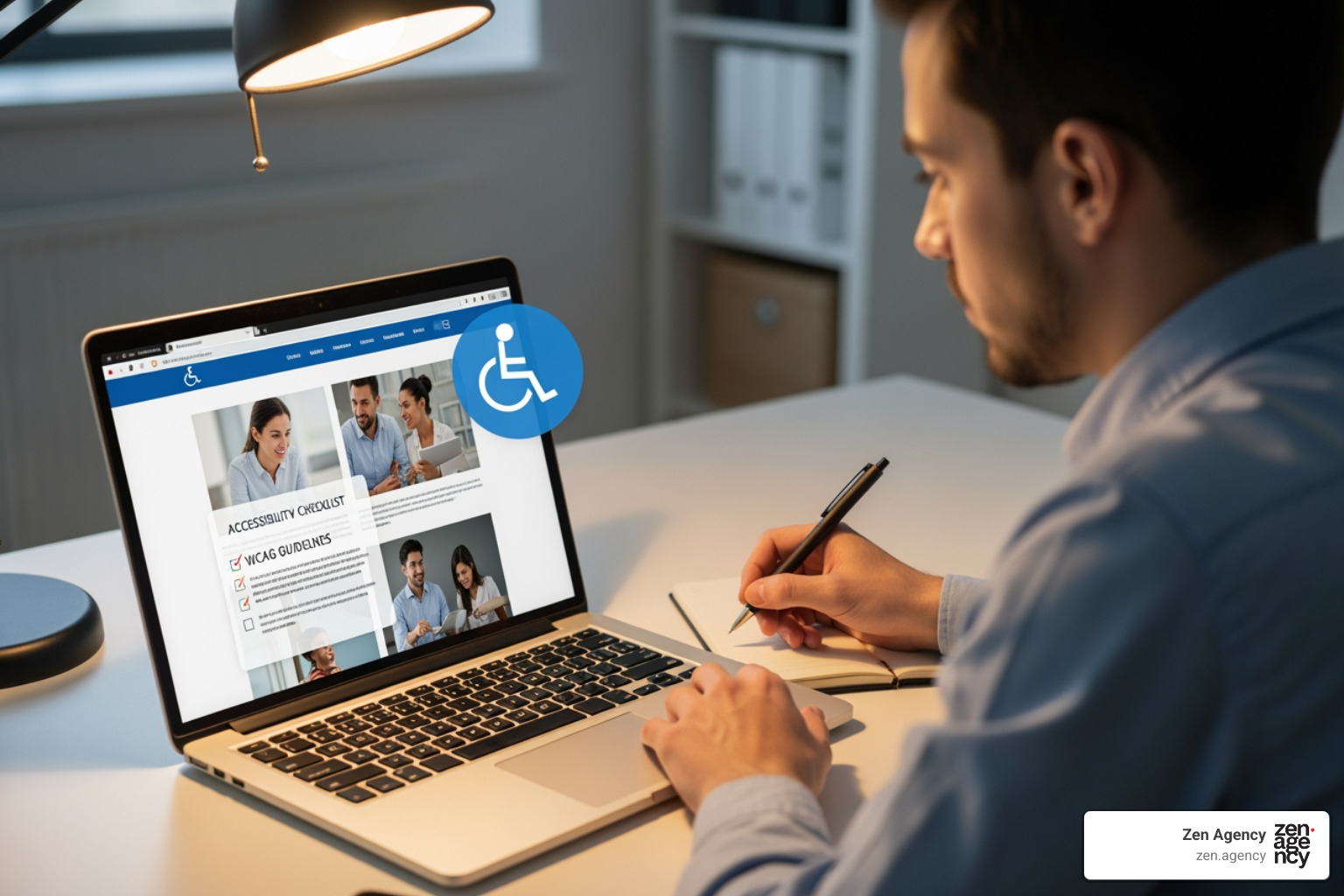
An Accessible website audit is a comprehensive evaluation that checks whether your website meets accessibility standards (like WCAG) and legal requirements (like the ADA), ensuring all users—including people with disabilities—can steer, understand, and interact with your content.
What a complete accessible website audit includes:
- Automated testing – Software scans code for common issues like missing alt text or insufficient contrast
- Manual testing – Experts review keyboard navigation, focus order, and context-dependent barriers that tools miss
- Functional testing – Real users with disabilities test your site using screen readers, magnifiers, and voice input
- Detailed report – A prioritized list of issues, WCAG conformance ratings, and clear remediation guidance
Right now, 75% of people with disabilities in the U.S. use the internet daily. Yet many websites still contain barriers that make them difficult or impossible to use. That’s not just a missed opportunity—it’s a legal risk. Between 2017 and 2022, over 14,000 web-related lawsuits were filed under the ADA in the United States alone.
The stakes are high. Non-compliance can lead to fines ranging from $55,000 to $150,000, not to mention the damage to your brand reputation. But compliance isn’t just about avoiding lawsuits.
The opportunity is massive. People with disabilities and their networks control over $13 trillion in annual spending power globally. In the U.S., adults with disabilities control an estimated $490 billion in disposable income. Making your website accessible opens your business to this underserved market while improving the experience for all users—which also benefits your SEO.
An accessible website audit is your starting point. It identifies exactly where your site falls short, what needs fixing, and how to prioritize improvements. It’s not a one-time checkbox exercise. It’s the foundation for a sustainable accessibility program that keeps your digital front door open to everyone.
I’m Joseph Riviello, CEO and Founder of Zen Agency, and over my 22+ years in digital marketing, I’ve helped companies steer complex challenges like achieving legal compliance through comprehensive Accessible website audit processes. This guide will walk you through what a proper audit looks like and how to use it to build a more inclusive, legally compliant, and profitable website.
Why Audits are Non-Negotiable: The Legal & Business Imperative
In today’s digital-first world, your website is often the first point of contact for customers, partners, and the community. But is it truly open to everyone? An accessible website isn’t just a nice-to-have; it’s a fundamental requirement for legal compliance, a strategic business advantage, and a reflection of your commitment to inclusivity. Ignoring accessibility is not only a disservice to a significant portion of the population but also exposes your organization to substantial legal and financial risks.
The Legal Landscape: ADA, WCAG, and Global Standards
The legal imperative for web accessibility in the United States is rooted primarily in the Americans with Disabilities Act (ADA). This landmark civil rights law prohibits discrimination based on disability. While initially focused on physical spaces, courts have increasingly applied ADA Title III to websites, recognizing that digital platforms are often places of public accommodation. This means that businesses providing goods or services to the public—whether in-person or online—must ensure their digital presence is accessible.
For federal government agencies and entities receiving federal funding, Section 508 of the Rehabilitation Act of 1973 mandates digital accessibility. This applies to all information and communication technology (ICT), including websites. Section 508 has significant implications for vendors working with federal agencies, as their digital products and services must also comply.
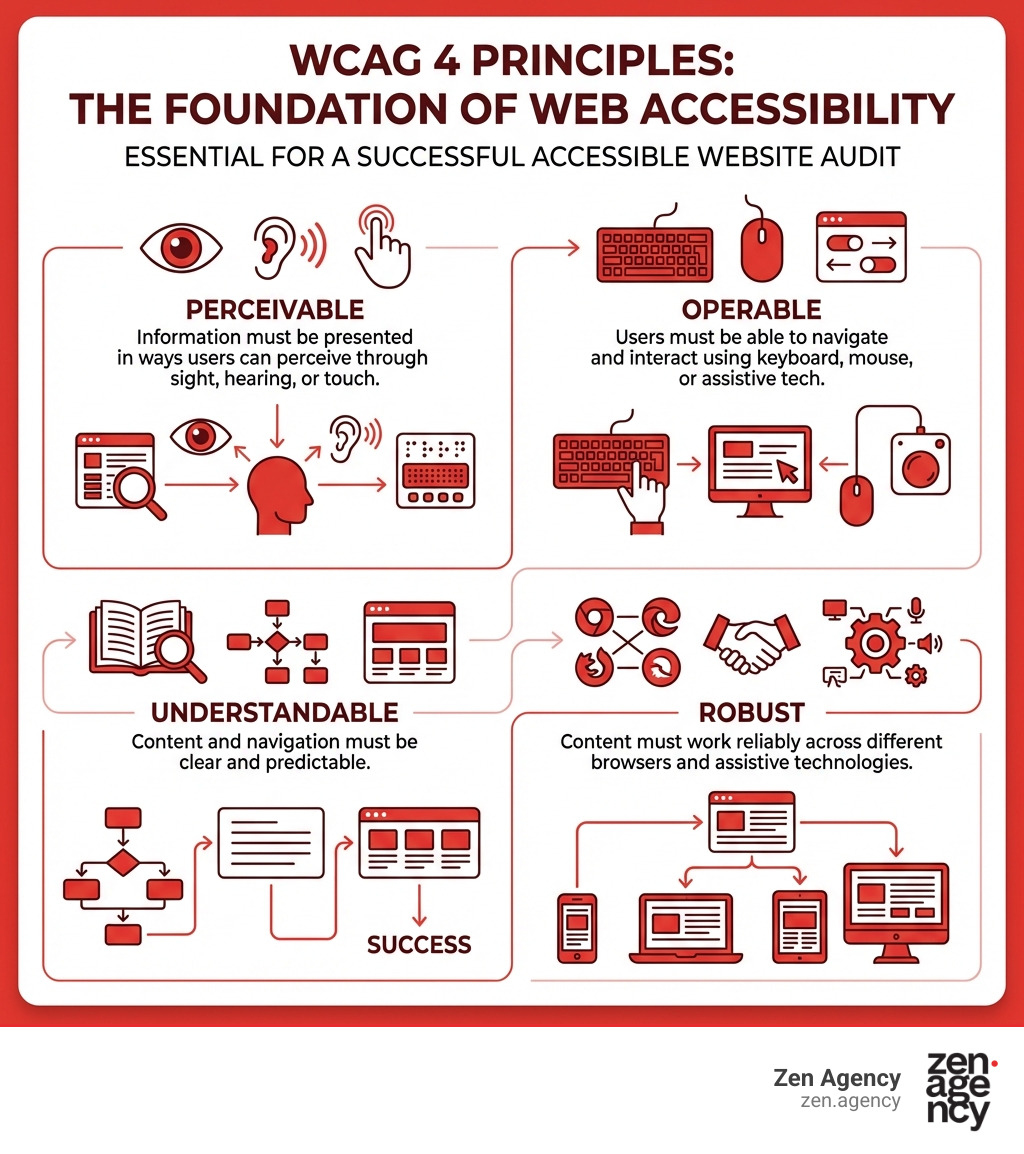
The technical standard that both the ADA and Section 508 frequently refer to is the Web Content Accessibility Guidelines (WCAG). Created by the World Wide Web Consortium (W3C), WCAG provides detailed, testable criteria for making web content accessible to people with a wide range of disabilities. While WCAG itself is not a law, it serves as the universally accepted benchmark for web accessibility. Most legal interpretations and compliance efforts in the U.S. aim for WCAG 2.1 Level AA conformance.
The consequences of non-compliance can be severe. As mentioned, over 14,000 web-related lawsuits were filed under the ADA between 2017 and 2022. These lawsuits can result in significant financial penalties, with fines ranging from $55,000 to $150,000. Beyond monetary costs, organizations face legal fees, court-ordered remediation, and the potential for costly settlements. Recovering from an ADA lawsuit is challenging, impacting not just finances but also brand reputation and customer trust. To dig deeper into these regulations, you can explore our comprehensive guide on ADA Compliance Laws: A Complete Guide.
Beyond Compliance: The Business Case for Accessibility
While avoiding lawsuits is a powerful motivator, the benefits of an accessible website extend far beyond legal compliance. Embracing accessibility is a smart business strategy that can drive growth, improve reputation, and foster innovation.
First, consider the market. Over 1 billion people worldwide live with disabilities, and together with their families and friends, this community controls over $13 trillion annually. In the U.S. alone, people with disabilities make up nearly a quarter of the adult population and control an estimated $490 billion in annual disposable income. By making your website accessible, you open up access to this massive, often underserved market, increasing your potential customer base and market share. It’s about opening your digital doors to everyone who wants to engage with your products or services.
Second, accessibility significantly improves your brand image and reputation. Demonstrating a commitment to inclusivity and equal access resonates positively with consumers, employees, and stakeholders. It positions your brand as ethical, socially responsible, and forward-thinking, building trust and loyalty. In an era where corporate values are increasingly scrutinized, accessibility is a powerful differentiator.
Third, accessibility improvements often lead to better SEO. Many accessibility best practices, such as clear semantic HTML, descriptive alt text for images, organized heading structures, and logical navigation, are also fundamental for search engine optimization. A more accessible website is often a more findable website, leading to higher rankings and increased organic traffic.
Finally, an accessible website provides a superior user experience for everyone, not just those with disabilities. Clearer navigation, better contrast, keyboard operability, and intuitive forms benefit users with temporary impairments (e.g., a broken arm), situational limitations (e.g., bright sunlight on a screen), or even slow internet connections. This focus on universal design often sparks innovation, leading to more robust and user-friendly digital products for all. At Zen Agency, we believe in the power of Accessibility to transform digital experiences.
The 3-Step Accessible Website Audit Process
Conducting a comprehensive Accessible website audit requires a multi-faceted approach. Relying solely on automated tools, for instance, will leave significant gaps in your assessment. That’s why at Zen Agency, we employ a rigorous three-step process that combines automated, manual, and functional testing to provide a holistic and accurate evaluation of your website’s accessibility. This ensures we catch everything from technical code errors to nuanced usability issues that only real human interaction can uncover.

Step 1: Automated Testing with Zen Agency’s Tools & Expertise
The first step in our audit process leverages powerful automated tools to quickly scan your website’s code for common and easily detectable accessibility issues. Think of automated testing as your first line of defense; it’s fast, efficient, and can cover a large number of pages in a short amount of time.
These tools are excellent at identifying issues such as:
- Missing alt text for images: Ensuring visual content has text descriptions for screen readers.
- Insufficient color contrast: Flagging text or interactive elements that don’t meet WCAG contrast ratios.
- Missing form labels: Identifying form fields without proper labels, which can confuse assistive technologies.
- Broken ARIA attributes: Catching incorrect implementations of Accessible Rich Internet Applications (ARIA) that help assistive technologies interpret dynamic content.
- Basic HTML validation errors: Ensuring your code adheres to web standards, which is a foundation for accessibility.
Tools like the WAVE browser extension or various API-driven scanners can integrate into your development workflow for continuous checks. They are particularly useful for testing password-protected, locally stored, or highly dynamic pages that might be difficult to access otherwise.
However, it’s crucial to understand the limitations. Automated tools can only detect about 20-30% of WCAG issues. They can’t interpret context, intent, or the overall user experience. They might also produce “false positives” (flagging an issue that isn’t truly one) or miss significant barriers that require human judgment. Therefore, while automated testing provides a solid baseline and identifies low-hanging fruit, it’s just the beginning of a truly comprehensive audit.
Step 2: Manual Testing for Nuanced Issues
Once automated scans provide an initial overview, our expert accessibility testers dive deep with manual testing. This is where we uncover the majority of accessibility barriers—those that require human intelligence to understand context, logical flow, and user interaction. Manual testing is indispensable for a truly comprehensive Accessible website audit.
Our manual review includes:
- Keyboard Navigation Testing: We steer your entire site using only a keyboard (Tab, Shift+Tab, Enter, Spacebar, Arrow keys, Esc). This simulates how users with motor impairments or those who prefer not to use a mouse interact with your site. We check if all interactive elements are reachable, operable, and if the focus order is logical and intuitive. A critical check here is ensuring there are no “keyboard traps” where a user gets stuck in a section of the page.
- Code Review: Our experts examine the underlying HTML, CSS, and JavaScript to ensure semantic correctness, proper use of ARIA, and adherence to WCAG guidelines that automated tools might miss. This includes verifying that dynamic content updates are announced to screen readers and that custom components are built accessibly.
- Content Review: We evaluate the readability and clarity of your text, check for logical heading structures, and ensure that instructions don’t rely solely on sensory characteristics (like “click the red button”). We also confirm that information conveyed by color is also available through other means.
- Color Contrast Verification: While automated tools flag contrast issues, manual checks confirm these and address more complex scenarios, like text over gradient backgrounds or images. We also check the contrast of interactive elements in different states (e.g., hover, focus) and ensure visible focus indicators have sufficient contrast.
- Focus Order and Visual Cues: We ensure that when navigating with a keyboard, there’s a clear and visible indicator of where the user’s focus currently is. This focus indicator must have adequate contrast (at least 3:1) against its background, so users can always tell where they are on the page.
Manual testing is time-consuming but invaluable. It’s the only way to catch the subtle, context-dependent issues that can create significant barriers for users with disabilities.
Step 3: Functional & Usability Testing with Real Users
The ultimate test of accessibility is how real people with disabilities interact with your website. This is why our third step involves functional and usability testing, often with participants who use various assistive technologies. This “real-world” testing provides invaluable feedback that neither automated nor manual technical reviews can fully capture.
During this phase, we:
- Engage Users with Diverse Disabilities: We work with individuals who use different assistive technologies and have various disabilities (e.g., visual impairments, motor impairments, cognitive disabilities). This ensures a broad perspective on usability challenges.
- Use Assistive Technologies: Testers steer your site using tools like screen readers (e.g., JAWS, NVDA, VoiceOver), screen magnifiers, voice input software, and switch devices. This helps us understand how your website performs under actual usage conditions.
- Test Key User Flows: We define critical pathways on your site—such as filling out a contact form, making a purchase, or navigating a complex menu—and observe how users with disabilities complete these tasks. This reveals practical barriers that might not be obvious from a technical audit alone.
- Gather Invaluable Feedback: Direct feedback from users is gold. They can articulate precisely where they encounter difficulties, what is confusing, or what prevents them from completing a task. This qualitative data is crucial for prioritizing fixes and ensuring your site is truly usable.
This step confirms that your website isn’t just technically compliant but genuinely usable and inclusive. The World Wide Web Consortium, the creator of WCAG, emphasizes that accessibility is about user experience, and this phase brings that principle to life.
From Audit to Action: Using Your Report to Build a Better Site
An Accessible website audit isn’t just about identifying problems; it’s about providing a clear roadmap to solutions. Once the audit is complete, the next critical step is to translate those findings into actionable improvements and integrate accessibility into your ongoing web development and content creation processes. This transition from audit to action is where we help you build a truly sustainable accessibility program.
What to Expect in Your Audit Report
A comprehensive audit report from Zen Agency is far more than just a list of errors. It’s a detailed guide designed to empower your team to understand issues, implement fixes, and track progress effectively. Here’s what you can expect:
- Executive Summary: A high-level overview of your website’s accessibility status, including the overall conformance rating (e.g., WCAG 2.1 Level AA), key findings, and a summary of the most critical issues identified. This is perfect for management and stakeholders.
- Prioritized Issue List: Issues are categorized by severity (critical, high, medium, low) and impact on users. This helps your development team focus on the most impactful fixes first, ensuring that urgent barriers are addressed promptly.
- WCAG Success Criteria Mapping: Each identified issue is directly mapped to the specific WCAG success criteria it violates. This provides a clear reference point for understanding the “why” behind each fix and helps ensure compliance with legal standards.
- Code-Level Solutions and Remediation Guidance: For developers, the report includes detailed, actionable recommendations, often with code examples, on how to fix each issue. It’s not just “you have a contrast problem,” but “here’s how to adjust your CSS to meet WCAG 2.1 AA contrast requirements for this specific element.”
- Screenshots and Contextual Examples: Visual evidence of issues is provided through screenshots and specific page references. This eliminates ambiguity and helps your team quickly locate and understand the problem in its original context.
- Recommendations for Best Practices: Beyond immediate fixes, the report often includes recommendations for adopting broader accessibility best practices, such as improving content readability, enhancing form design, or optimizing multimedia accessibility.
This detailed reporting ensures that your team has all the information needed to move from identification to effective remediation.
Building a Sustainable Accessibility Program
The audit report is a powerful snapshot, but true digital inclusivity requires an ongoing commitment. Building a sustainable accessibility program means integrating accessibility into your organizational culture and workflows, ensuring that new content and features are accessible from the start.
Here’s how to use your audit results to build a lasting program:
- Develop an Accessibility Statement: A public accessibility statement on your website signals your commitment to inclusivity. It outlines your accessibility efforts, the standards you adhere to, and provides users with a way to report issues.
- Team Training: Educate your content creators, designers, and developers on accessibility best practices and WCAG guidelines. Regular training ensures that accessibility is considered at every stage of the web development lifecycle, not just as an afterthought.
- Integrate Accessibility into Workflows: Implement accessibility checks as part of your design, development, and quality assurance processes. This “shift-left” approach means addressing accessibility issues early, where they are far cheaper and easier to fix than after launch.
- Continuous Monitoring: Websites are dynamic. New content is added, features are updated, and platforms evolve. Establish a schedule for regular, smaller-scale accessibility checks to catch new issues as they arise, preventing a build-up of barriers over time.
By building accessibility into the fabric of your operations, you ensure that your website remains a welcoming and usable space for everyone, continuously meeting legal requirements and expanding your reach.
Frequently Asked Questions about Website Accessibility Audits
We often encounter common questions from clients as they start on their accessibility journey. Here are some of the most frequently asked questions about Accessible website audit processes:
What is the difference between an automated scan and a full accessible website audit?
This is a critical distinction! An automated scan uses software to quickly check your website for a subset of common accessibility issues, such as missing alt text, insufficient color contrast, or broken ARIA attributes. These tools are fast and efficient for initial checks, but they have significant limitations. They can only detect about 20-30% of WCAG issues, often miss complex, context-dependent problems, and can produce false positives. They can’t interpret the intent behind content or truly understand the user experience.
A full accessible website audit, on the other hand, is a comprehensive evaluation that combines automated testing with extensive manual testing and functional testing by human experts. Our manual testers dig into keyboard navigation, logical flow, content clarity, and contextual issues that software simply cannot grasp. Furthermore, functional testing with real users who rely on assistive technologies provides invaluable insights into actual usability barriers. This multi-layered approach ensures a far more accurate, complete, and legally defensible assessment of your site’s accessibility.
Can my in-house team conduct an audit?
While your in-house team can certainly perform initial checks and implement many accessibility best practices, a formal, comprehensive Accessible website audit is best conducted by external experts. Here’s why:
- Unbiased Perspective: External auditors bring an objective viewpoint, free from internal assumptions or familiarity with the site’s development history.
- Specialized Expertise: Digital accessibility is a highly specialized field. External experts possess deep knowledge of WCAG guidelines, legal requirements (like the ADA and Section 508), and a wide array of assistive technologies. They stay current with evolving standards and interpretations.
- Experience with Diverse Disabilities: Professional auditors have experience understanding how different disabilities impact user interaction and how various assistive technologies function.
- Efficiency and Accuracy: They have proven methodologies and tools to conduct thorough and accurate assessments efficiently, saving your team valuable time and resources.
- Legal Defensibility: An audit conducted by a reputable third party can provide a stronger foundation for legal compliance and demonstrate due diligence.
For these reasons, we always recommend partnering with an external digital accessibility expert for a truly thorough and reliable assessment.
How often should I conduct an accessibility audit?
The frequency of your Accessible website audit depends on several factors, but accessibility is an ongoing journey, not a one-time destination.
We recommend a full, comprehensive audit annually, or after any significant website redesign, platform migration, or major feature launch. These large-scale changes can introduce new accessibility barriers that a deep dive is needed to uncover.
In between full audits, it’s crucial to implement regular, smaller-scale checks. This means integrating automated and manual accessibility reviews into your continuous development and content creation workflows. For instance:
- Before publishing new content: Ensure all images have alt text, videos have captions, and headings are structured correctly.
- Before launching new features: Test keyboard operability, focus management, and ARIA implementation.
- Monthly or quarterly automated scans: To catch regressions or newly introduced basic issues.
This layered approach ensures that your website maintains its accessibility compliance over time, minimizing the risk of issues accumulating and becoming costly to fix.
Conclusion: Make Your Digital Front Door Open to Everyone
Ensuring your website is accessible to everyone isn’t just about ticking a box; it’s about opening your digital front door to a vast and valuable audience, protecting your brand from legal pitfalls, and demonstrating your commitment to inclusivity. An Accessible website audit is the foundational step in this journey, providing the clarity and direction needed to transform your digital presence.
By embracing a proactive approach to accessibility, your organization in Pennsylvania or Montana can tap into a significant market, improve its reputation, and create a truly equitable online experience. At Zen Agency, we’re passionate about helping businesses like yours achieve digital inclusivity. We provide enterprise-grade solutions and innovative strategies to ensure your website meets the highest standards of accessibility.
Don’t let accessibility be an afterthought. Take the first step towards a more inclusive, compliant, and successful online future. Ready to ensure your website is accessible to all? Contact us for professional ADA Compliance Services and a comprehensive audit.