Beyond the Box: Mastering Custom WordPress Theme Design
Why Your Website Deserves More Than a Template
Custom WordPress theme design is the process of building a unique, from-scratch WordPress theme custom to your brand, business goals, and functional requirements. It’s the alternative to using a pre-made template that may not perfectly fit your needs.
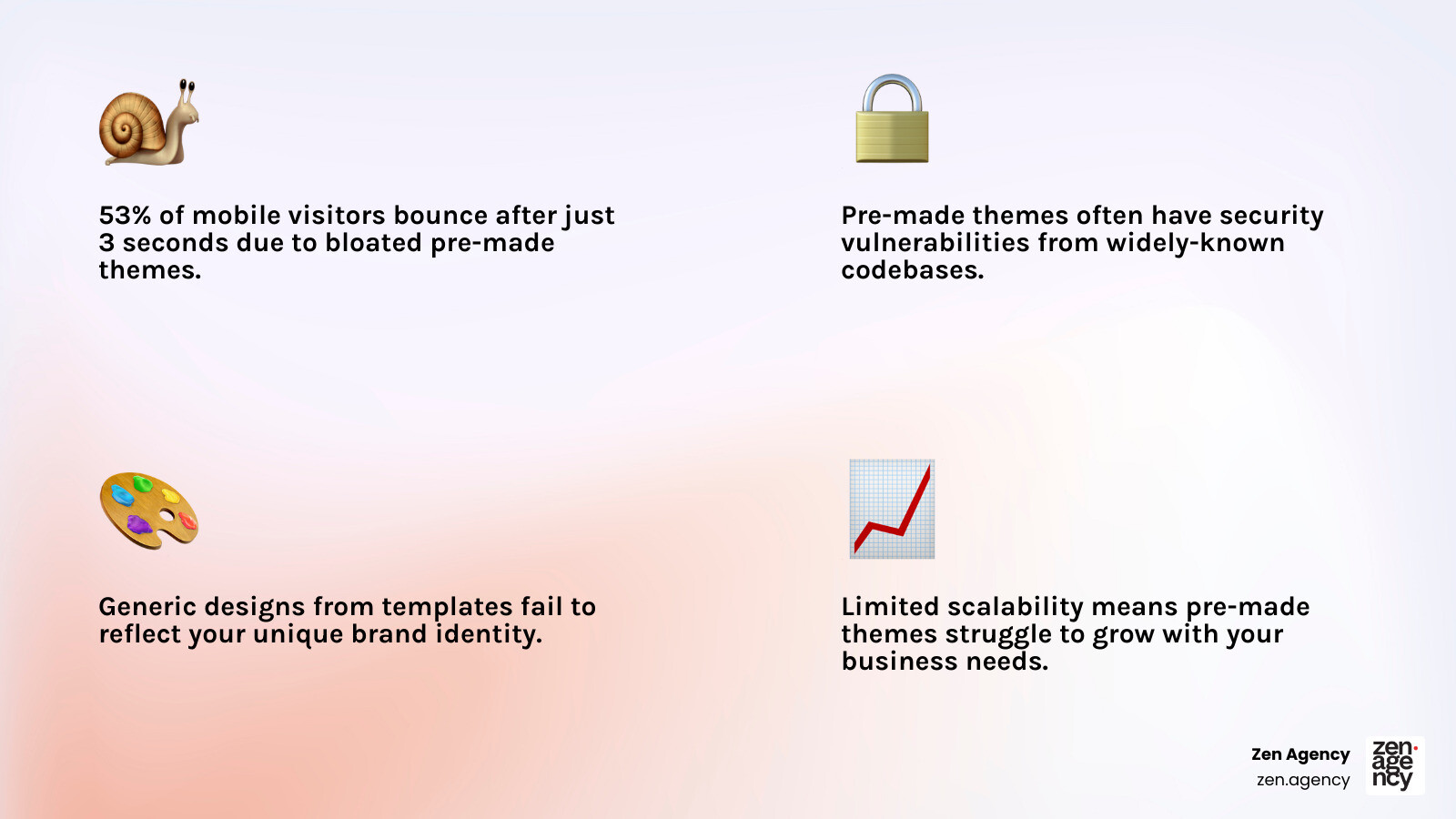
WordPress powers over 43% of the web, but many of these sites feel like carbon copies due to the widespread use of pre-made themes. The problem is that themes built for everyone are optimized for no one. They often come packed with unused features, creating bloated code that slows your site down. With 53% of mobile visitors leaving after just three seconds of load time, this bloat is a significant business liability.
Pre-made themes also introduce critical challenges:
- Security vulnerabilities: Widely-known codebases are common targets for hackers.
- Generic designs: They fail to capture a unique brand identity.
- Limited scalability: They can’t grow with your business needs.
A custom WordPress theme solves these issues by providing exactly what you need—nothing more, nothing less. It’s a strategic investment in a digital asset that performs better, converts higher, and grows with your business. A custom theme has a typical lifespan of 5-7 years, compared to the 2-3 years before you outgrow a pre-made one.
I’m Joseph Riviello, CEO of Zen Agency, and for over 22 years, I’ve helped companies transform their digital presence with custom WordPress themes that drive measurable results. This guide will walk you through everything you need to know about custom theme development.
What is Custom WordPress Theme Development?
Custom WordPress theme design is the craft of building a WordPress theme from the ground up, custom to your specific brand identity and business goals. Instead of fitting your business into a pre-made template, we create a digital experience that perfectly aligns with your vision. This bespoke approach is a fundamental step in building an effective online presence, as detailed in our Website Design and Development: A Complete Guide to Building an Effective Online Presence.

Pre-Made vs. Custom Themes
While pre-made themes offer a quick start, they often come with hidden costs and limitations. Here’s how they compare to a custom-built theme:
| Feature | Pre-Made Themes | Custom Themes |
|---|---|---|
| Uniqueness | Generic, similar to many other sites | Completely unique, reflects brand identity |
| Performance | Often bloated with unnecessary code, slower | Lean, optimized code, faster load times |
| Security | Known codebase, higher risk of vulnerabilities | Unique codebase, reduced target for attacks |
| Scalability | Limited by theme architecture | Built for growth, easily scalable |
| Cost (Upfront) | Low (often $0-$100) | Higher (investment in bespoke development) |
| Cost (TCO) | Can be higher long-term (plugins, fixes) | Lower long-term (less bloat, easier maintenance) |
| Maintenance | Complex due to bloat and plugin conflicts | Streamlined, focused updates, fewer conflicts |
| Lifespan | 2-3 years before outgrown | 5-7 years, adaptable to evolving needs |
The initial investment in a custom theme pays dividends in performance, security, and brand differentiation over its extended lifespan.
The Core of Custom WordPress Theme Design: Essential Technologies
Every custom WordPress theme is built with four essential technologies:
- HTML (HyperText Markup Language): Provides the structural backbone of your content, like headings, paragraphs, and images.
- CSS (Cascading Style Sheets): Controls all visual elements, from colors and fonts to layouts, ensuring your brand’s identity is perfectly rendered.
- PHP (Hypertext Preprocessor): The server-side language that powers WordPress, making your site dynamic by pulling content from the database.
- JavaScript (JS): A client-side language that adds interactivity, such as image sliders, interactive forms, and dynamic content updates.
Development Approaches: Classic vs. Block Themes
There are two primary approaches to building custom themes:
- Classic Themes: The traditional method using PHP templates (like
single.phporpage.php) and “The Loop” to display content. This approach offers deep control through PHP functions, hooks, and filters. Learn more in the official Theme Basics documentation. - Block Themes (Full Site Editing – FSE): A modern, block-based approach where the entire site—header, footer, and templates—is built with blocks in the Site Editor. This method uses HTML templates and a
theme.jsonfile for configuration, offering great flexibility.
Essential Theme Files
Every custom theme starts with a set of foundational files:
style.css: Contains theme information (name, author) and all visual styling.index.php: The default fallback template for displaying content if a more specific template isn’t found.header.php: Contains the header section, including the logo, navigation, and opening HTML tags.footer.php: Holds the footer section, with copyright info, secondary links, and closing HTML tags.functions.php: Acts as the theme’s brain, where custom features, scripts, and styles are added.singular.php: A generic template for single posts or pages, used whensingle.phporpage.phpare not present.
The Strategic Advantage: Why Invest in a Custom Theme
Investing in Custom WordPress theme design is a strategic business decision that provides a significant competitive advantage. A custom theme ensures your website is a unique digital extension of your brand, capable of specialized functionality and optimized to drive results. As we explain in our guide, Why Custom Website Design Matters: How to Create a Site That Stands Out, a bespoke site is key to differentiation.

Superior Performance and SEO
A key advantage of Custom WordPress theme design is superior performance. Unlike bloated pre-made themes, a custom theme is built lean.
- Lean Code, No Bloat: We include only the code you need, resulting in faster page loads and a better user experience.
- Faster Load Times: Optimized code is crucial for retaining visitors and improving conversion rates.
- Core Web Vitals Optimization: We build with Google’s Core Web Vitals in mind, which is critical for search engine rankings.
- SEO-Friendly Architecture: A custom theme is built from the ground up with clean, semantic HTML, making it easier for search engines to crawl and rank your content.
You can test your site’s speed with tools like Google PageSpeed Insights. We aim for high scores (ideally 85+) to ensure peak performance.
Improved Security and Scalability
Custom themes offer distinct advantages in security and scalability.
- Unique Codebase, Reduced Vulnerabilities: Pre-made themes are common targets for hackers. A custom theme’s unique code makes it a much less attractive target for automated attacks.
- Controlled Updates and Minimal Dependencies: You have full control over updates and fewer third-party plugins, reducing security risks and conflicts.
- Future-Proof Architecture: A custom theme is built to scale, accommodating future growth, new features, and increased traffic without requiring a complete overhaul.
Signs You’ve Outgrown a Pre-Made Theme
As your business grows, you’ll likely see signs that it’s time for Custom WordPress theme design.
- Constant Workarounds: You’re constantly fighting your theme to get it to do what you want.
- Performance Issues: Your site is slow despite optimization efforts, leading to high bounce rates.
- Brand Mismatch: Your website looks generic and fails to reflect your unique brand.
- Complex Functionality Needs: You need custom features that your theme doesn’t support without hacking together multiple plugins.
- Security Concerns: You’re worried about vulnerabilities in a widely used pre-made theme.
- Scalability Limitations: Your site struggles to handle growth in traffic or content.
- Desire for Complete Control: You want to own your digital asset without relying on third-party developers.
If several of these signs resonate, a custom theme is the strategic next step for your business.
The Blueprint: Your Guide to Custom WordPress Theme Design
A Custom WordPress theme design project requires a clear roadmap. At Zen Agency, we follow a structured, phased approach to deliver Professional WordPress Websites that exceed expectations. This process relies on a local development environment and often begins with a starter theme.
Setting Up Your Local Development Environment
A local development environment is a private sandbox on your computer for building and testing your website safely. The benefits include complete control, faster development speed, the ability to work offline, and risk-free experimentation.
Popular tools for creating a local WordPress environment include:
- Local by Flywheel: A user-friendly tool that simplifies local WordPress development.
- XAMPP: A free, open-source web server solution stack that includes Apache, MySQL, and PHP.
- MAMP: A popular local server environment, originally for Mac but now available for Windows as well.
The Process of Custom WordPress Theme Design
Our comprehensive process is built on six distinct phases:
- Phase 1: Findy & Strategy: We dive deep into your business objectives, target audience, and competitive landscape to define the project’s scope and strategic goals.
- Phase 2: UI/UX Design & Wireframing: We create wireframes and high-fidelity mockups to design an intuitive user journey that aligns with your brand.
- Phase 3: Development & Implementation: Our developers write the code, building custom templates, styling the front-end, and implementing back-end logic and integrations.
- Phase 4: Testing & Quality Assurance: We conduct rigorous testing for functionality, performance, cross-browser compatibility, security, and accessibility to ensure a flawless launch.
- Phase 5: Launch & Deployment: We migrate the theme to your live server, implement final SEO best practices, and conduct post-launch checks for a smooth transition.
- Phase 6: Ongoing Maintenance: Post-launch, we offer maintenance services, including updates, security scans, and backups, to protect your investment.
The Role of Starter Themes
A starter theme is a bare-bones foundation for developers. It’s not a ready-to-use theme but a minimalist starting point that speeds up development. A popular example is Underscores (_s), which provides a well-coded, bloat-free structure.
Using a starter theme offers several benefits:
- Minimal Code: It provides a lean foundation, keeping your final theme fast.
- Faster Development: It handles basic WordPress integration, letting developers focus on custom features.
- Best Practices: Starter themes are built with WordPress coding standards in mind.
As noted in A 1000-Hour Head Start: Introducing The _s Theme, starter themes are meant to be transformed into a unique custom theme, not used as a parent theme. This approach ensures your Custom WordPress theme design is truly bespoke.
The Investment: Finding the Right Partner and Understanding Costs
A Custom WordPress theme design is a significant investment with substantial long-term returns. Understanding costs and how to vet a partner are crucial. As we note in our guide on Choosing the Right Website Design Company: A Guide to Boosting Your Online Presence, the right partner is paramount.
Costs are influenced by project scope, complexity, custom integrations, and the depth of the design process. While the upfront investment is higher than a pre-made theme, the Total Cost of Ownership (TCO) is often lower over its 5-7 year lifespan due to reduced maintenance and troubleshooting.
Vetting Your Development Partner
Choosing the right partner is the most critical decision. A great agency acts as an extension of your team. As a leading WordPress Development Agency serving areas like Wilkes Barre, Scranton, and Billings, we recommend these vetting criteria:
- Portfolio Review: Visit their live sites. Test their speed with Google PageSpeed Insights (aim for 85+). Assess the design, UX, and overall quality.
- Defined Process: A reputable agency will have a clear, multi-phase process. Avoid those with a vague approach.
- Technical Expertise: Ask about their approach to performance, security, and WordPress coding standards.
- Communication: Ensure they have clear communication practices and use project management tools.
- Post-Launch Support: A good partner offers ongoing maintenance and support.
- Client References: Ask for and contact references to inquire about their experience.
- Intellectual Property: Your contract must state that you own the IP for the custom theme upon final payment.
Red Flags to Watch Out For
Recognizing red flags can save you time and money during your Custom WordPress theme design project:
- Unrealistic Promises: Be wary of promises of exceptionally low prices or fast delivery for complex work.
- Vague Process: A lack of a clear, articulated process often leads to delays and cost overruns.
- Poor Communication: Unresponsive or unclear communication is a major warning sign.
- Over-Reliance on Plugins: An agency that suggests a plugin for every custom feature is likely not a true custom developer.
- No Written Contract: Never proceed without a detailed contract outlining scope, deliverables, timeline, and payment.
- Lack of Deep WordPress Expertise: Ensure they understand WordPress architecture, not just page builders.
Frequently Asked Questions about Custom WordPress Themes
How long does it take to build a custom WordPress theme?
The timeline for a Custom WordPress theme design varies based on several factors, including project scope, design complexity, and the number of revisions. A simple site might take 4 weeks, while a complex, enterprise-level solution could take 20 weeks or more. We provide a detailed project timeline after the initial strategy phase.
Is a custom theme harder to manage?
No, this is a common misconception. A custom theme is often easier to manage. Here’s why:
- User-Friendly Backend: We build intuitive backend interfaces and customizer options custom to your needs, so you can manage content without touching code.
- Clean Content Management: With no bloat or confusing settings, managing content is a smoother experience.
- Streamlined Maintenance: With fewer third-party plugins and no extraneous code, updates and troubleshooting are more straightforward than with a complex pre-made theme.
A well-built custom theme empowers you to manage your site efficiently, without the clutter of a generic theme.
What is the lifespan of a custom theme compared to a pre-made one?
The lifespan is a critical factor in a theme’s long-term value, and this is where Custom WordPress theme design truly excels.
- Custom Theme Lifespan: 5-7 Years: A custom theme is built to be flexible and scalable. It can adapt to your evolving business needs, allowing for new features and design tweaks without a complete rebuild. This ensures your investment serves you for many years.
- Pre-Made Theme Lifespan: 2-3 Years: Businesses often outgrow pre-made themes quickly. Their generic structure, performance degradation over time, and inability to adapt to new brand or functional requirements limit their usefulness.
Build the Digital Foundation Your Business Deserves
Your website is a powerful tool for growth. Investing in Custom WordPress theme design means creating a digital asset that represents your brand, performs flawlessly, and scales with your ambitions.
At Zen Agency, we provide enterprise-grade solutions to help businesses increase visibility, profitability, and ROI. From our offices in locations like Wilkes Barre, PA, and Billings, MT, we partner with clients to transform their digital presence.
Don’t let a generic template hold your business back. Let us help you build the dynamic, high-performing foundation your business deserves.
Get a custom WordPress theme that drives results with our WordPress Development Services