WordPress

social-media-plugins

How to Drive Traffic and Engagement Using These 3 Social Media Plugins

In and of itself, social media is a marketing machine. There’s a reason why you see its reach on nearly every corner of the internet: It works. 87% of all small businesses said that social media helps their business. Social media also accounts for 23% of all time spent online. Social media works for small…

website security

How to Strengthen the Security of Your WordPress Site

[WordPress is the world’s largest and most popular CMS. Developers love it. Businesses love it. Bloggers love it. WordPress is so popular that 1 out of 6 websites use it. It’s because of that active popularity that security is so important. Out of the millions of WordPress sites out there, hundreds of thousands get hacked…

WordPress SEO

4 Dynamic Tips to Boost the SEO of Your WordPress Site

WordPress sites are more SEO-friendly than sites on other platforms. Matt Cutts said it himself. But that doesn’t mean that WordPress is a ready-to-use, “out of the box” SEO solution. WordPress, though an extremely easy to use CMS, cannot be used on autopilot. You will still have to do some onsite optimization to really start…

white papers

How to Write a Captivating White Paper

Writing compelling content is not the easiest thing to do. An above-average content piece is descriptive, informative, and compelling. A mediocre piece of content will be littered with throwaway sentences and paragraphs, will be dull from beginning to end, and will be plagued with half-baked research and misunderstood concepts. If you’re a small business ,…

blogging

5 Ways to Increase the Readership of your Blog Posts

In 2014, many people aren’t readers. To call a spade a spade: people have shorter attention spans than they had in years past. This is not to say people are dumber necessarily, but the way people absorb information has definitely changed. This means that you have to redesign the way you create and deliver content…

wordpress-tutorial

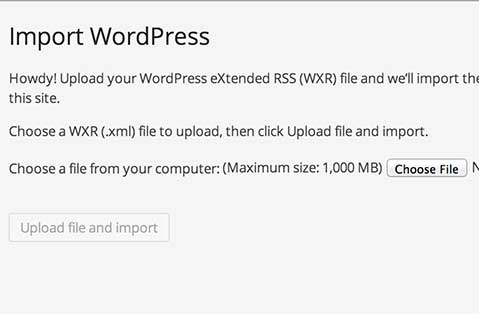
How to Upload your WordPress eXtended RSS (WXR) file to Your WordPress Site

Below are the quick steps to import your content form one WordPress site to another: Log into to your WordPress Admin Go to Tools>Import Click the “WordPress” link Choose your file. You will then have to map the authors form your file to authors on the site you are importing to. All posts, categories and…