
Stop Using Boring Forms: A Guide to Custom WordPress Form Builders
Why Custom Forms WordPress Plugins Are Worth Your Attention
Custom forms WordPress plugins let you build contact forms, payment forms, surveys, calculators, and more — without writing a single line of code.
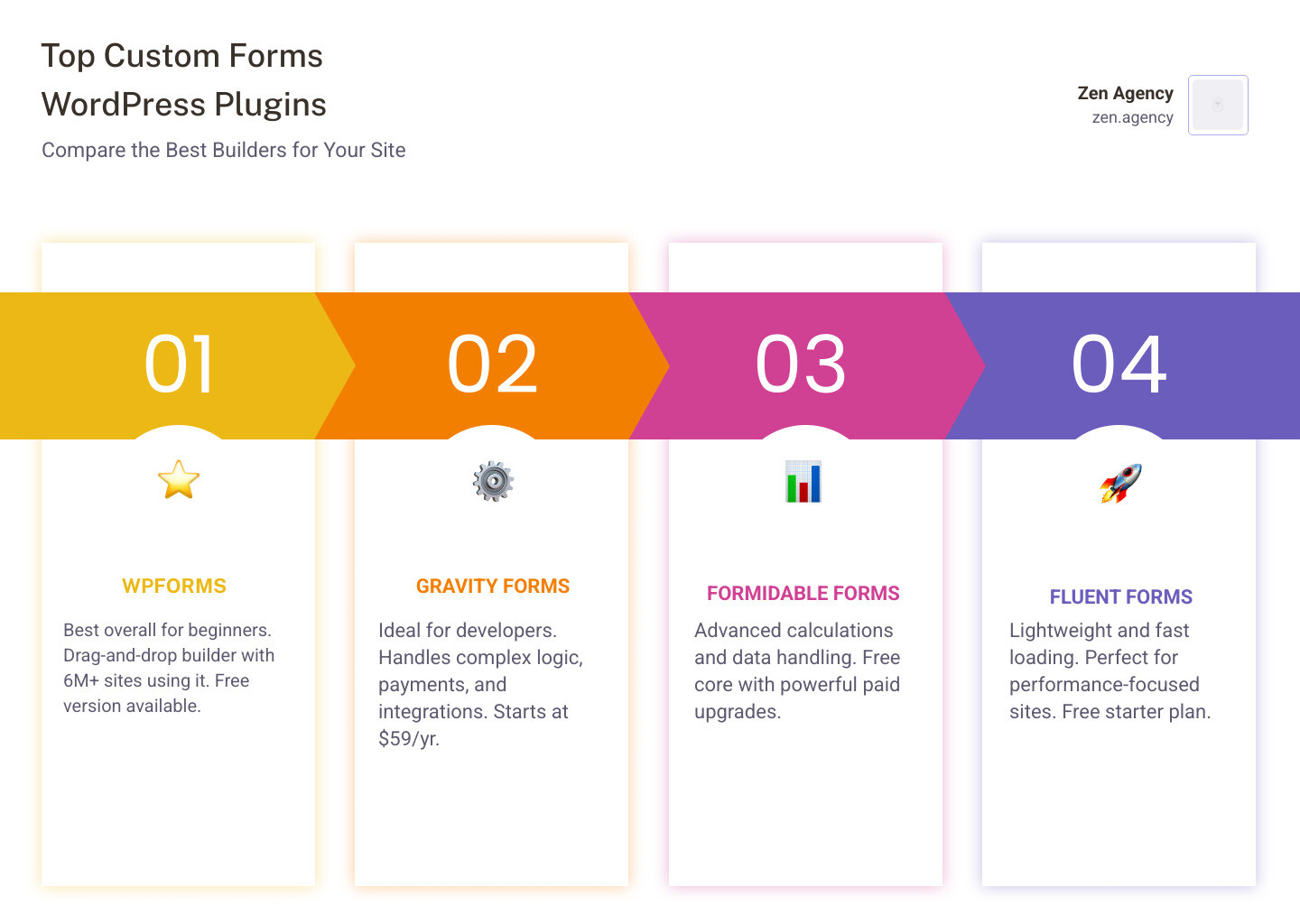
Here are the top options at a glance:
| Plugin | Best For | Starting Price |
|---|---|---|
| WPForms | Best overall / beginners | Free / ~$49/yr |
| Gravity Forms | Developers / complex logic | $59/yr |
| Formidable Forms | Advanced data & calculations | Free / paid plans |
| Fluent Forms | Lightweight & fast | Free / paid plans |
| Bit Form | Ultra-lightweight performance | Free / paid plans |
Most WordPress sites are losing leads right now. A generic, clunky form is often the reason why. Visitors land on your contact page, see a dull three-field box, and leave without converting.
The good news? Modern form builders have changed everything. With tools like WPForms (used by over 6 million websites) and Gravity Forms, you can build smart, branded, high-converting forms in minutes — no developer needed.
This guide compares the best options so you can pick the right one for your business.
I’m Joseph Riviello, CEO of Zen Agency, and with over 22 years in digital marketing, I’ve helped hundreds of businesses optimize their WordPress sites — including building custom forms in WordPress that actually convert visitors into leads and customers. Let’s break down exactly what you need.
Simple guide to Custom forms WordPress:
What Are Custom Forms in WordPress and Why Are They Essential?
In the early days of the web, forms were static, boring boxes. Today, custom forms WordPress solutions are the heartbeat of an interactive website. They are more than just a way to say “hello.” They are sophisticated data collection tools that allow you to capture leads, process payments, conduct detailed surveys, and automate your entire business workflow.
Why are they essential? Because they turn a static website into a dynamic business tool. Without a way for users to provide specific information, your site is just a digital brochure. Custom forms allow you to:
- Capture High-Quality Leads: By asking the right questions, you filter out junk and focus on serious prospects.
- Automate Workflows: Forms can trigger emails, send data to your CRM, or even create WordPress user accounts.
- Improve User Experience: A well-designed, responsive form makes it easy for customers to reach you, whether they are in Wilkes-Barre, Scranton, or Billings, MT.
- Ensure Security: Modern plugins come with built-in spam protection and data encryption, keeping your business and your users safe.
Top WordPress Form Builder Plugins for Creating Custom Forms
When we look at the landscape of custom forms WordPress in 2026, several heavy hitters dominate the market. Each has its own personality and strengths.
- WPForms: The king of user-friendliness. With over 6 million active installations and 13,455+ 5-star reviews, it’s the go-to for most professional WordPress websites.
- Gravity Forms: Often called the “developer’s choice.” It is incredibly robust, focused on security, and offers deep integration possibilities for complex business needs.
- Formidable Forms: This isn’t just a form builder; it’s a data management platform. It allows you to take the data you collect and display it on the front end of your site.
- Fluent Forms: A rising star known for being incredibly fast and lightweight while offering a massive array of features even in its free version.
- Bit Form: If speed is your absolute priority, Bit Form is a game-changer, loading only 15 KB of JS and CSS.
Comparing the Giants: WPForms vs. Gravity Forms vs. Formidable Forms
Choosing between these three is like choosing between a luxury SUV, a heavy-duty truck, and a high-tech sports car.
WPForms: The User Experience Leader
WPForms is built for speed and ease. It offers over 2,100 form templates, making it nearly impossible to stare at a blank screen. It’s perfect for those who want a “drag-and-drop” experience that just works. Its AI form builder can even generate a production-ready form from a simple text prompt in under 60 seconds.
Gravity Forms: The Professional Standard
Gravity Forms is trusted by big brands because it is rock-solid. It offers 30+ field types and is highly accessible, meeting WCAG 2.1AA compliance. While it has fewer pre-made templates than WPForms, its “Elite” license ($259/year) provides unlimited site usage and access to every add-on imaginable.
Formidable Forms: The Data Powerhouse
Formidable Forms stands out with its “Integrated Views” feature. While others just collect data, Formidable lets you turn that data into searchable directories, calendars, or graphs. It’s the best choice for WordPress e-commerce sites that need to manage complex user-generated content.
Key Features to Look for in a Custom WordPress Form Plugin
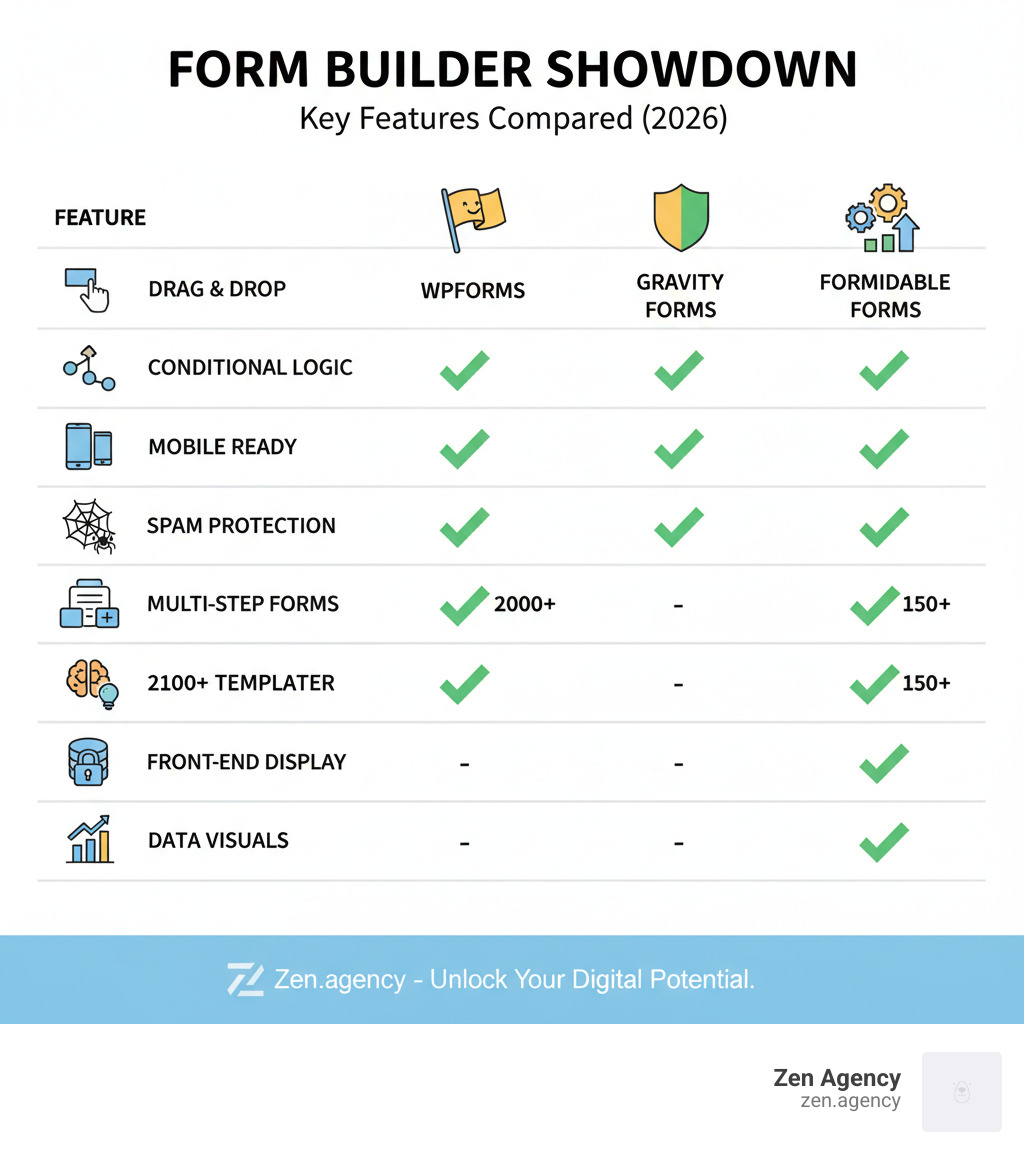
Not all plugins are created equal. When selecting a tool for custom forms WordPress, look for these non-negotiables:
- Drag-and-Drop Builder: You shouldn’t need a degree in computer science to move a text box.
- Conditional Logic: This allows you to show or hide fields based on user answers. For example, if a user selects “Request a Quote,” a “Budget” field appears.
- Mobile Responsiveness: In 2026, if your form doesn’t work perfectly on a smartphone, it’s broken.
- Spam Protection: Look for integrations with Cloudflare Turnstile, Google reCAPTCHA, or built-in honeypots.
- Multi-Step Layouts: Long forms are intimidating. Breaking them into steps (like a “pizza builder” or “mortgage application”) increases completion rates.
How to Choose the Best Form Builder for Your Specific Needs
Your choice depends on your goal.
- For Simple Contact Pages: WPForms Lite or Fluent Forms (free) will do the trick perfectly.
- For Payments: Gravity Forms or WPForms Pro are excellent for connecting to Stripe, PayPal, or Square.
- For Surveys and Quizzes: WPForms has a dedicated addon that creates beautiful, interactive surveys with NPS fields.
- For Calculators: Formidable Forms or Bit Form are superior for complex math, like mortgage or fitness calculators.
Free vs. Premium WordPress Form Plugins: What’s the Difference?
The “free” versions found on the WordPress repository are often “lite” versions. They are great for basic contact forms, but you’ll hit a wall quickly if you need:
- Payment Gateways: Most free versions don’t allow you to collect money (though Fluent Forms offers Stripe with a small transaction fee).
- Advanced Logic: Complex “if/then” scenarios are usually reserved for paid plans.
- File Uploads: If you need users to send you resumes or photos, you’ll likely need a premium license.
- Integrations: Connecting your form to Mailchimp, HubSpot, or Zapier usually requires a pro version.
Think of free versions as “black-and-white” and premium versions as “full-color.” Both show the picture, but one is much more vivid and useful for business.
The Ease of Drag-and-Drop Builders
Gone are the days of manual coding. Modern custom forms WordPress builders use a visual interface. You simply click on a “Name” field, drag it into the editor, and move it where you want it.
Most builders now support multi-column layouts. For instance, Bit Form allows for up to 60 columns, letting you create incredibly dense, professional-looking data sheets. This visual approach means you can see exactly what your visitors will see in real-time.
Integrations: Connecting Your Forms to the World
A form shouldn’t be an island. It needs to talk to your other tools. Leading plugins offer hundreds of integrations:
- Payment Gateways: Stripe, PayPal, Square, and Authorize.net.
- Email Marketing: Mailchimp, Constant Contact, and AWeber.
- CRMs: Salesforce, HubSpot, and Zoho.
- Automation: Zapier allows you to connect your form to over 10,000 other apps.
Ensuring Security, Reliability, and Mobile Responsiveness
Security is paramount. Plugins like Gravity Forms and WPForms prioritize data encryption and GDPR/CCPA compliance. To keep your forms spam-free without frustrating users with “Click all the traffic lights” puzzles, use “CAPTCHA-free” experiences like Cloudflare Turnstile.
Reliability is also about notification delivery. Standard WordPress email systems can be flaky. We always recommend using a tool like WP Mail SMTP to ensure your form notifications actually hit your inbox and don’t end up in the spam folder.
Performance: Lightweight Plugins vs. Feature-Heavy Giants
A common complaint about WordPress is “bloat.” Some form plugins can add 300KB+ of extra weight to your page.
- Bit Form: The speed king, loading only 15 KB.
- Fluent Forms: Extremely optimized, loading less than 30KB of combined CSS and JS.
- WPForms/Gravity Forms: While heavier, they are engineered to only load their scripts on pages where a form actually exists, minimizing the impact on your overall site speed.
Advanced Features: Conditional Logic, Calculations, and Conversational Forms
If you want to truly “stop using boring forms,” you need advanced features:
- Conditional Logic: Makes your forms feel “smart” by reacting to user input.
- Calculations: Perfect for custom business forms like shipping estimators or ROI calculators.
- Conversational Forms: These present one question at a time (like Typeform). They feel more like a chat and less like an interrogation, which significantly boosts conversion rates.
- File Uploads: Essential for job applications or support tickets.
Creating and Managing Custom Form Templates
To save time, you can create Custom Form Templates. In WPForms, you can convert any form you’ve built into a template. This allows you to reuse the same fields, settings, and notifications for future projects without starting from scratch.
Note: Templates themselves aren’t embedded; you use the template to “Create a New Form,” which you then place on your page.
User Reviews and Expert Recommendations
The verdict from the community is clear:
- WPForms is the favorite for ease of use and sheer variety of templates.
- Gravity Forms is the best WordPress form plugin for developers who need maximum control.
- Formidable Forms is the choice for those building data-driven applications.
- Fluent Forms is widely praised for its performance and generous free tier.
Getting Started With Your First Custom WordPress Form
Ready to build? Follow these steps:
- Install a Plugin: Start with the free version of WPForms or Fluent Forms.
- Pick a Template: Don’t start from scratch. Choose a “Simple Contact Form” or “Newsletter Sign-up.”
- Drag and Drop: Add the fields you need (Name, Email, Message).
- Configure Notifications: Tell the plugin where to send the emails when someone submits the form.
- Embed: Use the Gutenberg block or a shortcode to place the form on your contact page.
- Test: Always submit a test entry to make sure everything is working!

Frequently Asked Questions About Custom Forms WordPress
Can I create a custom form without a plugin?
While possible via PHP hooks and custom post types, it is highly technical and not recommended for most users. Using a dedicated plugin is safer, faster, and more secure.
How do I stop spam on my WordPress forms?
Use a combination of a “honeypot” (a hidden field that only bots fill out) and modern CAPTCHA services like Cloudflare Turnstile.
Will these plugins slow down my site?
High-quality plugins like those mentioned here are performance-optimized. For the absolute fastest load times, look at Bit Form or Fluent Forms.
Can I collect payments through my forms?
Yes! Most premium plugins integrate seamlessly with Stripe, PayPal, and Square.
Conclusion: Elevate Your Site with Custom WordPress Forms
Your forms are the bridge between you and your customers. Whether you are a small business in Scranton, PA, or a large enterprise in Montana, using the right custom forms WordPress tool is essential for growth.
At Zen Agency, we specialize in helping businesses navigate these choices to build high-converting, responsive WordPress websites. Don’t let boring forms hold your business back. Pick a builder, start with a template, and start connecting with your audience today.
If you need expert help setting up complex workflows, custom WordPress development, or a complete site overhaul, we are here to help you scale.