Stop Losing Leads with Proven Conversion-Focused UX Design Strategies
How UX Design for Conversions Stops Lead Loss
UX design for conversions starts with the points where people get stuck. Check where visitors leave your site, then make the next step easier: clarify the main call to action, simplify forms, improve mobile navigation, and show pricing or trust details when people need them. Measure completed leads or sales before and after each change so you know what worked.
A polished site alone won’t fix a confusing journey. The goal is to help the right visitors find what they need, feel confident, and take action without extra effort.
I’m Joseph Riviello, founder and CEO of Zen Agency. For more than 22 years, I’ve helped companies connect traffic, leads, conversions, and revenue, the same big-picture view I bring to UX design for conversions.
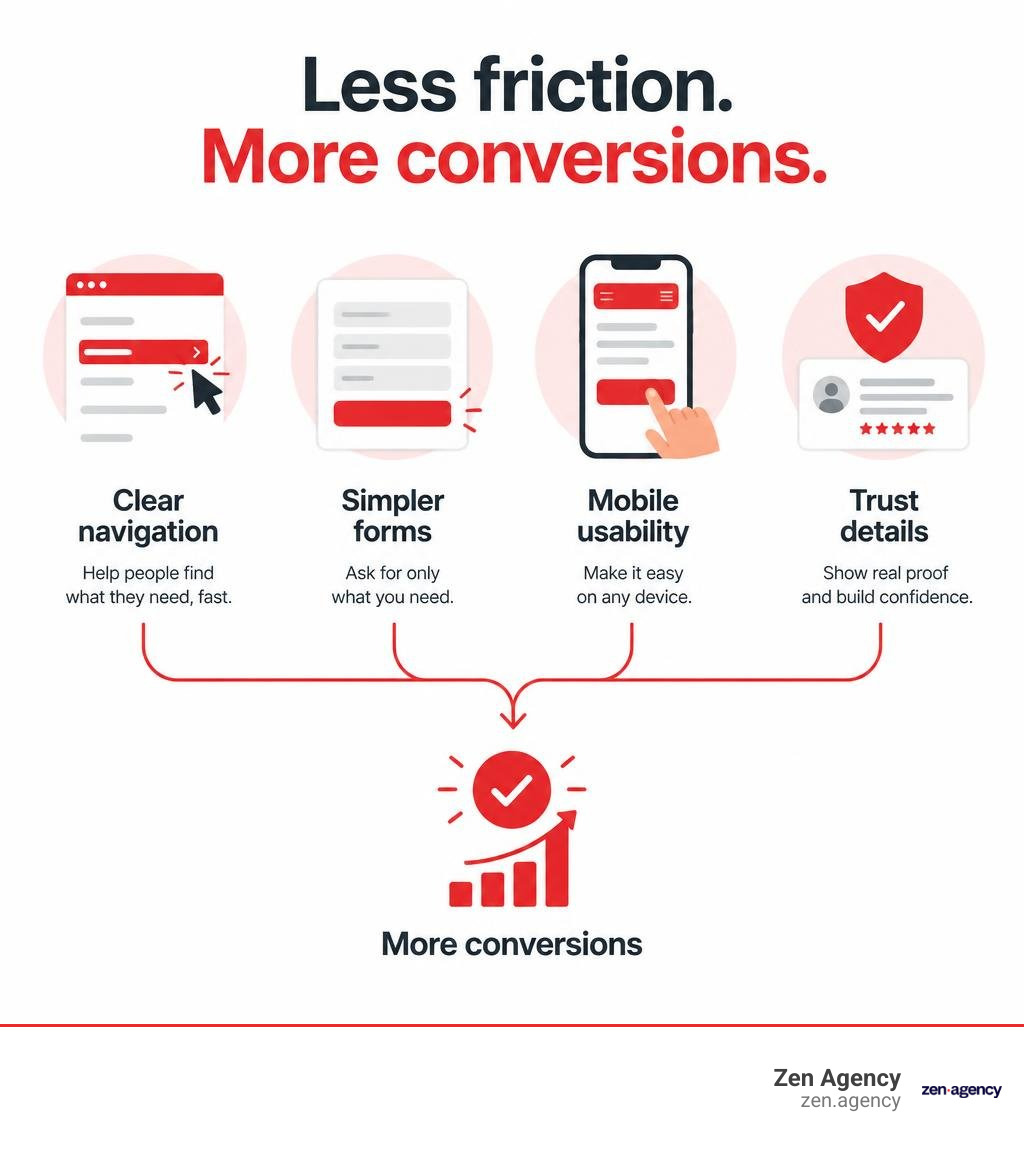
UX design for conversions terms to know:
The Strategic Intersection: UX Design for Conversions and CRO
Many digital teams treat user experience (UX) and conversion rate optimization (CRO) as two entirely separate disciplines. UX designers often focus on empathy, satisfaction, and usability, while CRO specialists obsess over conversion tracking, funnel mechanics, and analytics dashboards. When you separate them, you get pretty websites that do not sell or aggressive, high-pressure checkout funnels that frustrate potential buyers.
High-impact digital growth happens when UX design directly drives business outcomes. While standard usability ensures a visitor can complete an action, strategic CRO ensures they choose to do so. In practice, UX establishes the frictionless architecture that makes our structured conversion rate optimization strategies successful.
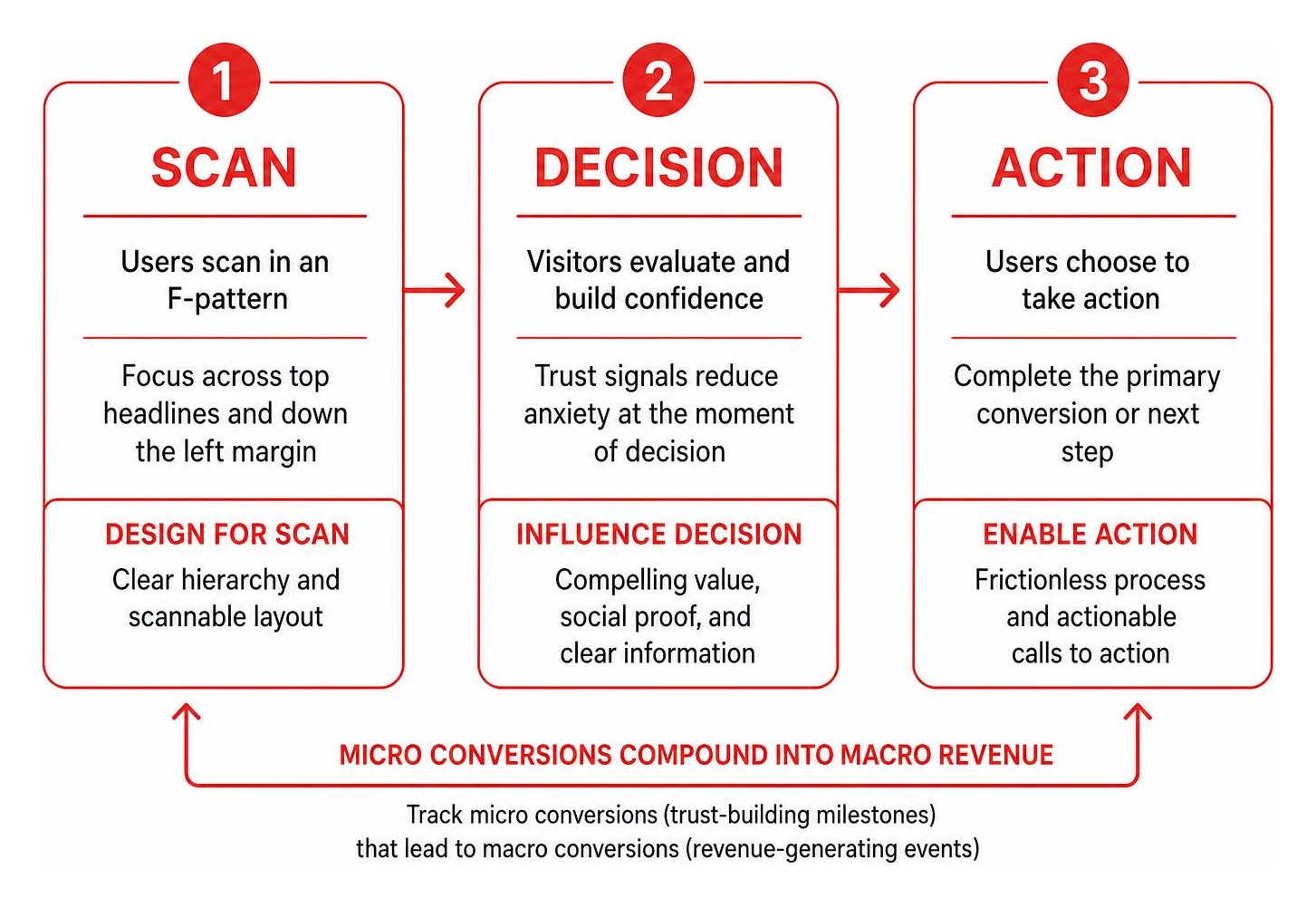
To optimize the customer journey, we must track both macro and micro conversions:
- Macro conversions: Primary revenue-generating events, such as completing a transaction, booking a consultation call, or requesting an enterprise proposal.
- Micro conversions: Incremental trust-building milestones, including downloading a product guide, viewing a product demo, saving an item to a wishlist, or engaging with an interactive calculator.
When we align our design decisions with true user intent, micro conversions compound naturally into macro revenue.
| Design Focus Area | Aesthetic-Only Web Design | Conversion-Focused UX Design |
|---|---|---|
| Primary Objective | Visual appeal, brand prestige, and creative expression | Frictionless task completion, clarity, and revenue growth |
| Call to Action (CTA) | Subdued, blended into layout, or visually artistic | High contrast, action-oriented, and placed at key decision points |
| Information Flow | Artistic pacing, complex layered elements, and long intros | Scannable F-pattern, progressive disclosure, and logical hierarchy |
| Form Design | Extensive input collection for marketing databases | Minimal essential fields, smart defaults, and inline validation |
| Success Metrics | Visual awards, design trends, and subjective internal praise | Lower bounce rates, higher pipeline conversion, and measurable ROI |
Key UX Elements That Influence Buyer Decisions
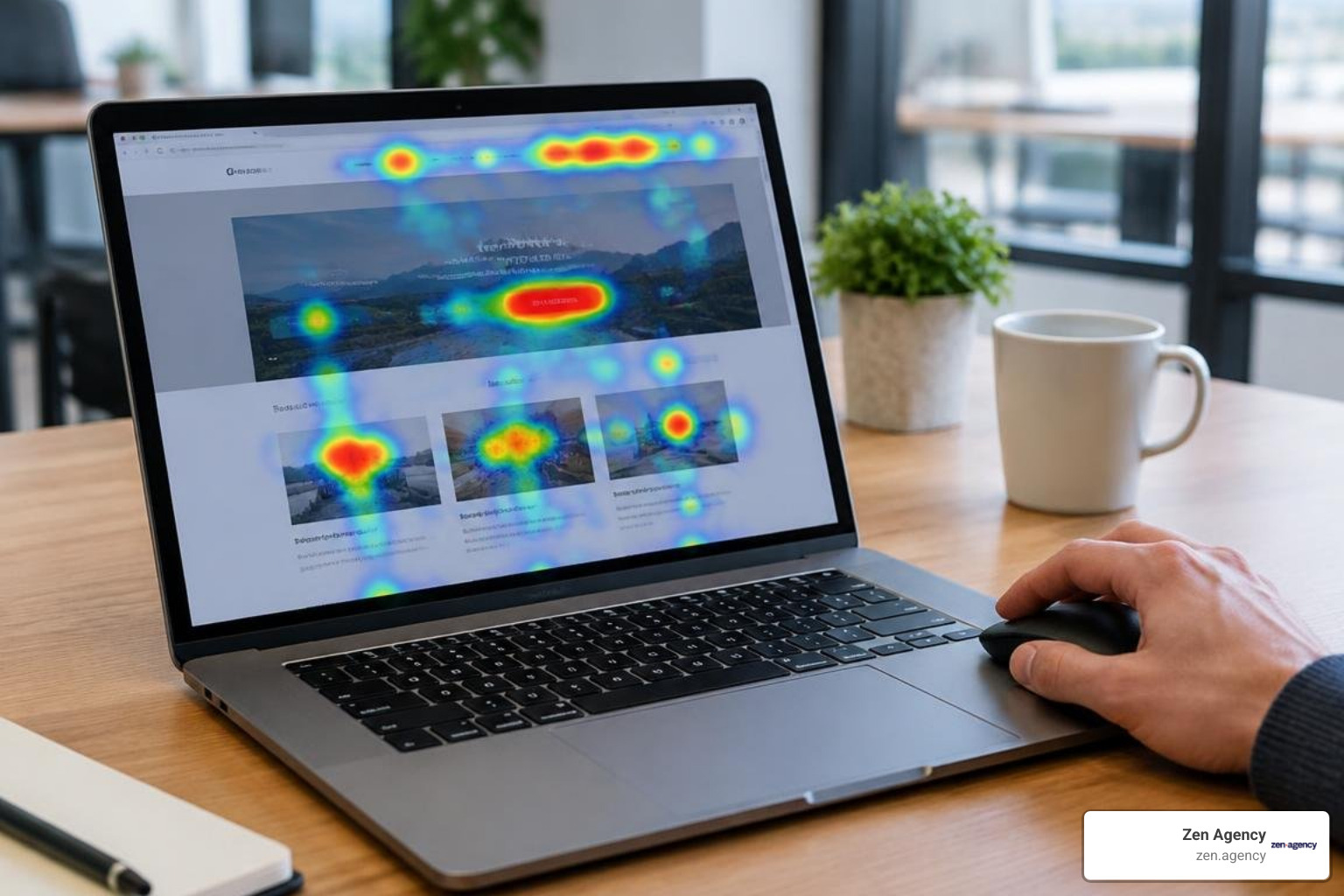
Every digital interface communicates a visual hierarchy that dictates where the human eye travels. Decades of eye-tracking research show that users rarely read every word on a screen. Instead, they scan in an F-pattern—focusing across top headlines, skimming down the left margin, and locking onto visually prominent anchor points.
To guide visitors toward a conversion decision, your layout should reduce cognitive friction:
- Single-Column Structural Flow: Multi-column forms and cluttered layouts force users to zig-zag visually. Keeping primary lead-capture workflows in a single-column layout creates a linear, predictable path downward.
- Actionable Call-to-Action Buttons: Avoid generic copy like “Submit” or “Click Here.” Focus on creating compelling calls to action with clear value propositions, such as “Claim Your Custom Growth Plan” or “Start Your Free Trial.”
- Strategic Social Proof Placement: Placing customer quotes, client logos, and security seals directly next to conversion inputs reassures prospects at the exact moment purchase anxiety peaks.
Measuring the ROI and Impact of UX Design for Conversions
Design improvements are business investments that should generate clear financial returns. According to data from Forrester, every $1 invested in user experience can return up to $100 in value, representing an estimated 9,900% ROI.
To measure this value accurately, businesses must establish clear baselines before launching design updates:
- Core Conversion Rates: The exact percentage of visitors completing the primary goal.
- Task Completion Times: How many seconds or minutes it takes a lead to fill out an inquiry form or complete a purchase.
- Form Drop-off Rates: The specific inputs causing users to abandon the funnel.
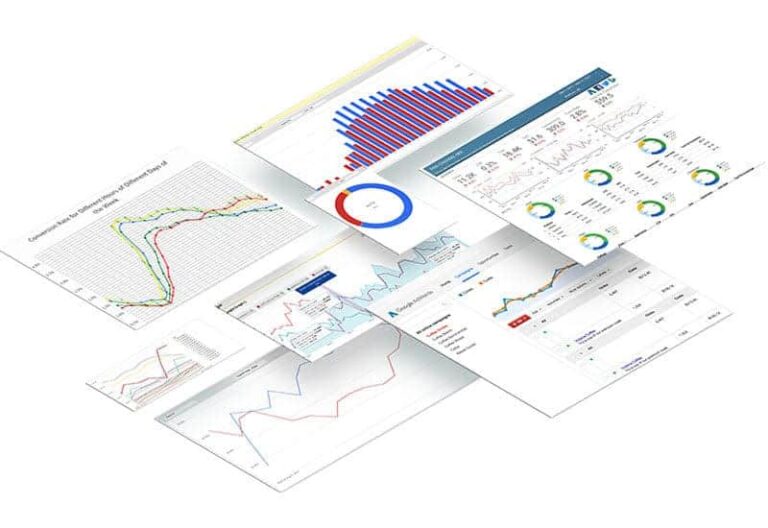
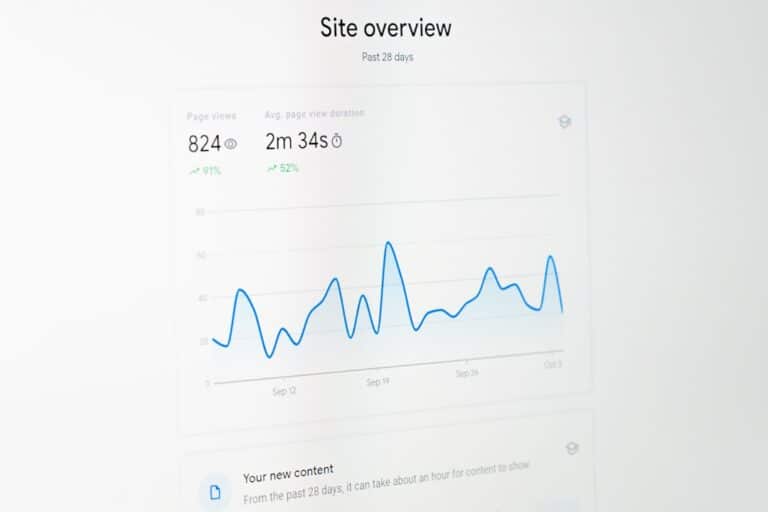
By implementing structured customer journey mapping, we trace how real users interact with every touchpoint. This process reveals precisely which interface adjustments reduce lead drop-off and protect your marketing spend.
How to Audit and Eliminate Friction in the User Journey
Digital friction is any point of hesitation, confusion, or technical difficulty that interrupts a visitor’s momentum. When friction exceeds a visitor’s motivation, they leave your website.
To locate and eliminate friction systematically, run a complete digital experience audit using these tools:
- Interaction Cost Analysis: Count the exact number of clicks, scrolls, keystrokes, and page transitions required to accomplish a task. Every extra step costs you conversions.
- Rage Click and Dead Click Detection: Identify where users repeatedly tap or click unresponsive elements. This signals confusing visual affordances or broken scripts.
- Session Replay Diagnostics: Watch unfiltered recordings of actual sessions to see where prospects hesitate or abandon forms.
- Technical Performance Reviews: Slow page loads directly reduce your bottom line. For instance, Specsavers achieved a 33% increase in optical booking conversions and a 25% reduction in bounce rates simply by improving website performance. Applying proven speed and performance optimization techniques keeps visitors moving smoothly through your funnel.
Optimizing Forms and Checkout Flows for Maximum Completion
Forms represent the gateway between web traffic and measurable revenue. Yet, according to Baymard Institute’s checkout benchmark studies, nearly 70% of digital shoppers abandon carts due to unnecessary checkout complexity and mandatory registration steps.
Apply these user-centered principles to improve your lead-capture forms and checkout screens:
- Ruthlessly Eliminate Input Fields: One enterprise SaaS platform shortened their registration form from 11 fields down to 4, generating an immediate 120% increase in sign-ups. Ask only for information required to take the immediate next step.
- Implement Smart Defaults and Address Lookup: Leverage browser auto-fill attributes, postal code lookup APIs, and sensible default parameters to eliminate repetitive typing.
- Provide Real-Time Inline Validation: Instead of waiting for a user to click submit before displaying an error message, show clear green checkmarks as fields are completed correctly.
- Offer Seamless Guest Checkout: Never force immediate account creation before an initial purchase. If you run an online storefront, streamlining your checkout page design with flexible guest checkouts and modern digital wallet integrations dramatically lifts conversion rates.
How to Implement UX Design for Conversions Across Mobile Journeys
Mobile traffic accounts for the majority of modern digital browsing, and over 62% of smartphone users have completed a purchase on their mobile device in the last six months. However, mobile conversion rates frequently trail desktop rates when interfaces fail to account for smaller viewports and touch inputs.
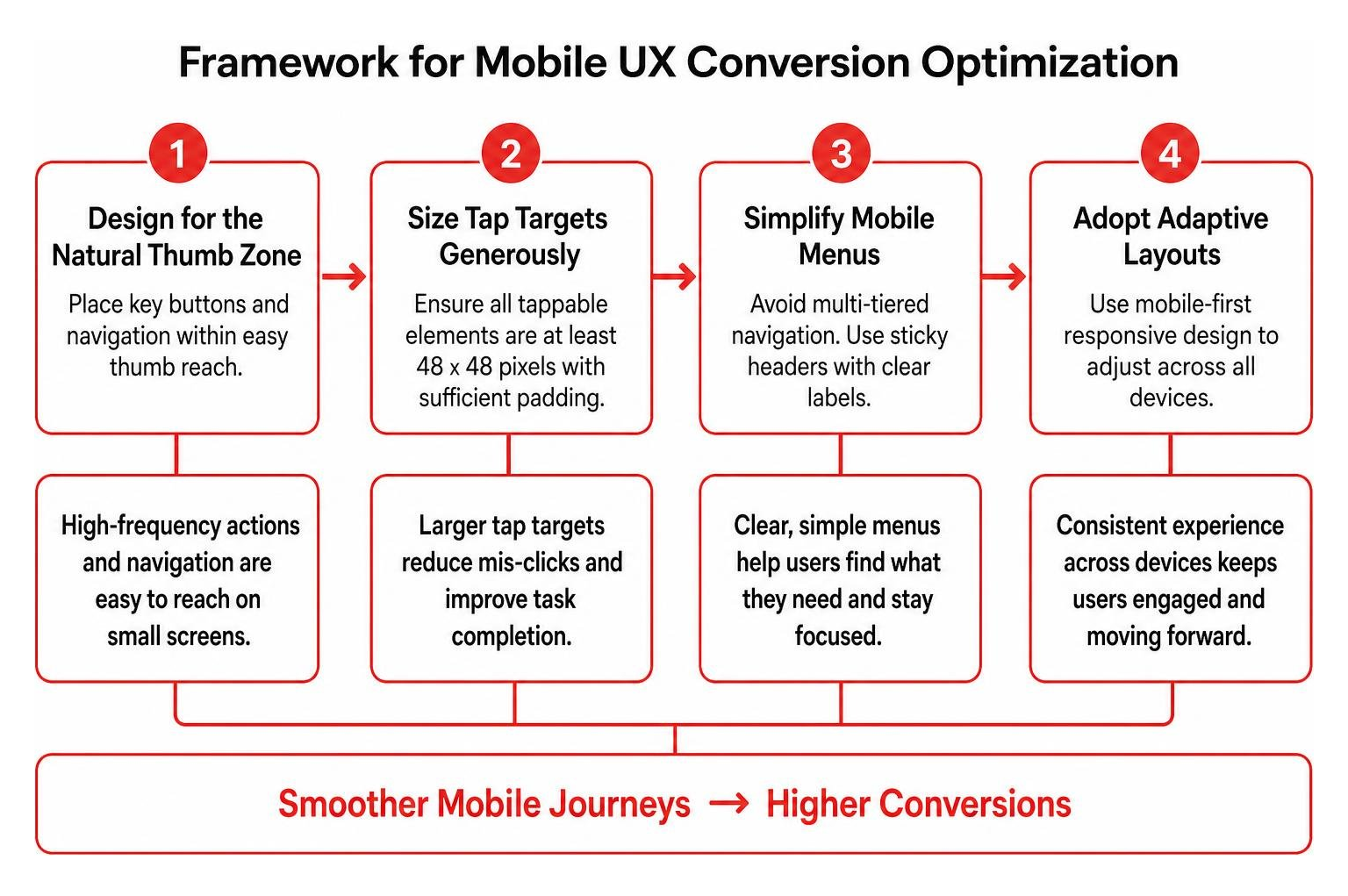
According to landmark Google research on mobile UX design, mobile users are goal-oriented and expect immediate access to core functions. To turn mobile visitors into paying customers, build around these practices:
- Design for the Natural Thumb Zone: Place high-frequency buttons, sticky calls to action, and primary navigation menus within easy reach of a user’s thumb at the bottom or middle of the screen.
- Size Tap Targets Generously: Ensure all interactive buttons, checkboxes, and menu links measure at least 48 by 48 pixels, with sufficient padding to prevent mis-clicks.
- Simplify Mobile Menus: Avoid multi-tiered navigation trees that require fine motor precision. Use clean, sticky headers with clear labels so visitors never lose their place.
- Adopt Adaptive Layouts: Ensure your digital footprint uses modern mobile-first responsive web design to dynamically adjust typography, imagery, and interactive components across all devices.
Building Digital Trust and Credibility Through Interface Design
Trust is the foundation of every digital conversion. If prospects doubt your credibility, security, or professionalism, they will not share contact details or enter payment information.
Extensive behavioral research confirms that 94% of first impressions are driven purely by design quality. Visitors form opinions about your business within milliseconds. Broken layouts, misaligned grids, dated typography, and low-contrast colors instantly signal risk.
To build trust across your interface:
- Maintain Cohesive Visual Branding: Clean layouts, balanced white space, and consistent brand typography project stability and competence. Understanding why visual branding builds trust helps you craft designs that turn first-time visitors into confident buyers.
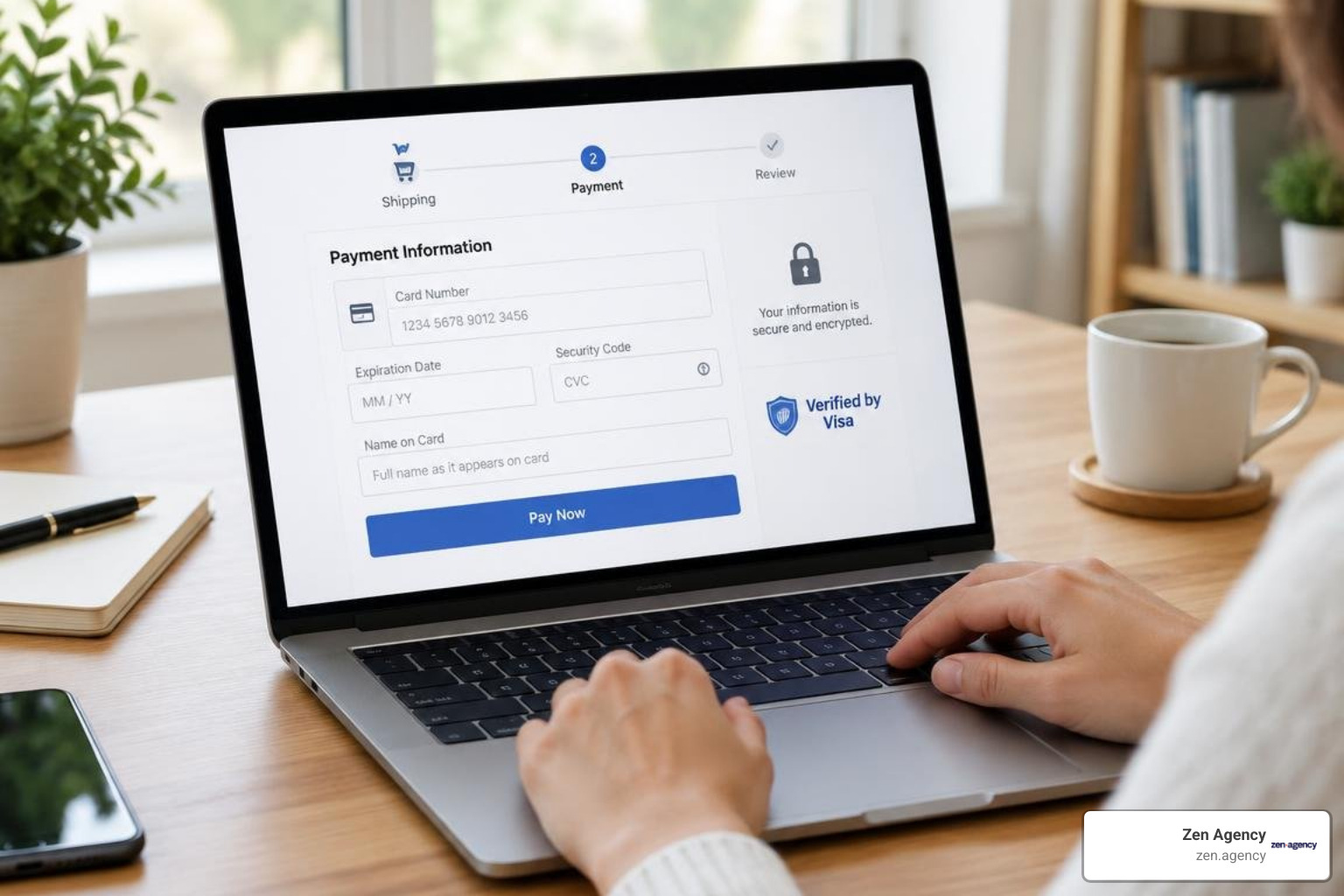
- Showcase Authentic Trust Badges: Display verified merchant certifications, SSL security credentials, third-party rating badges, and clear return guarantees right beside form fields and payment steps.
- Ensure Universal Digital Accessibility: High-converting interfaces must be usable by everyone, including people relying on screen readers or keyboard navigation. Incorporating ADA compliance and accessibility standards improves user satisfaction, protects your brand, and broadens your addressable audience.
Continuous Optimization: A/B Testing, User Feedback, and Prioritization
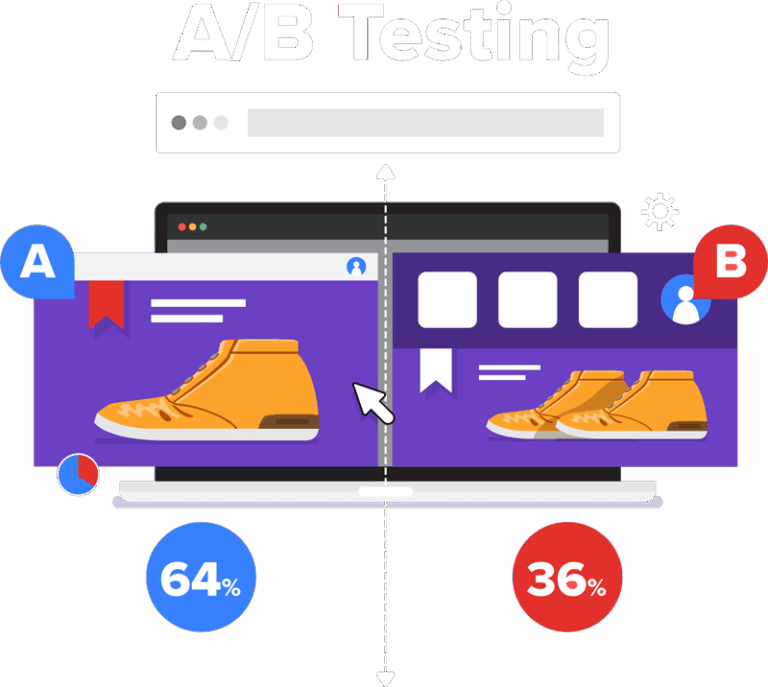
UX design is not a one-time project; it requires ongoing, data-driven optimization. Intuition and personal preferences can steer design teams off course. Sustainable conversion gains come from systematically testing hypotheses against real user behavior.
To keep your optimization focused, run split tests on these high-impact interface elements:
- Primary headline value propositions above the fold
- Call-to-action button color, contrast, and action-oriented copy
- Single-step versus multi-step progressive form layouts
- Placement of social proof, client logos, and trust badges
- Sticky bottom navigation bars on mobile devices versus standard headers
To get clean, actionable results, establish a structured testing workflow using strategic A/B testing methodologies.
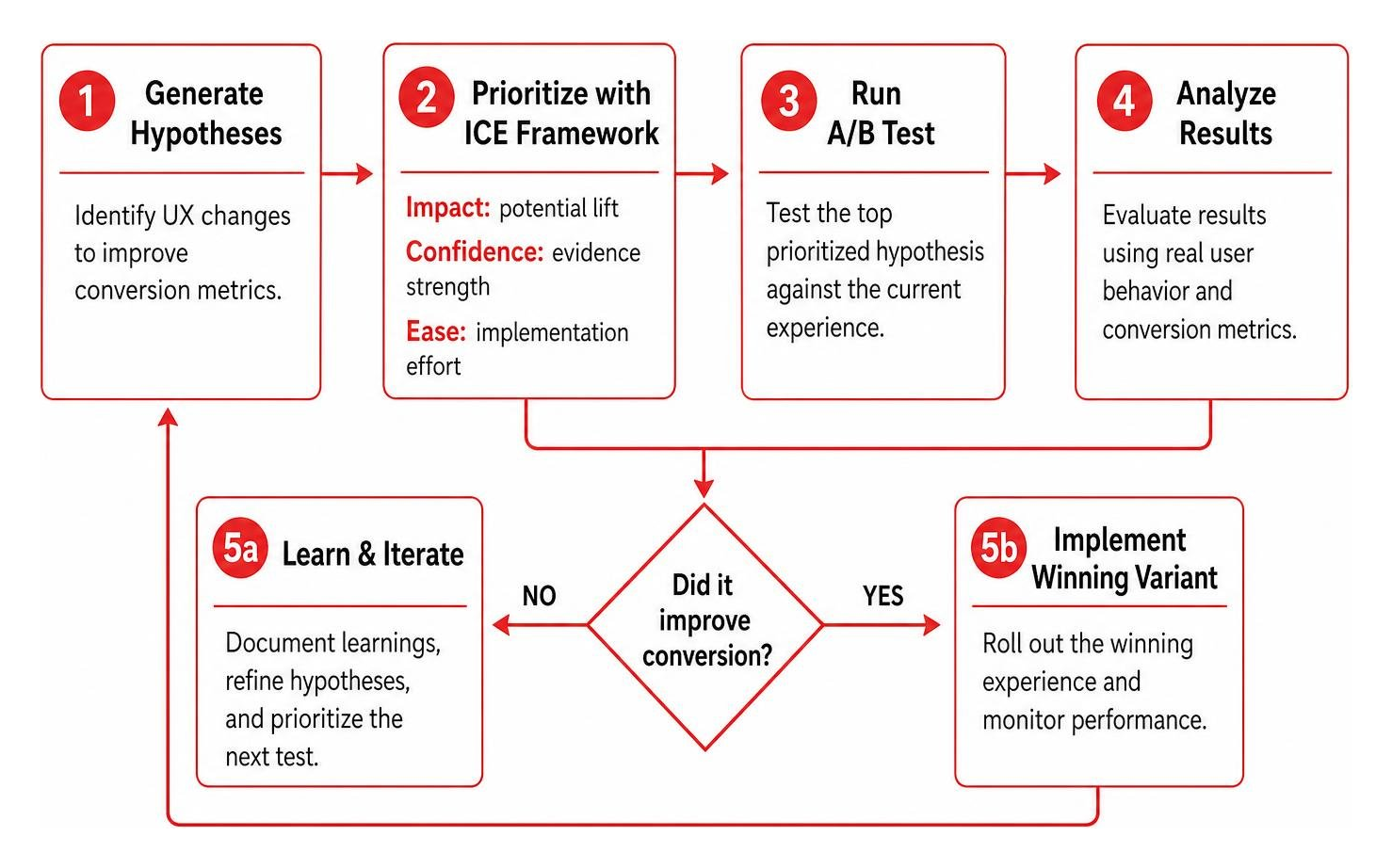
When balancing multiple design ideas, prioritize your tests using the ICE framework:
- Impact: How significantly will this adjustment lift conversion metrics if successful?
- Confidence: How strongly is this hypothesis supported by heatmap data, user recordings, or analytics?
- Ease: How quickly and easily can developers and designers implement this test?
Score each potential design update from 1 to 10 on these factors, calculate the average, and prioritize the changes with the highest composite scores.
Frequently Asked Questions About UX Design for Conversions
What is considered a good conversion rate across industries?
Conversion rate is inherently relative. It depends on your traffic channels, pricing model, sales cycle length, and transaction value. While standard e-commerce retail sites often average 2% to 4%, high-ticket enterprise B2B workflows or custom service offerings may see healthy lead-generation rates between 5% and 10% on dedicated landing pages. Instead of chasing broad industry averages, focus on measuring your own baseline and achieving steady, compounding month-over-month gains.
What are the most common UX mistakes that kill conversion rates?
The most damaging UX conversion mistakes include:
- Excessive, unnecessary input fields on lead capture forms
- Hidden or confusing navigation menus that bury key service pages
- Slow page load speeds caused by unoptimized assets and bloated scripts
- Aggressive, intrusive pop-up modals that trigger before a visitor can read your content
- Ambiguous call-to-action buttons that fail to tell users what happens next
How quickly can a business see measurable ROI after improving UX design?
Targeted UX quick wins—such as fixing broken mobile inputs, clarifying CTA copy, or cutting unnecessary form fields—can show positive conversion movement within 2 to 3 weeks once an A/B test reaches statistical significance. Comprehensive website overhauls and complete checkout redesigns typically produce their full financial impact over 60 to 90 days as traffic cohorts mature.
Conclusion: Transforming User Experience into Sustainable Revenue Growth
High-performing websites do not convert visitors by accident. They guide prospects toward a clear action using clean visual hierarchies, fast load times, accessible layouts, and frictionless forms. By viewing design through a conversion lens, businesses transform their digital presence from a passive brochure into an active revenue engine.
At Zen Agency, we help companies remove user friction and turn traffic into measurable pipeline growth. As a full-service web development and digital marketing agency since 2008, our team pairs custom development and UX design with data-backed enterprise digital marketing services to help growing businesses maximize their visibility, conversions, and long-term ROI.