Top 3 ADA Compliance Website Checker Options to Save Your Site
96% of Websites Fail Accessibility — Here’s How to Check Yours
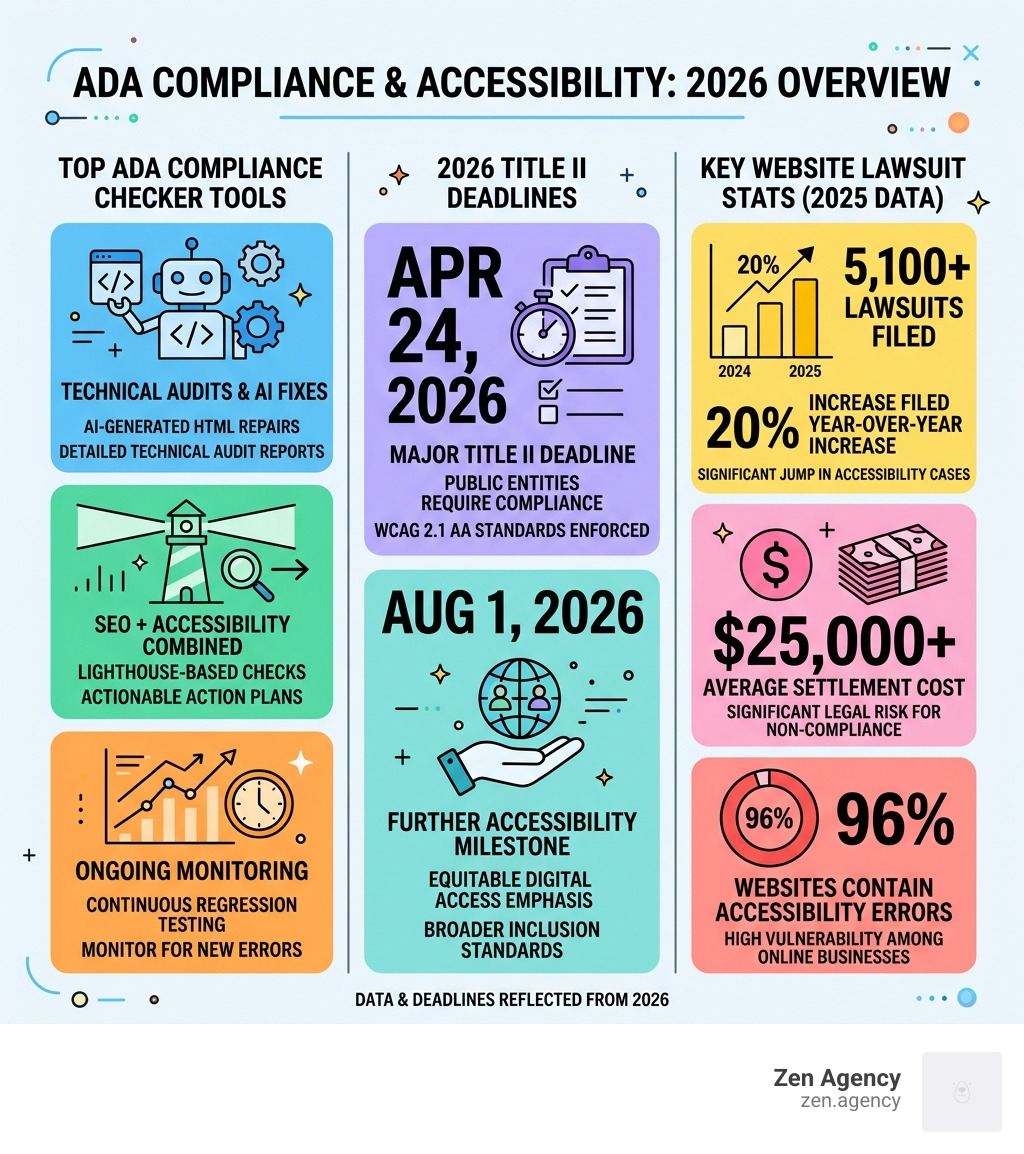
The top ADA compliance website checker tools for 2026 are:
| Tool | Best For | Free Tier | Key Strength |
|---|---|---|---|
| ADA Scanner | Technical audits & AI fixes | Yes | AI-generated HTML fixes |
| PageGuard | SEO + accessibility combined | Yes | Lighthouse + AI action plans |
| CompliaScan | Ongoing monitoring | Yes | Continuous regression testing |
An ADA compliance website checker is the fastest way to find out if your site is putting your business at legal risk right now. And the numbers make it hard to ignore: over 5,100 ADA website lawsuits were filed in 2025 — a 20% year-over-year increase — with average settlements running around $25,000.
What’s alarming is that most of these lawsuits target sites with easily detectable failures — the exact kind a good checker catches in under 30 seconds.
Amazon, Hershey’s, and The Wall Street Journal have all faced ADA website lawsuits. If it can happen to them, it can happen to you.
With 96% of websites containing accessibility errors, the odds are not in your favor if you haven’t scanned your site yet.
I’m Joseph Riviello, CEO and Founder of Zen Agency, and with over 22 years in digital marketing I’ve helped businesses use the right ADA compliance website checker tools and strategies to protect their online presence and turn accessibility into a genuine competitive advantage.
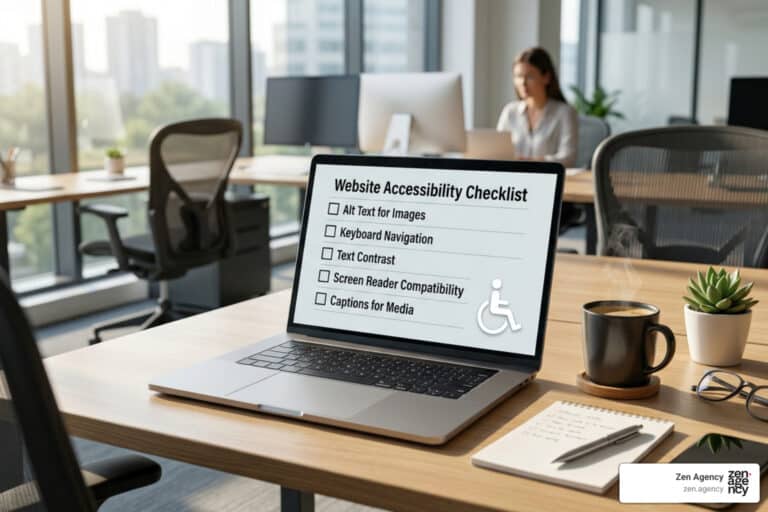
ADA compliance website checker word guide:
Understanding ADA Compliance and WCAG Standards in 2026
When we talk about making a website accessible, we are essentially discussing the digital equivalent of installing ramps and elevators in a physical building. The Americans with Disabilities Act (ADA) was originally written for physical locations, but the Department of Justice (DOJ) and the courts have made it crystal clear: your website is a “place of public accommodation.”
For those of us in Pennsylvania and Montana, the rules are getting stricter. Under ADA Title II, state and local government entities have a hard deadline of April 24, 2026, to ensure their Websites and Applications meet the WCAG 2.1 Level AA standard. If you are a private business under Title III, while there isn’t a specific federal “statute” for websites yet, the courts use these same standards to decide if you’ve discriminated against users with disabilities.
The POUR Principles
To understand what an ADA compliance website checker is actually looking for, we follow the “POUR” principles of the Web Content Accessibility Guidelines (WCAG):
- Perceivable: Can users see or hear the content? (e.g., alt text for images).
- Operable: Can users navigate the site? (e.g., keyboard-only navigation).
- Understandable: Is the information clear? (e.g., no confusing jargon or flashing lights).
- Robust: Does it work with assistive technologies like screen readers?

In 2026, we are also looking toward WCAG 2.2, which adds new requirements for mobile device users and individuals with cognitive disabilities. Whether you are following Section 508 (for federally funded projects) or the ADA, an accessibility statement on your site is no longer a “nice to have”—it’s a necessary declaration of your commitment to digital equity.
Top 3 Free ADA Compliance Website Checker Tools for 2026
We know that staring at a wall of code is nobody’s idea of a good Friday night. That’s why automated tools are a lifesaver. They use engines like axe-core to scan your site for common accessibility barriers in seconds.
While we always recommend manual Accessibility Testing for a 100% guarantee, these three tools are the best place to start your journey.
| Feature | ADA Scanner | PageGuard | CompliaScan |
|---|---|---|---|
| Primary Focus | Technical HTML Fixes | Holistic Site Health | Continuous Monitoring |
| Scan Speed | Instant | 30 Seconds | Real-browser Testing |
| Best For | Developers | Business Owners | Agencies & SMBs |
| WCAG Version | 2.1 AA | 2.1 AA | 2.2 AA |
ADA Scanner for Instant Technical Audits
If you want to know exactly what code is broken and how to fix it, ADA Scanner is your best friend. This ADA compliance website checker doesn’t just point out that you have an error; it uses AI-powered suggestions to generate the corrected HTML for you.
For example, if you have a button that lacks a descriptive label—a major red flag for screen readers—the ADA Scanner — Free ADA & WCAG Accessibility Compliance Checker will show you the exact ARIA label you need to add. It categorizes issues by severity, allowing our team to prioritize “Critical” fixes that could lead to a demand letter before tackling “Minor” cosmetic issues.
PageGuard for Holistic Site Health and SEO
We love PageGuard because it understands that accessibility doesn’t exist in a vacuum. A site that is accessible but takes 20 seconds to load is still a bad experience. This tool performs a comprehensive check of your site’s “Health,” covering ADA compliance, SEO, and Performance (Core Web Vitals).
The Free Website Health Checker — ADA, SEO & Performance | PageGuard uses Google Lighthouse data but translates those technical audit IDs into plain-English action plans. It also builds a shareable “audit trail.” In the legal world, showing that you are actively monitoring and fixing your site can be a powerful defense.
CompliaScan for Continuous Accessibility Monitoring
The biggest mistake we see businesses make is “one-and-done” testing. You might be compliant today, but what happens when you install a new WordPress plugin or your marketing team uploads a batch of images without alt text?
CompliaScan solves this by offering continuous accessibility monitoring. The Free ADA & WCAG Compliance Checker — Scan Your Website in 30s | CompliaScan uses real Chromium browsers to simulate how a user actually interacts with your site. It’s perfect for SMBs in Scranton or Billings who need to catch “regressions” (new errors) before they become legal liabilities.
Why Automated Scanners Are Only the First Step
We have to be honest with you: even the best ADA compliance website checker only catches about 30% to 40% of accessibility issues. Automation is great at finding “hard” errors like missing alt text or poor color contrast ratios, but it struggles with “logical” errors.
For instance, an automated tool can tell you if an image has alt text, but it can’t tell you if that text actually describes the image accurately. If your “Buy Now” button is labeled “Image 42,” a scanner might give it a pass, but a screen reader user will be completely lost.

To truly save your site, you need to supplement your scans with manual testing. Here is what we recommend:
- Keyboard Navigation: Put your mouse away. Can you reach every link, button, and form field using only the ‘Tab’ key?
- Screen Reader Testing: Use free tools like NVDA (Windows) or VoiceOver (Mac). Does the site make sense when it’s read aloud?
- Color Contrast: Use the Testing Tools – Penn State | Accessibility guide to ensure your text stands out against the background. A ratio of 4.5:1 is the standard for normal text.
A word of caution on accessibility overlays: You’ve probably seen those little blue “accessibility widgets” that pop up on websites. While they promise a “quick fix,” the DOJ and over 400 disability advocates have warned that they often provide a false sense of security. They don’t fix the underlying code, and many screen reader users find that overlays actually make the site harder to use. True compliance happens at the code level, not with a band-aid widget.
The Rising Cost of Non-Compliance and Lawsuit Risks
In 2025, the “ADA lawsuit industry” hit a new peak. With over 5,100 lawsuits filed—a 37% increase in some jurisdictions—the financial risk is no longer theoretical.
The average settlement for an ADA website lawsuit is roughly $25,000, but that’s just the beginning. When you factor in legal fees for your defense (which can run $20,000 to $75,000) and the cost of the actual remediation work, a single lawsuit can easily cost a small business $50,000 or more.
Retail and e-commerce are the biggest targets, accounting for 38% of all cases. “Serial litigation firms” use their own automated tools to scan thousands of sites a day, looking for easy targets. If your site has zero alt text and broken keyboard navigation, you are essentially hanging a “Sue Me” sign on your digital front door.
The Silver Lining: The IRS offers a tax credit (Section 44) for small businesses that spend money on ADA compliance. You could receive a credit of up to $5,000 per year to help offset the costs of making your site accessible. It’s a rare instance of the government helping you pay for your “digital ramps.”
Frequently Asked Questions about ADA Website Compliance
How does an ADA compliance website checker work?
An ADA compliance website checker works by “crawling” your website’s code, much like a search engine does. It compares your HTML, CSS, and JavaScript against the WCAG success criteria. It looks for specific markers—like the presence of alt attributes on aria-labels on buttons. After the scan, it provides an accessibility score and a detailed report of errors, often ranked by severity (Critical, Serious, Moderate, or Minor).
Do accessibility overlays provide true legal protection?
The short answer is: No. Many businesses have been sued despite having an overlay installed. Courts have frequently ruled that these widgets are not a substitute for genuine code-level fixes. The DOJ has not recognized overlays as a valid compliance method, and disability advocates often refer to them as “paper compliance.” They can even slow down your site and interfere with the very assistive technologies they claim to help.
What are the key ADA Title II and Title III deadlines?
- ADA Title II (Government): Large state and local government entities (population 50,000+) must be WCAG 2.1 AA compliant by April 24, 2026. Smaller entities have until April 24, 2027.
- ADA Title III (Private Business): There is no “future” deadline because the DOJ considers websites to be covered under existing law. If your business is open to the public, you are expected to be accessible now. The surge in 2025 lawsuits proves that the “wait and see” approach is the most expensive strategy you can take.
Conclusion
At Zen Agency, we’ve seen how a proactive approach to accessibility doesn’t just prevent lawsuits—it drives ROI. When you make your site easier for people with disabilities to use, you also make it easier for search engines to index and for elderly users to navigate. It’s a win-win for everyone.
Since 2008, we have been providing enterprise-grade solutions for businesses in Pennsylvania, Montana, and across the USA. Whether you need a custom website development project that is accessible from day one or a comprehensive ADA Compliance Services strategy to remediate an existing site, we are here to help you scale safely and profitably.
Don’t wait for a demand letter to arrive in your inbox. Use an ADA compliance website checker today, find your gaps, and let’s get to work on building a more inclusive digital world.