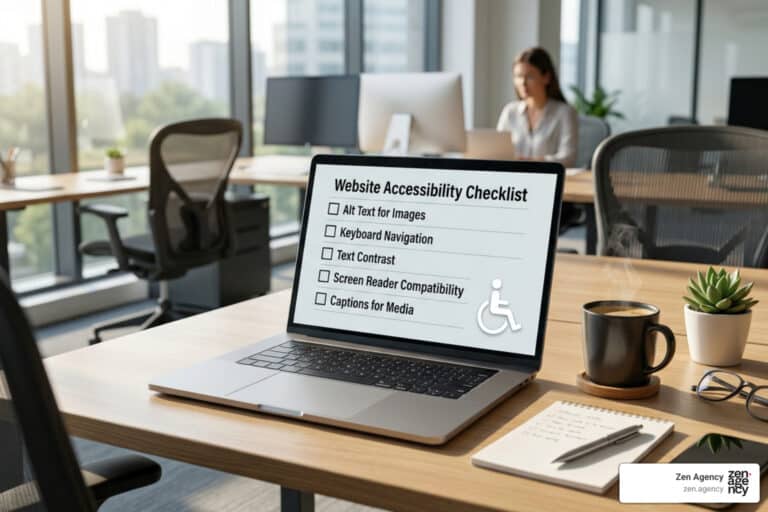
Beginner’s Guide to ADA Website Compliance
What Is an ADA Compliance Website — and Do You Need One?
ADA compliance website standards require that your site be accessible to people with disabilities, just like a physical building must have ramps and accessible entrances. Here’s the quick answer:
Who must comply:
- State and local government websites (Title II)
- Businesses open to the public — online stores, restaurants, healthcare, finance, and more (Title III)
What standard to follow:
- WCAG 2.1 Level AA is the benchmark referenced by the DOJ
What’s at risk if you don’t:
- Lawsuits, demand letters, and settlements averaging $5,000–$20,000
- Over 8,800 ADA Title III federal lawsuits were filed in 2024 alone
The core rule: Your website must provide meaningful access to people with disabilities — no exceptions for being small or private-sector.
Think of your website like the front door of your business. If someone in a wheelchair can’t get through that door, that’s a civil rights violation. The same logic now applies online. The Department of Justice (DOJ) has held since 1996 that the ADA covers web content — and courts across the country have consistently agreed.
An inaccessible website doesn’t just create legal risk. It shuts out roughly 1.3 billion people worldwide who live with some form of disability, according to the World Health Organization. That’s a massive audience — and potential customers — you could be turning away.
I’m Joseph Riviello, CEO and Founder of Zen Agency, and over my 22+ years in digital marketing I’ve helped businesses navigate complex compliance challenges — including building ADA compliance website strategies that protect brands while improving user experience for every visitor. Let me walk you through everything you need to know.
Ada compliance website word list:
The Essentials of an ADA Compliance Website
When we talk about an ada compliance website, we are referring to a digital presence that adheres to the Americans with Disabilities Act. This landmark civil rights law, enacted in 1990, was designed to protect people with disabilities from discrimination in all areas of public life. While the original text focused on physical spaces, the Department of Justice (DOJ) has made it clear that “places of public accommodation” includes the digital world.
To understand your obligations, you first need to identify which “Title” of the ADA applies to you:
- Title II: This applies to state and local government entities. Whether it’s the city of Scranton, PA, or a public school district in Billings, MT, these organizations must ensure their services, programs, and activities are accessible.
- Title III: This covers “public accommodations” and commercial facilities. This includes almost every private business that interacts with the public—hotels, banks, retail stores, and even many non-profits.
The DOJ oversees both titles, while the Department of Transportation (DOT) handles specific accessibility regulations for transit systems. The gold standard for these entities is the 2010 ADA Standards, which established the legal framework for “effective communication” and “nondiscrimination.”
In the digital space, the term “meaningful access” is the yardstick. It means a person with a disability should be able to acquire the same information, engage in the same interactions, and enjoy the same services as a person without a disability, with substantially equivalent ease of use.
Title II vs. Title III: A Quick Comparison
| Feature | Title II Entities | Title III Entities |
|---|---|---|
| Who they are | State/Local Governments (e.g., Wilkes Barre City Hall) | Private Businesses (e.g., a Hazleton law firm) |
| Legal Standard | Program Accessibility & Effective Communication | Nondiscrimination & Barrier Removal |
| Web Standard | WCAG 2.1 Level AA (Mandated by 2024 Rule) | Meaningful Access (WCAG 2.1 AA recommended) |
| Enforcement | DOJ / Private Lawsuits | DOJ / Private Lawsuits |
Who Needs an ADA Compliance Website?
We often hear from business owners in Pennsylvania and Montana asking, “Am I too small for this to matter?” The short answer is usually no. If your business is open to the public, you fall under Title III.
- Commercial Facilities: Office buildings, warehouses, and factories must comply with design standards, and their digital portals for employees or vendors should be accessible.
- Private Businesses: If you sell products online or offer services (like a local restaurant in Kingston, PA), your website is a public accommodation.
- Government Agencies: From judicial facilities to local libraries, Title II mandates total digital accessibility.
- Public Schools and Hospitals: These are critical infrastructure. An inaccessible patient portal or student registration form is a major liability.
One common myth is the “15-employee rule.” While Title I (which covers employment) generally applies to businesses with 15 or more employees, Title III (public accommodations) has no such minimum. Even a one-person e-commerce shop can be sued if their website is inaccessible.
How to Audit Your ADA Compliance Website
If you’re wondering where you stand, you need a comprehensive audit. At Zen Agency, we recommend a three-pronged approach to ensure your ada compliance website is truly inclusive.
- Automated Scans: Tools like the WAVE tool or Google Lighthouse are great starting points. They can quickly find “low-hanging fruit” like missing alt text or poor color contrast. However, research shows that automated tools only catch about 25% of accessibility issues.
- Manual Testing: This is where an expert reviews the code. We look for things a machine can’t see—like whether the “tab order” makes sense for someone navigating via keyboard, or if form labels are programmatically linked to their inputs.
- User Testing: Nothing beats real-world experience. Testing your site with individuals who use assistive technology, such as screen readers (JAWS or NVDA) or refreshable Braille displays, provides the most accurate picture of your site’s usability.
Following the Web Content Accessibility Guidelines is the only way to ensure you’re meeting the “meaningful access” standard.
Technical Requirements and WCAG Framework
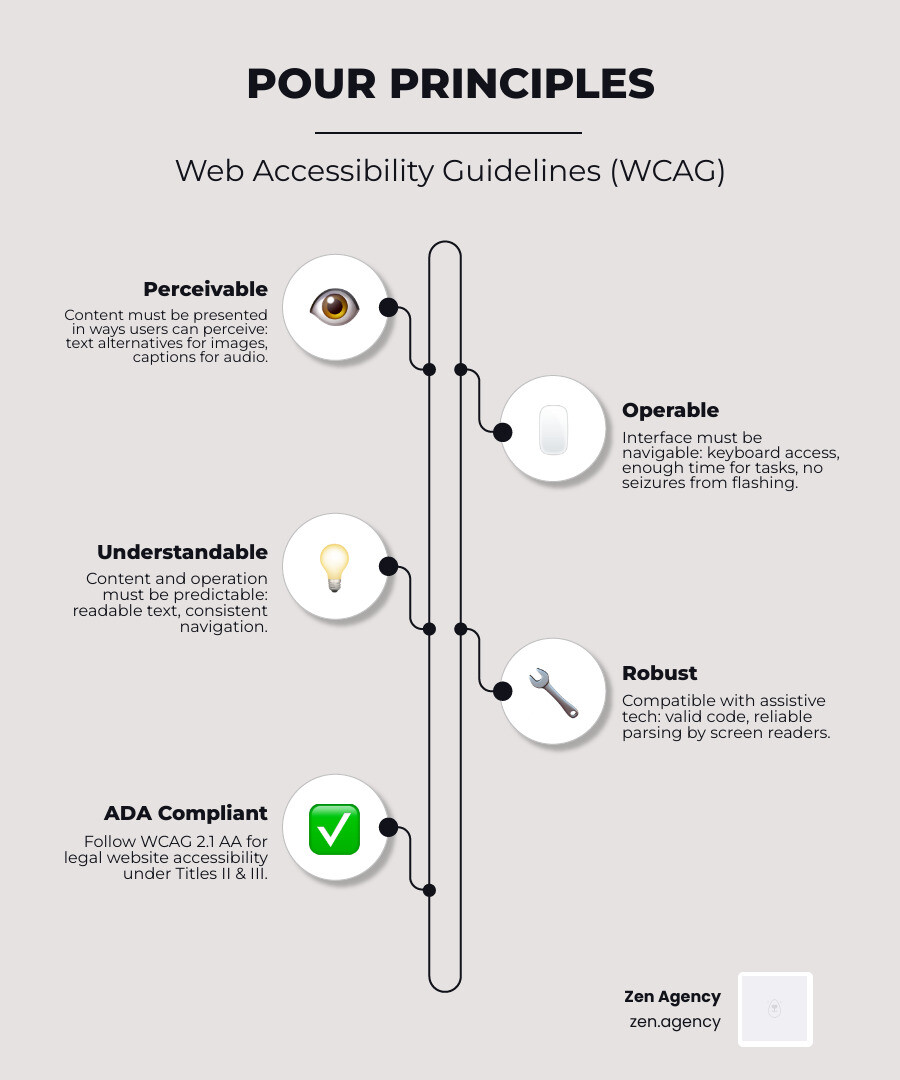
The Web Content Accessibility Guidelines (WCAG) are the technical “instruction manual” for digital accessibility. Created by the World Wide Web Consortium (W3C), these guidelines are organized into four main principles, known as POUR:
- Perceivable: Users must be able to perceive the information being presented. It can’t be invisible to all their senses. (e.g., providing alt text for images).
- Operable: Users must be able to operate the interface. The site shouldn’t require interactions that a user cannot perform (e.g., making all functions available via keyboard).
- Understandable: Users must be able to understand the information and the operation of the user interface (e.g., clear error messages on forms).
- Robust: Content must be robust enough that it can be interpreted reliably by a wide variety of user agents, including assistive technologies (e.g., using clean, semantic HTML).
Currently, WCAG 2.1 Level AA is the legal benchmark most often cited in DOJ settlements and the new 2024 Title II rule. However, WCAG 2.2 was recently released, adding even more protections for users with cognitive disabilities and those using mobile devices.
Key Technical Elements to Address:
- Semantic HTML: Using correct tags (like
,) helps screen readers understand the structure of your page. - Alt Text: Every image needs a text description. If it’s a photo of the Billings, MT skyline, the alt text should say exactly that.
- Color Contrast: Text must have a contrast ratio of at least 4.5:1 against its background.
- Video Captions & Audio Descriptions: Essential for users with hearing or visual impairments.
- Form Labeling: Every form field needs a clear, descriptive label that is programmatically connected to the input box.
- Focus Indicators: When a user “tabs” through your site, there must be a visible box around the element they are currently on.
Compliance Timelines, Alterations, and Exceptions
Accessibility isn’t just a “one and done” task; it’s an ongoing commitment. The legal landscape has shifted significantly over the last decade.
- 2012 Mandate: On March 15, 2012, the 2010 ADA Standards became mandatory for new construction and alterations.
- 2024 DOJ Rule: This is a big one. The DOJ recently published a final rule specifically for Title II (state and local governments). It mandates that these entities must have their web content and mobile apps conform to WCAG 2.1 Level AA by 2026 (or 2027 for smaller jurisdictions).
- Alterations and the 20% Rule: In the physical world, if you alter a “primary function area,” you must ensure the “path of travel” is accessible. The cost for these path-of-travel improvements is deemed disproportionate if it exceeds 20% of the total cost of the alteration. In the digital world, this means if you are redesigning your checkout process (a primary function), you must prioritize the accessibility of the steps leading to it.
Are there exceptions?
Yes, but they are rare and difficult to prove:
- Structural Impracticability: Only applies to new construction where the unique characteristics of the terrain make accessibility impossible.
- Technical Infeasibility: If the existing technology literally cannot be made accessible without destroying the functionality.
- Undue Burden: This is often claimed by small businesses, but the legal bar is very high. It requires proving that compliance would cause significant financial or administrative difficulty, considering all resources available to the business.
Risks of Non-Compliance and Enforcement
The risks of ignoring ada compliance website standards are no longer theoretical. We are seeing a massive surge in litigation.
According to research from Seyfarth Shaw, more than 8,800 ADA Title III federal lawsuits were filed in 2024—a 7% increase over the previous year. These aren’t just targeting giants like Amazon; small businesses in Pennsylvania and Montana are increasingly being hit by “serial plaintiffs.” These are individuals or law firms that use automated tools to find sites with basic errors (like missing alt text) and file hundreds of nearly identical lawsuits.
The Consequences:
- Financial Liability: Settlements typically range from $5,000 to $20,000, but that doesn’t include your own legal fees or the cost of actually fixing the website.
- Reputational Damage: In an era of social responsibility, being labeled as “discriminatory” can hurt your brand.
- DOJ Enforcement: Through initiatives like “Project Civic Access,” the DOJ proactively audits cities and counties. They have reached settlements with places like Denver, CO, and Jacksonville, FL, requiring total digital overhauls.
Frequently Asked Questions about Website Accessibility
Are small businesses exempt from ADA website rules?
No. There is no “small business” exemption in Title III of the ADA. If your business is open to the public, you are required to provide accessible services. While “undue burden” is a theoretical defense, it is rarely successful in court because the cost of basic web accessibility is considered relatively low compared to the total resources of most businesses.
What is the difference between Section 508 and the ADA?
Section 508 of the Rehabilitation Act applies specifically to federal agencies and organizations that receive federal funding. It has very specific technical requirements. The ADA is a broader civil rights law that applies to state/local governments (Title II) and the private sector (Title III). However, both now point toward WCAG as the standard to follow.
Do I need an accessibility overlay or widget?
We strongly advise caution here. Many “overlay” companies promise a one-line-of-code fix for ADA compliance. However, hundreds of accessibility professionals have spoken against them. These widgets often interfere with screen readers and do not fix the underlying code issues. In fact, many serial plaintiffs now specifically target websites that use these widgets because they are a signal that the site’s original code is likely inaccessible.
Conclusion
At the end of the day, an ada compliance website is about more than just avoiding a lawsuit. It’s about digital equity. It’s about making sure that the veteran in Scranton with a motor disability can register for services, or that a student in Billings who is blind can access their course materials.
From a business perspective, inclusive design is just good strategy. It improves your SEO (Google loves well-structured, alt-tagged content), broadens your market reach, and builds brand loyalty.
At Zen Agency, we specialize in enterprise-grade solutions and innovative strategies that help businesses scale while staying protected. Whether you need a custom-built accessible site or a deep-dive audit of your current platform, we are here to ensure your digital presence is a welcoming door for everyone.
Ready to secure your digital future? More info about ada compliance services