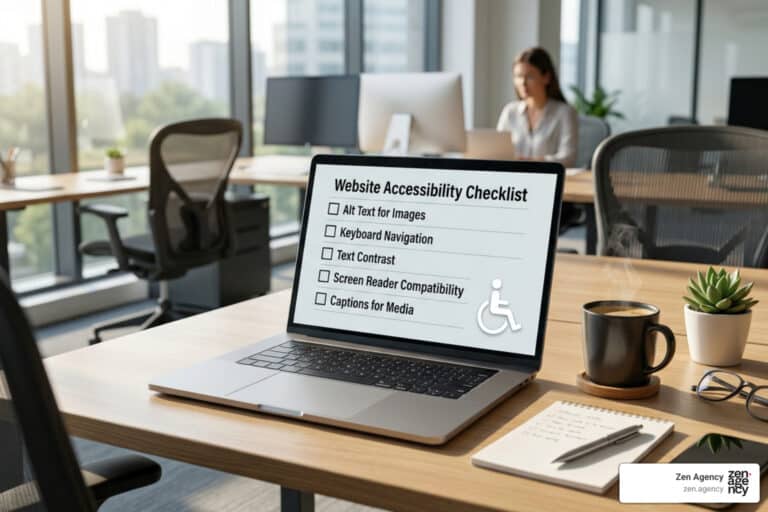
The 5 Best ADA Compliance Services Compared
The 5 Best ADA Compliance Services Compared
Why ADA Compliance Services Are More Important Than Ever
ADA compliance services help businesses make their websites accessible to people with disabilities — and right now, the stakes for ignoring this have never been higher.
Here are the top ADA compliance services to know about:
| Service Type | Best For | Key Features |
|---|---|---|
| Automated AI Overlays | Quick fixes, small sites | AI-driven widgets and UI adjustments |
| Manual Expert Audits | Deep remediation, legal defense | Human-led testing and assistive tech |
| Hybrid Managed Services | Ongoing compliance, enterprise | Software monitoring + Expert support |
| Developer Testing Tools | Code-level fixes | Browser-based evaluation and extensions |
| PDF Remediation Services | Document accessibility | Tagging, OCR, and document structure |
The numbers tell a clear story. Digital accessibility lawsuits have surged over 200% since 2017. In 2022 alone, more than 8,694 accessibility lawsuits were filed. A first-time violation can cost up to $92,000 in civil penalties — and repeat violations can double that.
And it’s not just large corporations at risk. ADA lawsuits against education, government, small business, e-commerce, and SaaS websites have jumped 120% in just the last two years.
Meanwhile, 1 in 4 adults in the U.S. lives with a disability. An inaccessible website doesn’t just create legal exposure — it actively shuts out a massive portion of your potential customers.
The good news? The right ADA compliance service can protect your business, expand your audience, and even improve your SEO — all at the same time.
I’m Joseph Riviello, CEO and Founder of Zen Agency, with over 22 years of experience helping businesses scale through holistic digital strategies, including ADA compliance services that protect brands while driving real growth. In this guide, I’ll break down the five best types of ADA compliance services so you can find the right fit for your business.
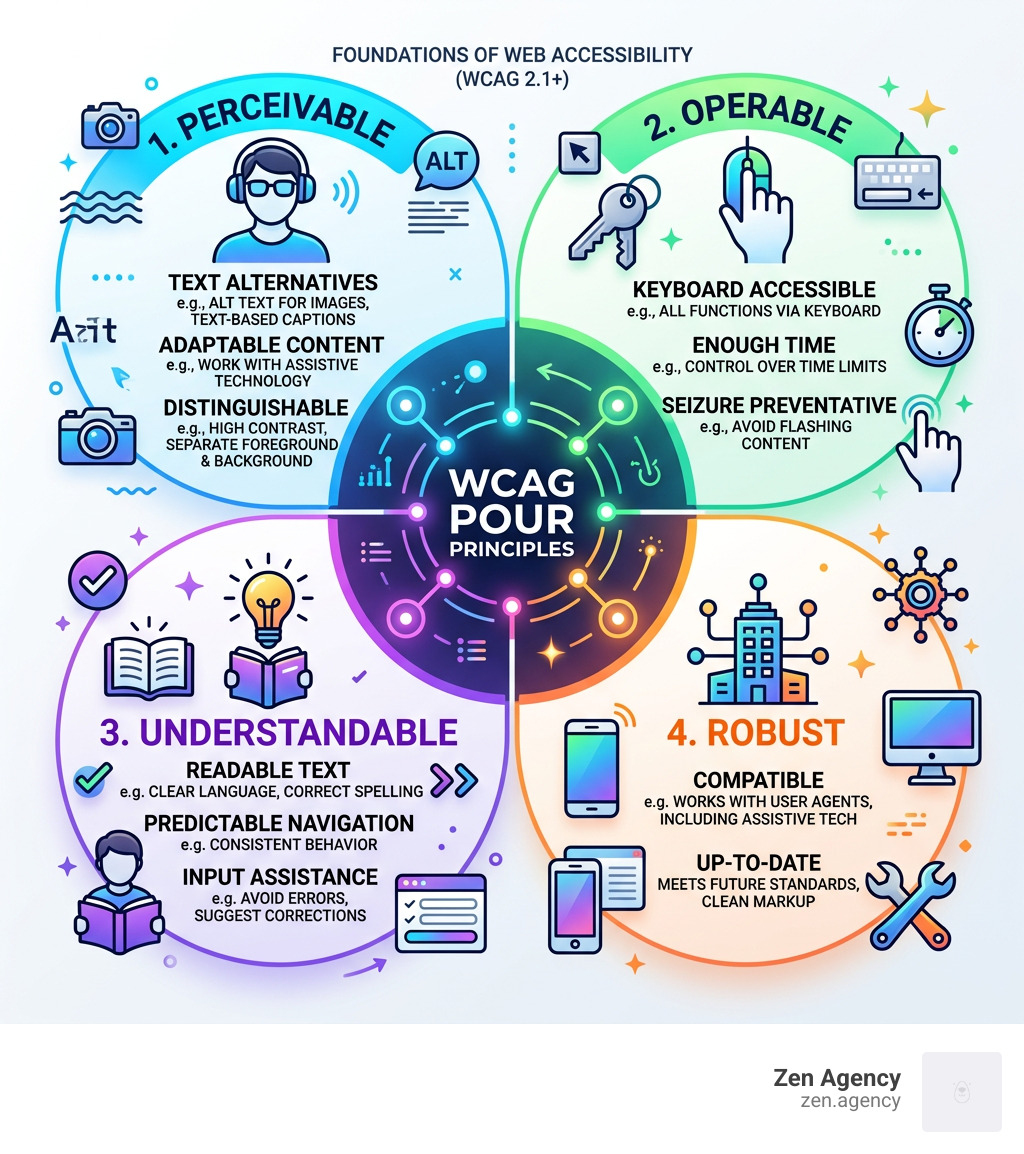
Key ada compliance services vocabulary:
Understanding Website Accessibility and Legal Requirements
When we talk about making a website “accessible,” we are really talking about civil rights. The Americans with Disabilities Act (ADA) was enacted in 1990 to prevent discrimination, and while it originally focused on physical ramps and Braille signs, the U.S. Department of Justice has repeatedly stated that these protections extend to the digital world.
For most businesses, Title III of the ADA is the big one. it requires “places of public accommodation” to be accessible. In the modern era, your website is your digital storefront. If a person using a screen reader or someone who can’t use a mouse visits your site and can’t complete a purchase or find information, that is considered a barrier to access.
But the ADA isn’t the only acronym in the alphabet soup of compliance:
- Section 508: This applies to federal agencies and any organization receiving federal funding (like many schools and healthcare providers).
- ADA Title II: This specifically targets state and local governments. New rules require these entities to meet strict web and mobile app standards by 2026 or 2027, depending on population size.
- WCAG: The Web Content Accessibility Guidelines are the international “gold standard.” While the ADA doesn’t explicitly name a technical standard, courts almost always use WCAG 2.1 Level AA as the benchmark for whether a site is compliant.
Ignoring these requirements is a gamble. Civil penalties for a first violation can reach as much as $92,000, with subsequent violations climbing to roughly $184,000. Beyond the fines, the cost of legal fees and settlements can easily sink a small to mid-sized business.
The Business Case for ADA Compliance Services
We often hear from clients who are worried about lawsuits, but we like to frame ada compliance services as a massive growth opportunity rather than just a legal shield.
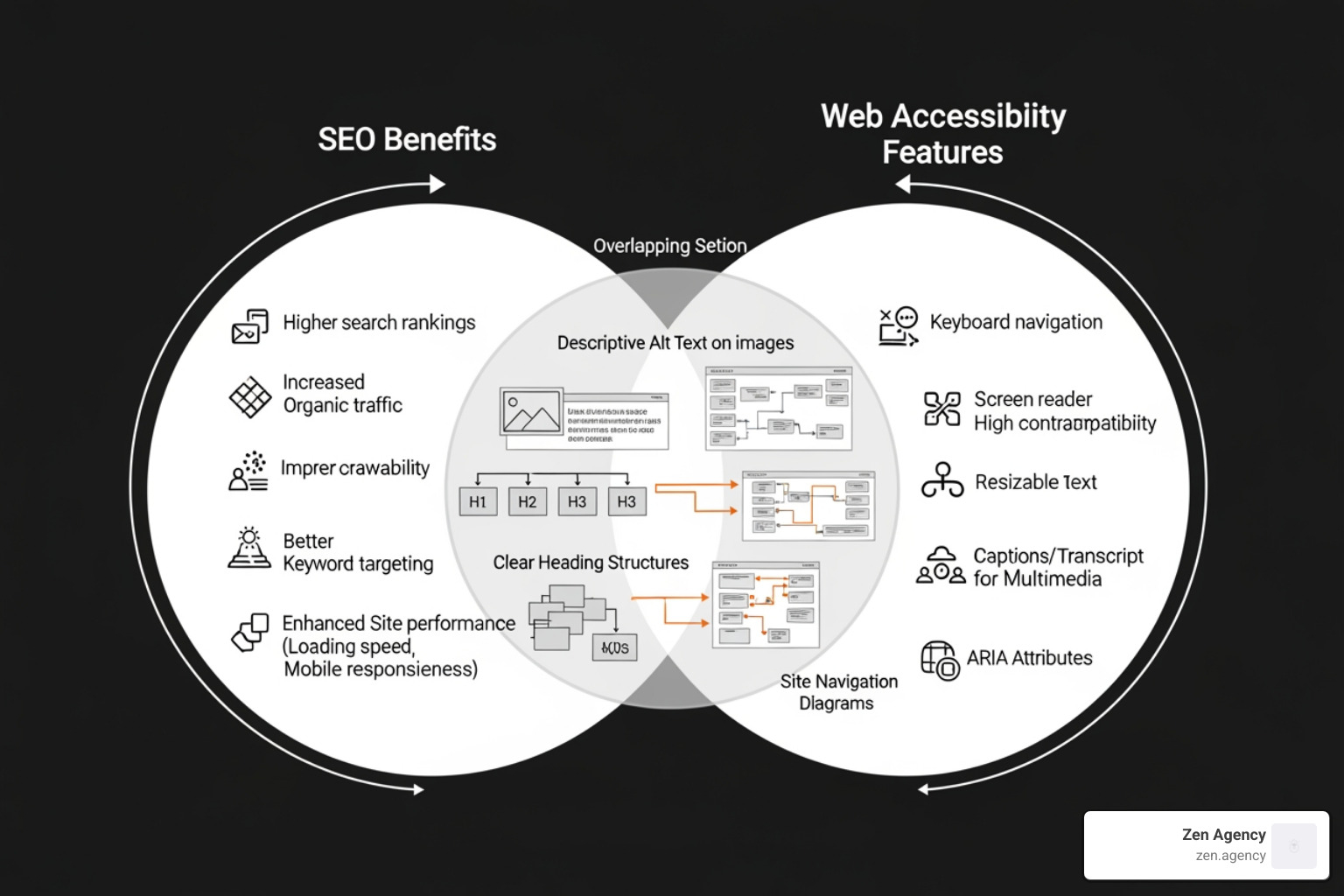
First, let’s talk about the “SEO Boost.” Search engines like Google love accessible websites. Why? Because the things that help people with disabilities—like descriptive alt text for images, clear heading structures, and transcripts for videos—are the exact same things that help search engine crawlers understand your content. When you improve accessibility, you’re essentially providing a roadmap for better rankings.
Then there is the market expansion. With 25% of U.S. adults living with a disability, ignoring accessibility means you are ignoring a quarter of your potential revenue. Research suggests that making a site accessible can lead to a 12% increase in customers.
Finally, there is the social responsibility aspect. About 90% of consumers prefer companies that demonstrate social responsibility. By prioritizing inclusion, you build brand trust. To stay ahead of the curve, you can Sign Up for ADA updates directly from the DOJ to ensure your brand remains a leader in digital equity.
Comparing the 5 Best Types of ADA Compliance Services
Not all ada compliance services are created equal. Depending on your budget, your technical needs, and your risk tolerance, you might choose one of the following approaches.
| Service Level | Human Involvement | Legal Protection | Best For |
|---|---|---|---|
| Level A | Minimal | Low | Basic accessibility |
| Level AA | Moderate | High (Industry Standard) | Most businesses |
| Level AAA | High | Maximum | Specialized/Gov sites |
1. Automated AI Overlays and Widgets
You’ve probably seen these on websites—a small blue icon in the corner that lets you change font sizes or color contrast. These are often powered by AI-driven platforms that integrate directly into your website’s code.
How they work: These tools use machine learning to scan your site in real-time. They attempt to fix UI issues, optimize for screen readers, and handle design-related adjustments automatically.
The Pros: They are fast and relatively inexpensive. For a small business with a limited budget, they provide an immediate layer of accessibility.
The Cons: They aren’t perfect. In fact, many companies have been sued despite having widgets installed. AI struggles with things like “logical reading order” or the context of an image. If your AI labels a “Submit” button as “Blue Rectangle,” you still have a compliance problem.
2. Manual Expert Audits and Human Remediation
If you want to be 100% sure you’re protected, there is no substitute for human eyes. A manual audit involves a professional accessibility expert navigating your site using assistive technologies like JAWS or NVDA screen readers.
How they work: Experts go through a manual WCAG checklist to find issues that automated scans miss. This includes testing keyboard navigation (can you use the site without a mouse?) and ensuring that forms are labeled correctly.
The Pros: This is the most thorough method. It provides a “good faith effort” defense in court and ensures a truly usable experience for people with disabilities.
The Cons: It is more time-consuming and expensive than automated tools. However, for enterprise-level businesses or those in high-risk industries like e-commerce, it is usually the best investment.
3. Hybrid Managed ADA Compliance Services
This is the “best of both worlds” approach. Hybrid services combine automated monitoring with manual expert intervention. A provider might use software to catch 70% of the issues instantly while having a team of experts handle the complex 30%.
How they work: These services often include ongoing monitoring. As you add new blog posts or products, the software flags errors, and the managed service team fixes them. This ensures you don’t fall out of compliance three months after your audit.
The Pros: It offers robust legal protection and scales with your business. Many of these services provide a “certificate of conformance” or legal support if you ever receive a demand letter.
The Cons: It requires a monthly retainer, which might be a hurdle for very small startups.
4. Developer-Led Testing and Evaluation Tools
For businesses with in-house dev teams, developer-led tools are essential. These are often browser extensions or integrations that check code as it’s being written.
How they work:
- Visual Evaluation Tools provide feedback by overlaying icons on your page to show exactly where errors exist.
- Code-Level Checkers integrate directly into browser developer tools to find violations during the build process.
- Automated Accessibility Checkers are tools that help identify issues on web pages and PDFs using standardized rulesets.
The Pros: It catches errors early in the development cycle, which is much cheaper than fixing them after the site is live.
The Cons: It requires a developer who understands accessibility. A tool can tell you an image is missing alt text, but it won’t write a good description for you.
5. Specialized PDF and Document Remediation
Many people forget that ada compliance services also cover the files you host on your site. If you have a menu, a brochure, or an annual report in PDF format, it must be readable by assistive technology.
How they work: Specialized services use OCR (Optical Character Recognition) and manual tagging to ensure that the document structure—headings, tables, and lists—is accessible. You can utilize specialized PDF remediation services that ensure your documents meet WCAG 2.2 AA standards.
The Pros: Prevents legal “trap doors” where a site is accessible but the core content (the PDF) is not.
The Cons: Can be tedious if you have thousands of legacy documents that need fixing.
Key Features of Effective ADA Compliance Services
When you are shopping for a provider, don’t just look at the price. Look for these essential features:
- Automated Scanning & Real-Time Alerts: Your site changes daily. You need a tool that alerts you the moment a non-compliant element is published.
- Manual Validation: As mentioned, AI isn’t enough. Ensure there is a human element to the service.
- CMS Integration: The service should work seamlessly with your platform, whether you’re on WordPress, Shopify, or a custom build. For WordPress users, specialized accessibility plugins can provide a good starting point for identifying basic issues.
- Detailed Reporting Dashboards: You need to be able to show your progress. A good service provides clear reports that you can hand to your legal team or board of directors.
- Legal Support: Some of the best ada compliance services offer litigation support, helping you respond to demand letters with technical data.
How to Achieve and Maintain Long-Term Compliance
Achieving compliance isn’t a “one-and-done” project; it’s a lifestyle for your website. Here is a roadmap we recommend to our clients:
- Identify the Gaps: Start with a Free Assessment to see where you currently stand. This will give you a baseline of your “A” and “AA” violations.
- Remediation Roadmap: Fix the high-priority items first—keyboard navigation, missing alt text, and color contrast.
- Utilize Tax Incentives: Did you know the IRS offers a Disabled Access Credit? Small businesses can receive a tax credit of up to $5,000 per year to help cover the costs of making their digital infrastructure accessible. There is also a tax deduction of up to $15,000 per year for certain expenses.
- Ongoing Maintenance: Use the W3C list of evaluation tools to perform regular checkups.
- Train Your Team: Ensure your content creators know how to add captions to videos and use proper heading structures in blog posts.
Frequently Asked Questions about ADA Compliance
Is ADA compliance legally required for my website?
Yes. While the ADA was originally written for physical spaces, the DOJ and federal courts have clarified that it applies to the “services, programs, and activities” of public accommodations, which includes websites. If you are a private business that serves the public, you are likely required to meet ADA Standards for Accessible Design.
What is the difference between WCAG Level A and AA?
Think of Level A as the bare minimum—the “must-haves” for basic access. Level AA is the industry standard that most businesses aim for; it removes the most common barriers for the widest range of people. Level AAA is the highest level of accessibility, often required for specialized or government-funded sites.
How much do ADA compliance services cost?
Pricing varies wildly. An automated widget might cost $50–$100 per month. A full-scale manual audit for a large e-commerce site could cost several thousand dollars. However, when you consider that a first-time violation fine starts at $92,000, the ROI of a professional audit is incredibly high. You can always start by requesting a remediation quote to understand the specific needs of your site.
Conclusion
At Zen Agency, we believe that the internet should be a place where everyone has equal access to information and opportunity. Since 2008, we have focused on providing enterprise-grade solutions that help businesses scale, and that includes ensuring their digital presence is inclusive and legally sound.
Whether you are looking for a custom website build that has accessibility baked into its DNA or you need an audit to protect your existing brand, we are here to help. ADA compliance services aren’t just about avoiding a lawsuit—they are about reaching more people, improving your SEO, and doing the right thing for your community.
Ready to make your website accessible to everyone? Learn more about our ADA compliance services and let’s build a more inclusive digital future together.