The Quick and Painless ADA Compliance Check for Webmasters
The Quick and Painless ADA Compliance Check for Webmasters
Why an ADA Compliance Check Could Be the Most Important Thing You Do for Your Website This Year
An ADA compliance check is the process of testing your website to verify it meets the accessibility standards required by the Americans with Disabilities Act — and here’s how to do one quickly:
Quick-start ADA compliance check steps:
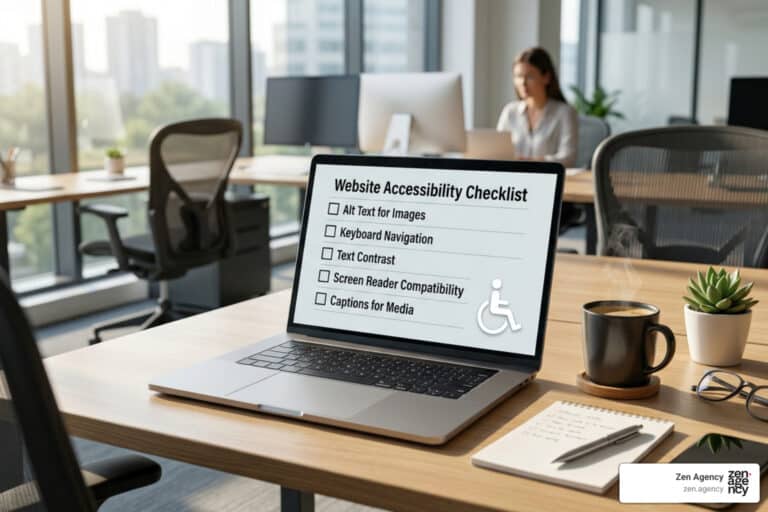
- Run an automated scan using a free tool (like WAVE, Lighthouse, or axe-core) to catch ~30-40% of issues
- Check keyboard navigation — tab through your entire site without a mouse
- Test with a screen reader (NVDA on Windows, VoiceOver on Mac) on key pages
- Verify color contrast — normal text needs a 4.5:1 ratio minimum
- Audit images, forms, and videos for alt text, labels, and captions
- Document your efforts with an Accessibility Conformance Report (ACR)
- Fix issues in the code — overlays are not accepted by courts as compliance
The stakes are real. Over 4,600 federal ADA lawsuits were filed in 2025 alone — a 15% increase from the year before. The average settlement runs $50,000 or more, not counting attorney fees. And right now, 94.8% of websites fail basic accessibility tests.
That means most websites — possibly yours — are exposed.
The good news: catching and fixing the most critical issues is faster and cheaper than you might think. For most small-to-medium sites, it takes just 4 to 16 hours of developer time.
I’m Joseph Riviello, CEO and Founder of Zen Agency, and over my 22 years in digital marketing I’ve helped countless businesses navigate exactly this kind of ADA compliance check — turning what feels like a legal minefield into a straightforward, manageable process. In this guide, I’ll walk you through everything you need to verify your site meets current standards and protect your business.
Essential ADA compliance check terms:
Understanding the Legal Landscape of Website Accessibility
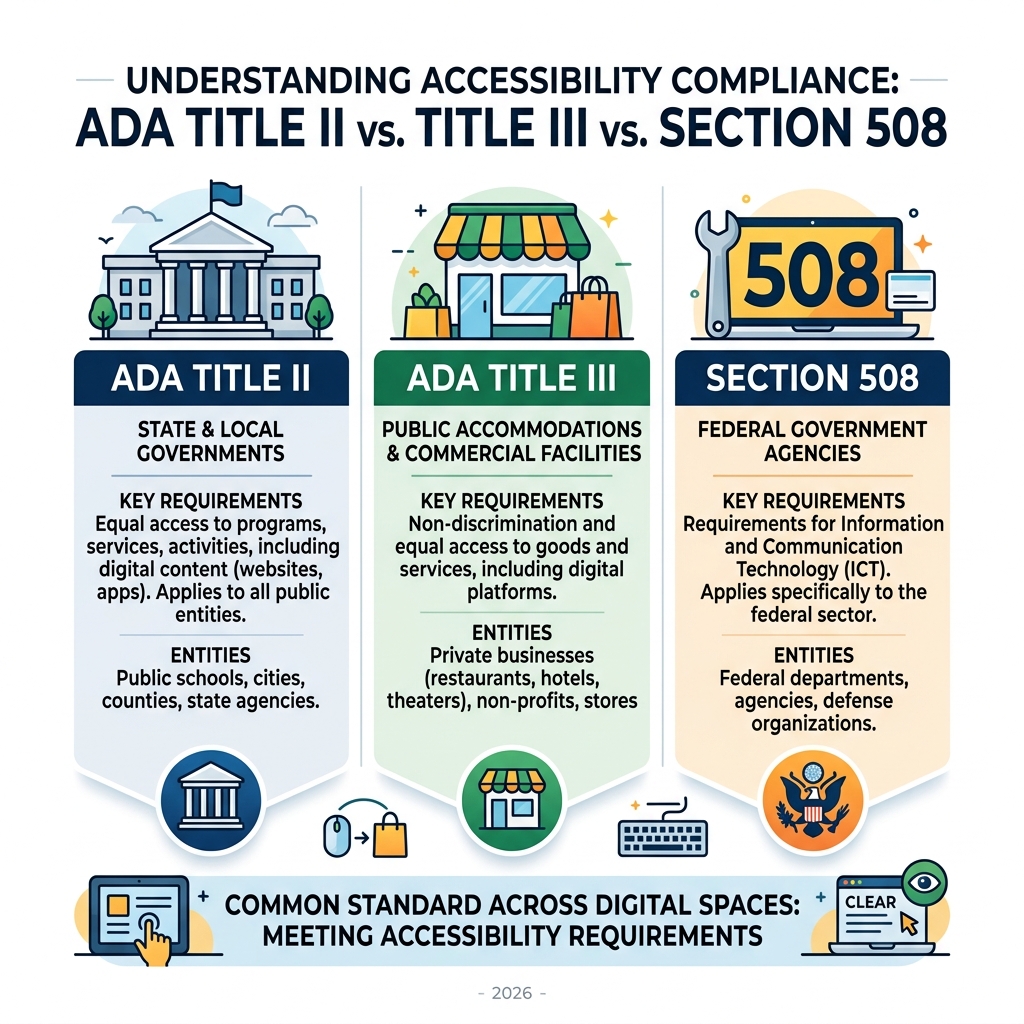
When we talk about an ADA compliance check, we are looking at how the Americans with Disabilities Act (ADA) applies to the digital world. While the ADA was originally written in 1990 for physical spaces like ramps and doorways, the Department of Justice (DOJ) has consistently maintained since 1996 that the law applies to websites too.

For most of us in the private sector, Title III is the big one. It prohibits discrimination in “places of public accommodation.” Courts across the country, particularly in states like Pennsylvania and Montana, increasingly rule that websites are indeed public accommodations. If your site isn’t accessible, it’s legally equivalent to having a flight of stairs at your front door with no ramp.
The numbers are eye-opening. With over 4,600 federal lawsuits filed in 2025, the legal environment is more aggressive than ever. E-commerce sites are the primary targets, accounting for over 75% of these cases. Beyond the federal level, businesses in California face the Unruh Civil Rights Act, which can add $4,000 in statutory damages per violation.
But this isn’t just about avoiding a $50,000 settlement. It’s about people. There are an estimated 1.3 billion people globally living with significant disabilities. This community, along with their families, represents over $13 trillion in spending power. By ignoring accessibility, you aren’t just risking a lawsuit; you’re locking out a massive segment of the market. For those looking for local guidance, the Wyoming Judicial Branch provides resources on nondiscrimination and ADA services that reflect these growing requirements.
The Technical Standard: Why WCAG 2.1 Level AA Matters
If the ADA is the “why,” then the Web Content Accessibility Guidelines (WCAG) are the “how.” Created by the W3C, these guidelines are the gold standard for any ADA compliance check. Specifically, WCAG 2.1 Level AA is the benchmark currently used by the DOJ and the courts for both government and private websites.
WCAG is built on four core principles, often called POUR:
- Perceivable: Users must be able to see or hear the content (e.g., alt text for images).
- Operable: Users must be able to navigate the site (e.g., keyboard navigation).
- Understandable: The content and UI must be clear (e.g., no confusing jargon or unpredictable layouts).
- Robust: The site must work with various assistive technologies, like screen readers.
Comparing WCAG Levels
| Level | Description | Compliance Status |
|---|---|---|
| Level A | Basic accessibility. | Not enough to prevent lawsuits. |
| Level AA | The legal standard. | Required for ADA and Title II compliance. |
| Level AAA | The highest standard. | Ideal for specialized or high-accessibility sites. |
To pass a modern ADA compliance check, you need to focus on the top success criteria often cited in lawsuits. This includes maintaining a 4.5:1 color contrast ratio for normal text and a 3:1 ratio for large text (defined as 14pt bold or 18pt regular). You must also ensure every image has descriptive alt text and all videos have accurate captions. Educational institutions, like those following The University of Scranton’s digital accessibility guidelines, emphasize these standards to ensure every student has equal access to information.
How to Perform a Comprehensive ADA Compliance Check
Performing a thorough ADA compliance check isn’t a one-and-done task; it’s a mix of technology and human intuition. While we love automation for its speed, it only catches about 30–40% of accessibility issues. With 94.8% of websites currently failing automated tests, starting with a scan is essential, but it’s only the first step.
We recommend a “test early, test often” approach. For active sites, weekly automated scans help catch “regressions”—new errors introduced when you update a plugin or post a new blog. Quarterly, you should perform a deeper manual audit to catch the 60% of issues that software misses. This holistic approach is mirrored by government standards, such as the accessibility testing resources provided by the Montana Department of Administration.
Essential Tools for an Automated ADA Compliance Check
Automated tools are your “smoke detectors.” They won’t put out the fire, but they’ll tell you where it’s starting.
- Axe-core: The industry standard engine used by developers worldwide.
- Google Lighthouse: Built right into Chrome, perfect for a quick check.
- WAVE: A browser extension that provides a visual overlay of errors on your page.
- Free ADA Website Scanner: Tools like ADA QuickScan can give you an instant score and identify common barriers in under 60 seconds.
Why a Manual ADA Compliance Check is Non-Negotiable
You cannot automate “meaning.” A computer can tell you if an image has alt text, but it can’t tell you if that text actually describes the image accurately.
During a manual ADA compliance check, we focus on:
- Keyboard Navigation: Put your mouse away. Can you use the
Tabkey to reach every link and button? Can you see where the “focus” is? - Screen Readers: Use NVDA (Windows) or VoiceOver (Mac) to listen to your site. Does the reading order make sense?
- ARIA Labels: These provide “invisible” hints to screen readers. For example, a button that is just an “X” icon needs an ARIA label that says “Close.”
- Skip Links: Does your site allow users to skip the navigation menu and go straight to the main content?
A Step-by-Step Process to Achieve and Maintain Compliance
Once your ADA compliance check reveals issues, it’s time for remediation. For most small businesses, fixing the big stuff (like alt text and contrast) takes between 4 and 16 hours. If you’re worried about the cost, the IRS offers a $5,000 Disabled Access Tax Credit (Form 8826) to help small businesses cover these expenses.
The process should look like this:
- Run the Scan: Get your baseline score.
- Triage: Fix the “blockers” first—things that prevent a user from finishing a purchase or sending a contact form.
- Remediate the Code: Actually fix the HTML. Don’t just slap a plugin on top.
- Document: This is your legal shield.
Documentation Required for a Successful ADA Compliance Check
In the event of a legal challenge, “we tried” isn’t a defense. “Here is our documentation” is. You should maintain an Accessibility Conformance Report (ACR), often based on a VPAT 2.4 template. This document lists every WCAG requirement and how your site meets it. Keeping a log of your audits and a public-facing Accessibility Statement shows “good-faith effort,” which can significantly reduce settlement costs or even get a case dismissed.
Critical Deadlines and Risks for Government and Private Entities
The rules just got stricter for government entities. On April 24, 2024, the DOJ published a final rule for ADA Title II. This requires state and local governments to meet WCAG 2.1 Level AA on a strict timeline:
- Populations of 50,000+: Must comply by April 24, 2026.
- Populations under 50,000: Must comply by April 24, 2027.
For private businesses, there is no “waiting period.” The risk is immediate. Some webmasters try to take a shortcut using accessibility overlays (automated toolbars that claim to fix your site instantly). Be warned: Overlays do not provide ADA compliance. In fact, a WebAIM survey found that 26.7% of users said overlays made sites harder to use.
Courts have begun rejecting overlays as a valid defense, and hundreds of disability advocates have signed open letters urging businesses to avoid them. To see where you stand without the gimmicks, you can use an ADA & WCAG Compliance Scan to get a real look at your source code.
Frequently Asked Questions about ADA Compliance Checks
How often should I run an ADA compliance check?
We recommend running an automated ADA compliance check weekly. Websites are living things—every time you add a new product image or a marketing pop-up, you risk breaking accessibility. A full manual review should happen at least quarterly or after any major design overhaul.
Do accessibility overlays provide full legal protection?
No. Overlays are often viewed as a “digital band-aid.” They don’t fix the underlying code, and serial plaintiffs specifically look for sites using overlays because they know the site likely has deep-rooted issues. True compliance happens at the code level.
What are the typical costs of a professional ADA compliance check?
For a small-to-medium business, professional remediation often ranges from $400 to $2,000 in developer time. Compare that to the $50,000+ average settlement for a lawsuit, and the ROI is clear. Plus, accessible sites often see improved SEO and higher conversion rates because they are easier for everyone to use.
Conclusion
An ADA compliance check shouldn’t be a source of fear; it’s an opportunity to build a better, more inclusive brand. At Zen Agency, we specialize in helping businesses across Pennsylvania, Montana, and the rest of the USA navigate these complex requirements. Since 2008, we’ve focused on enterprise-grade solutions that help businesses scale while staying protected.
Whether you are in Wilkes-Barre, Scranton, or Billings, we can help you turn accessibility into a competitive advantage. Don’t wait for a legal notice to land in your inbox. Take the proactive step today and ensure your digital doors are open to everyone.